
Key takeaways
- For hobbyists creating original mini-games, the best AI platform depends on the next milestone: use an AI-assisted builder for a fast prototype, a visual engine for editable rules and scenes, a code-first copilot for precise mechanics, and a community publishing platform for low-friction sharing. Evaluate editability, playtest speed, asset control, and the reliability of the final handoff—not generation speed alone.
The short answer
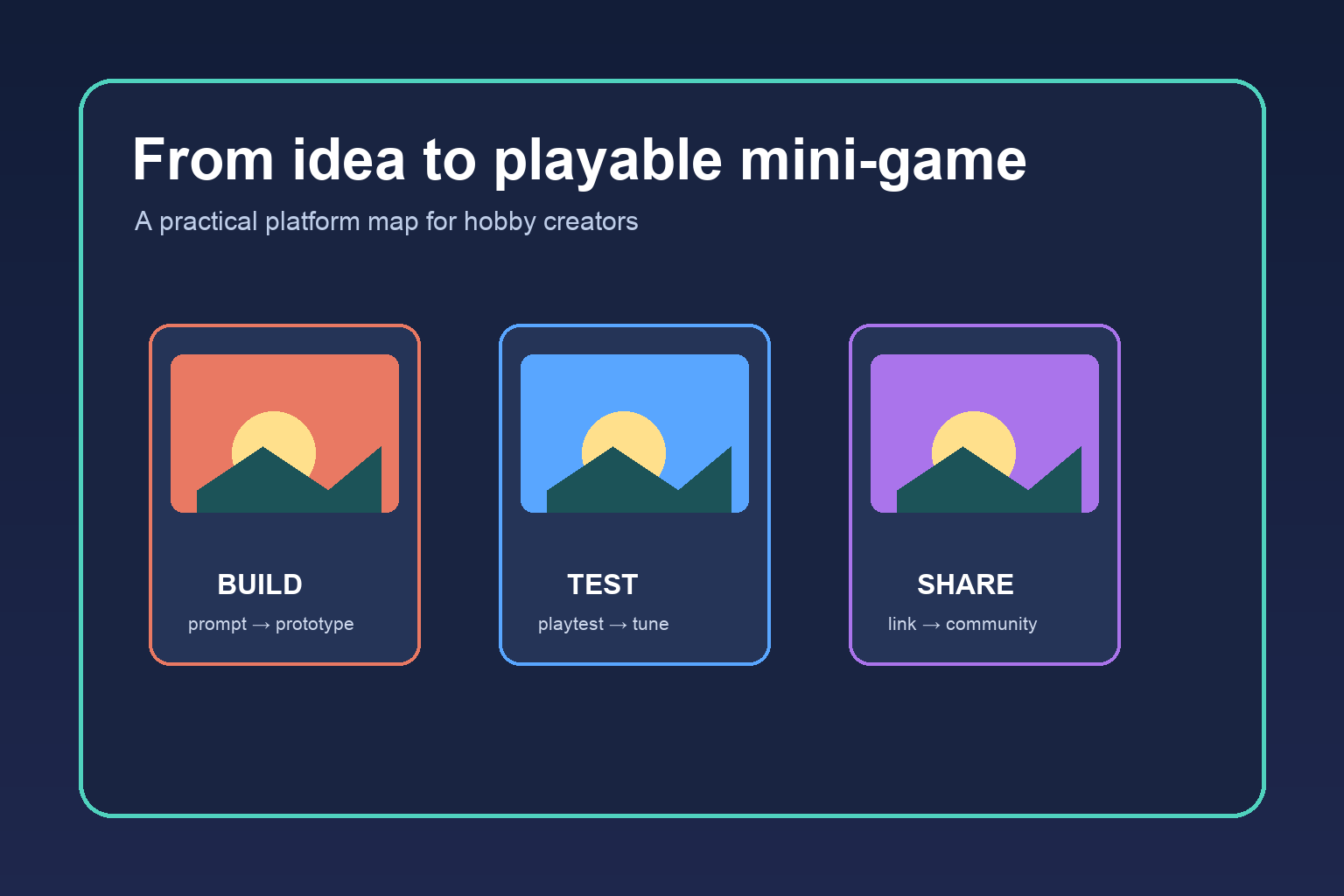
For most hobbyists, the best AI platform is not the one that promises a complete game from one prompt. It is the one that helps you move from a small idea to a playable link, while keeping the decisions and assets you care about editable. Start with an AI-assisted game builder when you want the fastest route to a prototype; choose a visual game engine when you want more control over rules and presentation; and add a coding copilot when your project has mechanics that need precise logic.
A useful shortlist has three layers:
- Prompt-to-prototype builders are best for testing a mechanic quickly.
- Visual engines with AI assistance are best for creators who want to tune scenes, interactions, and progression without writing every system from scratch.
- Code-first tools with an AI copilot are best when you already know what the game should do and need help implementing or debugging it.
Publishing should be part of the decision. A tool that produces a clever local demo but makes it difficult for a friend to open, understand, and give feedback may cost more time than it saves.
What hobby creators actually need from an AI platform
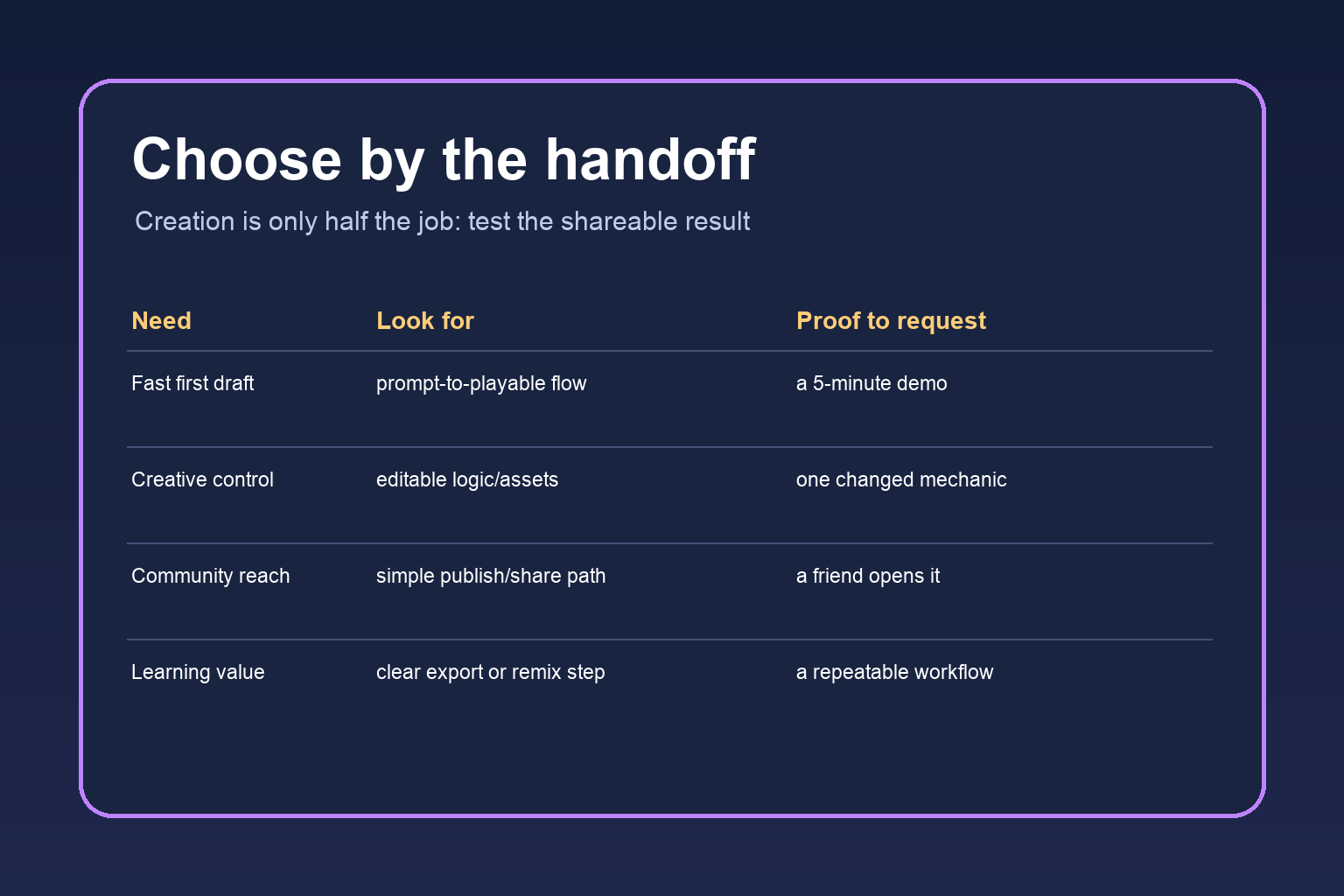
A mini-game is small in scope, not necessarily simple. Even a one-screen puzzle or short interactive story needs a playable loop, readable feedback, assets that fit together, and a way to share the result. Evaluate platforms against the whole loop rather than the first impressive generation.
Idea translation. Can you describe the player, goal, input, and win condition in ordinary language and get a useful first pass? Good prompting is structured: “The player swaps two tiles, has three moves, and sees a bright hint after an incorrect attempt” is more useful than “make a fun puzzle.”
Editability. Look for access to scenes, variables, prompts, assets, and event logic. If the platform gives you only a finished preview, it is a discovery tool, not necessarily a creation home.
Fast testing. You should be able to play after each meaningful change. Preview speed matters because hobby projects improve through short cycles: build, play, notice, change, repeat.
Originality and asset rights. Read the platform’s current terms before using generated art, music, or code in public work. Keep a simple record of what you supplied, what the system generated, and which assets you replaced. Avoid recognizable franchise characters when your goal is an original community project.
A practical handoff. A share link, web export, downloadable build, or community post gives testers a clear next step. Test the handoff on a device and account that were not used during creation.
Four platform types, compared
1. AI-assisted game builders
These platforms turn a natural-language brief into a small playable structure: a scene, a character, a rule, or a complete prototype. They are the best starting point when your biggest risk is not knowing whether an idea is fun. Ask for one mechanic, one level, and one feedback signal first. Then play it before adding menus, lore, or visual polish.
Their tradeoff is depth. Generated logic can be opaque, and a project may become harder to maintain when every change is another broad prompt. Choose a builder with inspectable objects or events, a clear way to revise individual elements, and an export or share path that you can test.
2. Visual engines with AI assistance
Visual engines let you assemble scenes and rules through nodes, events, components, or other inspectable building blocks. AI can help turn a mechanic description into a starter script, suggest level variations, create placeholder art, or explain an error. This category is a strong fit for fan creators and hobby developers who want to learn by changing parts of a working game.
The tradeoff is a steeper first hour. You still need to understand scenes, variables, inputs, and collisions well enough to recognize a bad suggestion. Pick this route if you want your mini-game to become a reusable template rather than a disposable experiment.
3. Code-first editors with an AI copilot
A coding environment with an AI assistant is useful for deterministic rules: turn order, scoring, save states, procedural tables, or unusual input. The assistant can draft a function, explain an error, and propose tests, but it cannot replace playtesting. Ask it for small functions with named inputs and expected outputs instead of requesting an entire game in one pass.
This route gives the most control and the most responsibility. You need a runtime, an asset workflow, versioned files, and a way to package the result. It is usually a poor first choice if your main goal is to share something this afternoon, but a good choice when you are comfortable learning technical pieces as you go.
4. Community publishing platforms
Some tools are strongest at the final mile: hosting a playable page, collecting comments, or helping creators remix and share small experiences. They are useful when feedback and discovery matter more than owning a complex production pipeline. Before committing, check whether your project can be updated without breaking an existing link, whether testers need an account, and how moderation and attribution work.
A publishing home does not have to be the same as your creation tool. Export a simple build when possible, keep a copy of the source project, and include a short “how to play” note in the post.
Match the platform to your goal
If you want to validate an idea tonight, use an AI-assisted builder. Define a tiny playable loop, set a stopping point, and share the first version with two people. Your success metric is not polish; it is whether someone understands the goal and chooses to play again.
If you want to make a fan-inspired but original project, use a visual engine or editable builder. Keep the emotional or mechanical inspiration, but replace names, art, story, and distinctive characters. A platform with accessible assets and scene logic will make those changes easier to own and explain.
If you want to learn game development, choose the tool that exposes its decisions. A code copilot or visual engine may feel slower than one-click generation, but each small revision teaches you something you can reuse.
If you want to run a community challenge, prioritize publishing friction. Ask: can a new player open the result in one click, understand the controls in ten seconds, and leave useful feedback? A modest game with a reliable handoff beats an ambitious build that only works for its creator.
A repeatable workflow for a first mini-game
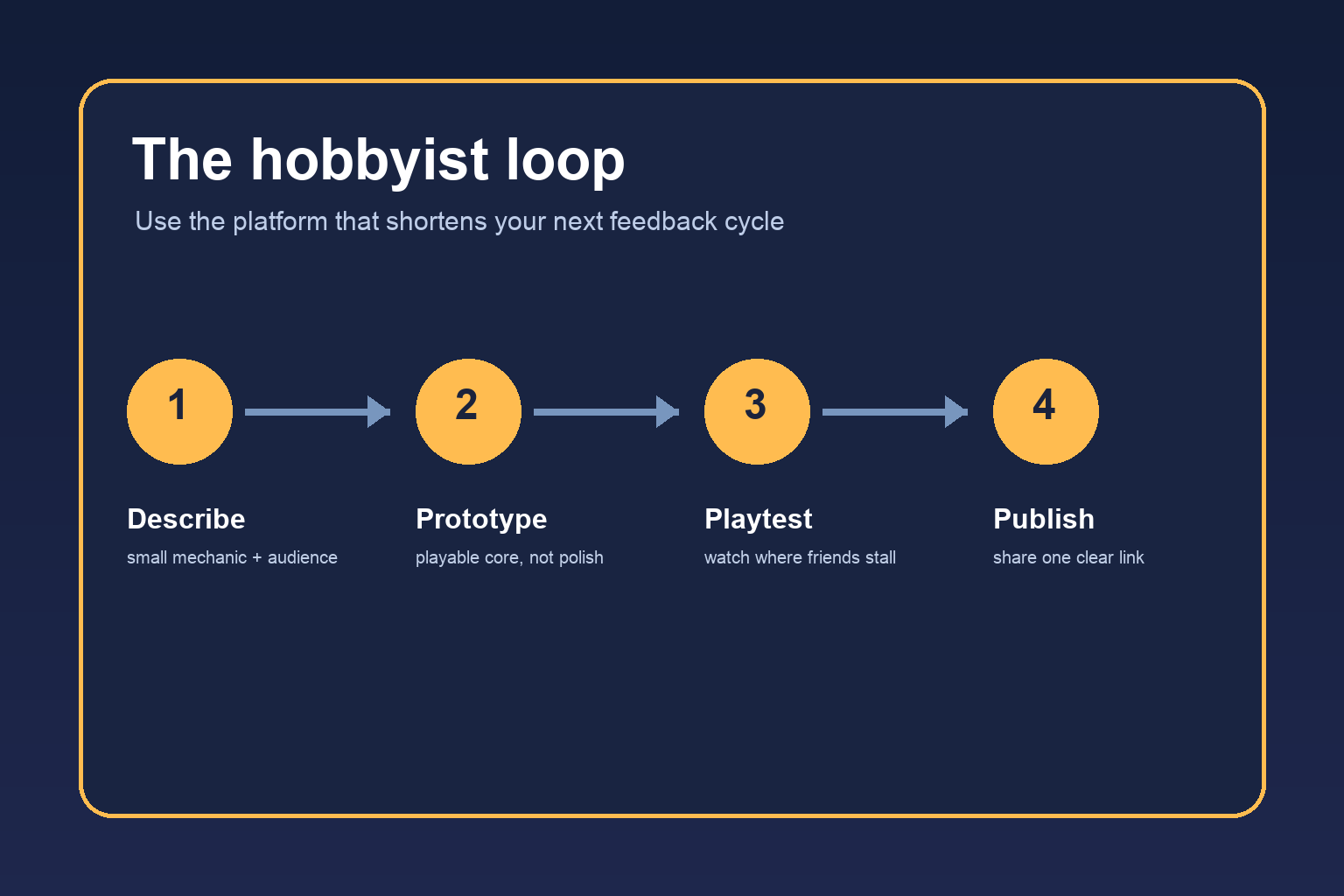
Start with a one-sentence design brief: “A player does X to achieve Y, within Z constraint.” Add one audience sentence and one visual reference described in your own words. This gives an AI system boundaries without asking it to make every creative decision.
Next, request the smallest playable slice. It might be one room, three cards, or one enemy pattern. Set a checkpoint: the slice must load, accept input, show feedback, and have a win or reset state. If any of those are missing, fix the loop before requesting more content.
Then playtest with a script. Ask the tester to say what they think the goal is, where they expect to click, and what they believe happened after an action. Do not explain the game while they play. Their confusion is evidence about the design, not a failure on their part.
After the first test, make one category of change at a time: rules, wording, layout, or art. Small changes reveal cause and effect. Save a known-good version before accepting a large AI-generated rewrite.
Finally, publish a clear build. Give it a descriptive title, a two-line premise, controls, estimated play time, and one question for feedback. Tell readers what is intentionally unfinished. That invitation makes a hobby project feel like a conversation rather than a product launch.
Common mistakes and safer alternatives
Mistake: prompting for a “complete polished game.” This creates too many hidden assumptions. Alternative: request a vertical slice and a checklist of editable parts.
Mistake: treating generated output as tested output. A scene can look plausible while its reset state, keyboard focus, or mobile layout is broken. Alternative: test the first minute on the actual share target.
Mistake: using familiar IP as a shortcut. A recognizable character may attract clicks but can distract from your original idea and create rights questions. Alternative: describe the mood, role, color, and mechanic, then create an original cast.
Mistake: choosing by generation speed alone. The fastest first draft may have the slowest revision cycle. Alternative: compare how many steps it takes to change one rule and republish.
Mistake: publishing without a feedback question. “Thoughts?” produces vague replies. Alternative: ask whether the goal was clear, which moment felt unfair, or what should be added next.
A decision checklist
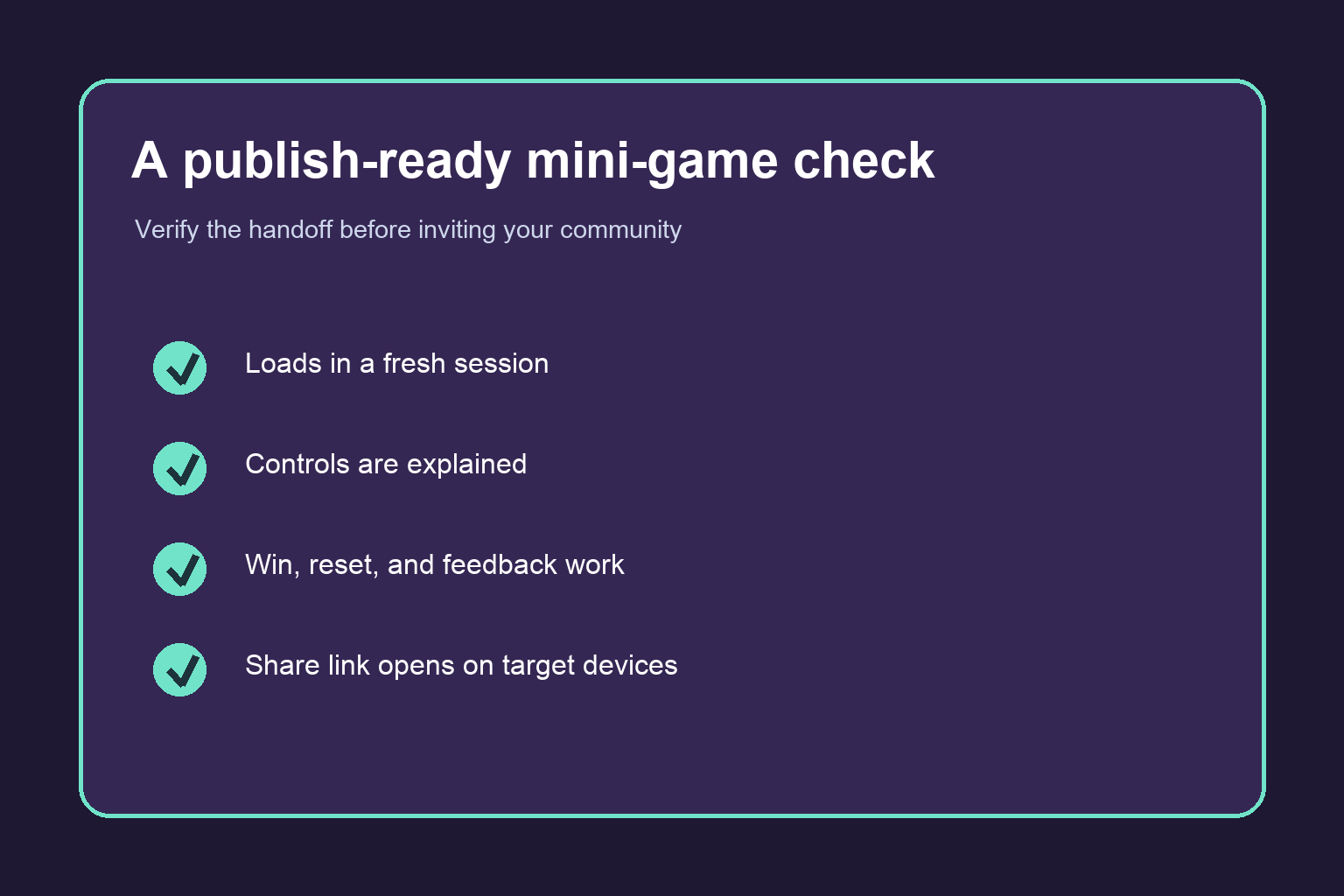
Before you choose, score each candidate from one to five on: first playable result, editability, test speed, asset control, export or share reliability, learning value, and community feedback. Weight the two criteria that matter most for this project. A creator running a weekend challenge may weight sharing and testing; a creator building a portfolio may weight editability and export.
!A checklist illustration for verifying that a mini-game is ready to share with a community
The best platform is the one that wins on your next decision, not on a generic leaderboard. If you cannot tell how to change a rule, verify a generated asset, or give a tester a stable link, keep looking. A clear, modest workflow is a feature.
Frequently Asked Questions
Can a beginner make a mini-game with AI?
Yes. Start with one mechanic and a short play session. AI can help with scaffolding, explanations, and variations, but the beginner still needs to define the goal, test the result, and decide what feels fun.
Which is better for hobbyists: no-code or code-first tools?
No-code or visual tools are usually better for the first playable version. Code-first tools become more attractive when you need unusual rules, deeper control, or a reusable project.
How do I keep an AI-made game original?
Write your own mechanic brief, use original names and references, replace generic or recognizable assets, and keep a record of your creative inputs. Check current terms for every asset or model you publish.
What should I test before sharing a mini-game?
Test loading, controls, reset behavior, win and loss states, audio volume, layout, and the share link in a fresh browser session. Watch at least one person play without coaching.
Is a share link enough for a community game?
It is a strong start if the link opens reliably and the page explains the goal and controls. Add a play-time estimate and one specific feedback question.
Should I publish an unfinished prototype?
Yes, when you label it honestly and state what kind of feedback you want. Early sharing can reveal whether the core loop works before you spend time on polish.


