
Key takeaways
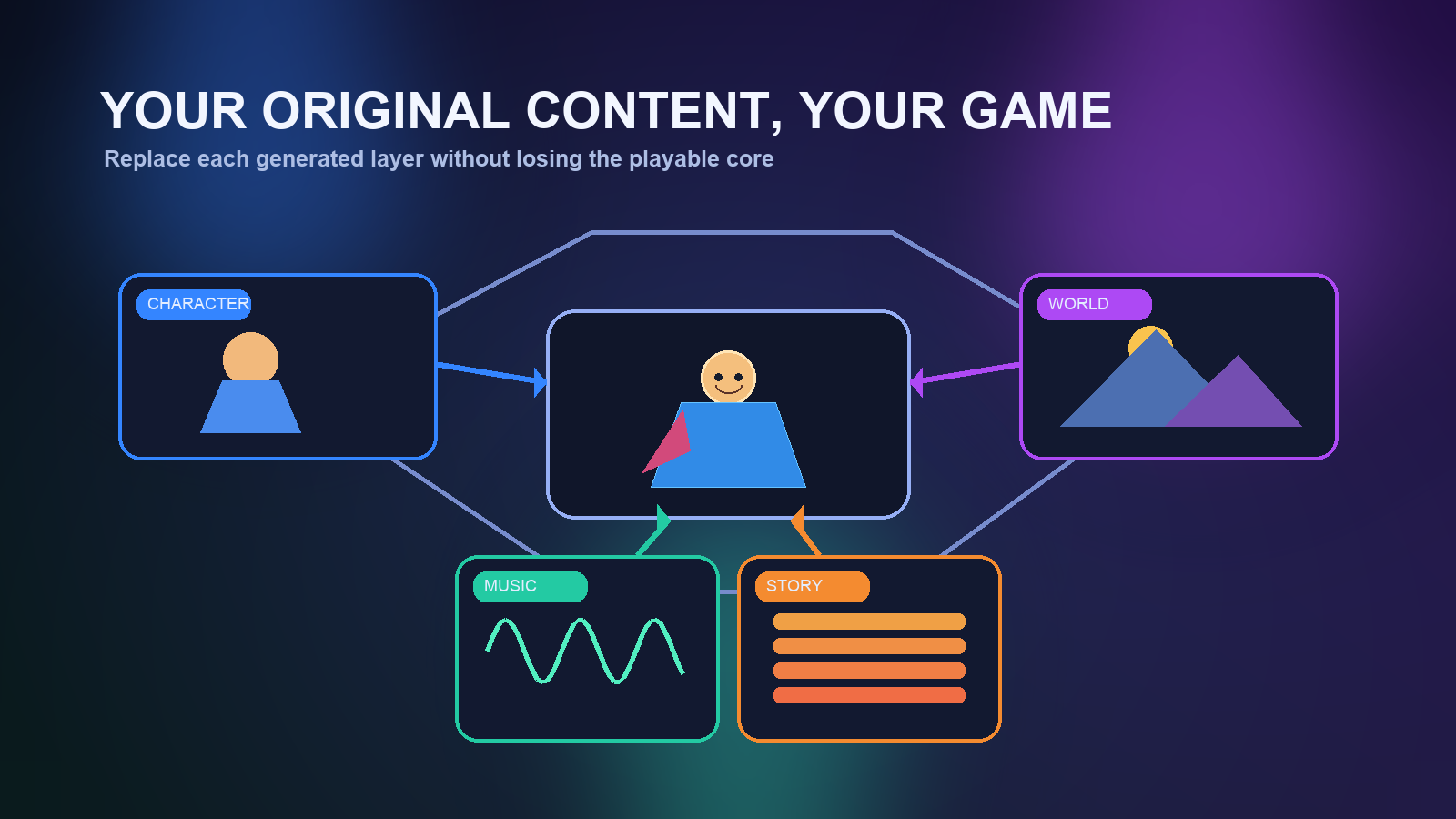
- Yes. Treat the generated game as a working prototype, then replace the character, music, story, and world one layer at a time. Verify whether each change uses your exact uploaded asset or only a generated variation. Approve the workflow only after a fresh playable output preserves all four replacements and the game loop still works.
The short answer
Yes—you can build with your own original characters, music, story, and world instead of treating AI-generated material as permanent. The safest workflow is to use generation for a first playable structure, then replace one creative layer at a time while preserving the working game loop. However, verify the exact replacement controls in the project you are using before committing a large asset library. A creator may support a new character description, uploaded visual reference, revised story instruction, or imported audio without necessarily exposing every generated file as a conventional engine asset.
For a capability test, make a tiny project and prove four things: your protagonist remains recognizable across gameplay, your music plays in the intended scene, a story revision changes an observable event, and a world change affects a playable location. If all four survive a fresh preview or export, you have evidence that the workflow fits an original-content project rather than only a generated demo.
What “replace” can mean in an AI game workflow
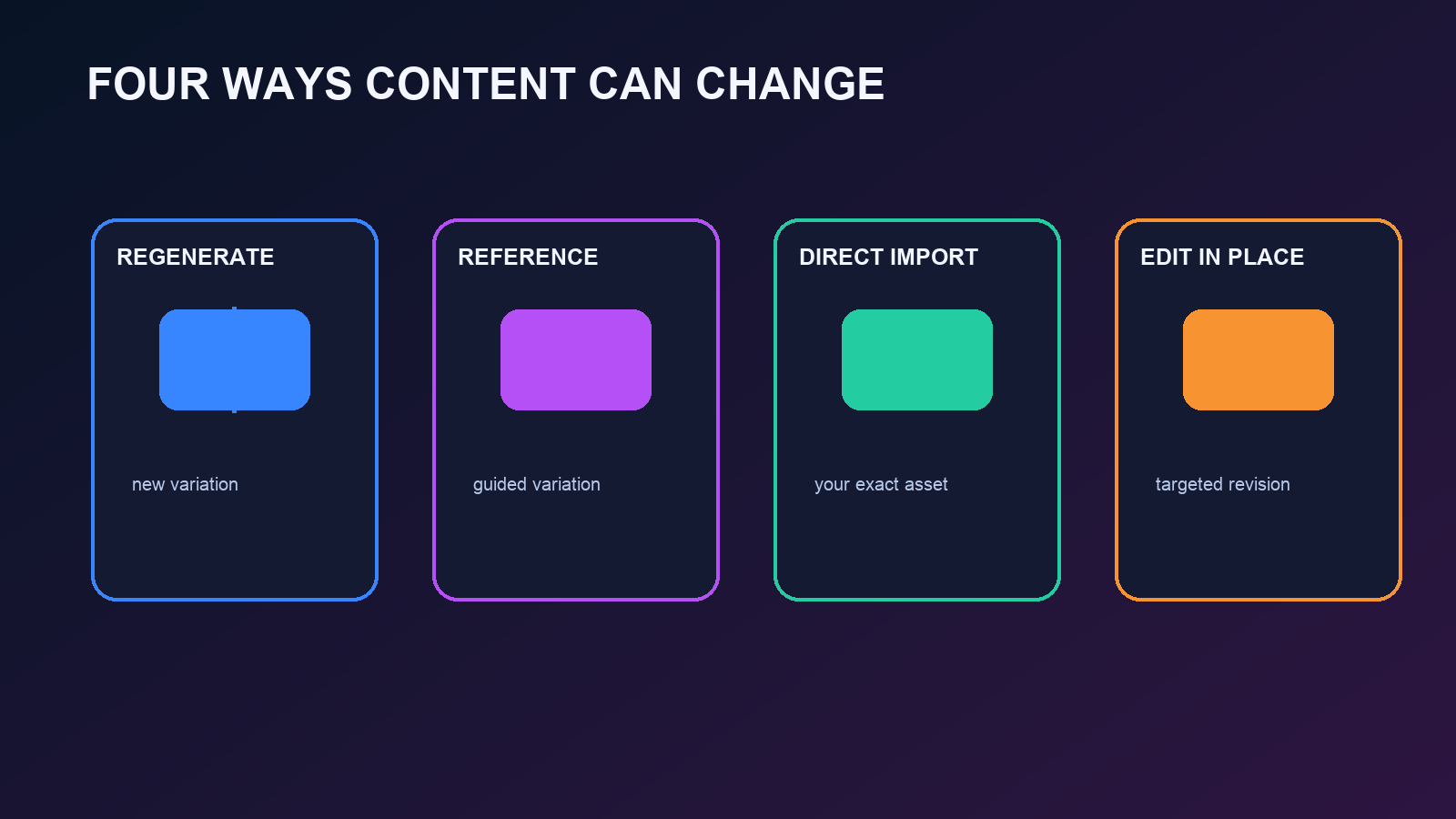
Creators often use the word replace for several different operations. Distinguishing them prevents a frustrating mismatch between what you expect and what an editor actually does.
Regeneration from your direction means you supply a new description or reference and the system creates another version. This gives you influence over the result, but the final asset is still generated. It is useful for fast exploration, not for proving that an exact illustration or recording can be used unchanged.
Reference-guided customization means your image, document, recording, or design notes guide the output. The result may retain your concepts while changing style, framing, timing, or detail. Check whether the interface describes the upload as a reference, source, attachment, or direct asset.
Direct asset import means the project uses the file you provide: for example, a sprite sheet, portrait, background track, voice line, texture, or model. This is the strongest test when exact authorship matters, but supported formats, dimensions, compression, rigging, and licensing metadata can still limit what works.
Instruction-based editing means you keep the project but ask for changes such as “use this heroine as the player character,” “replace the battle track,” or “rewrite the ending so the rival becomes an ally.” This may update several dependent parts at once. It is convenient, although you should inspect what else changed before accepting the revision.
A tool can support more than one of these methods. Do not assume that an upload button guarantees direct, lossless asset substitution. Run a controlled test and judge the playable result.
Start with a four-part replacement test
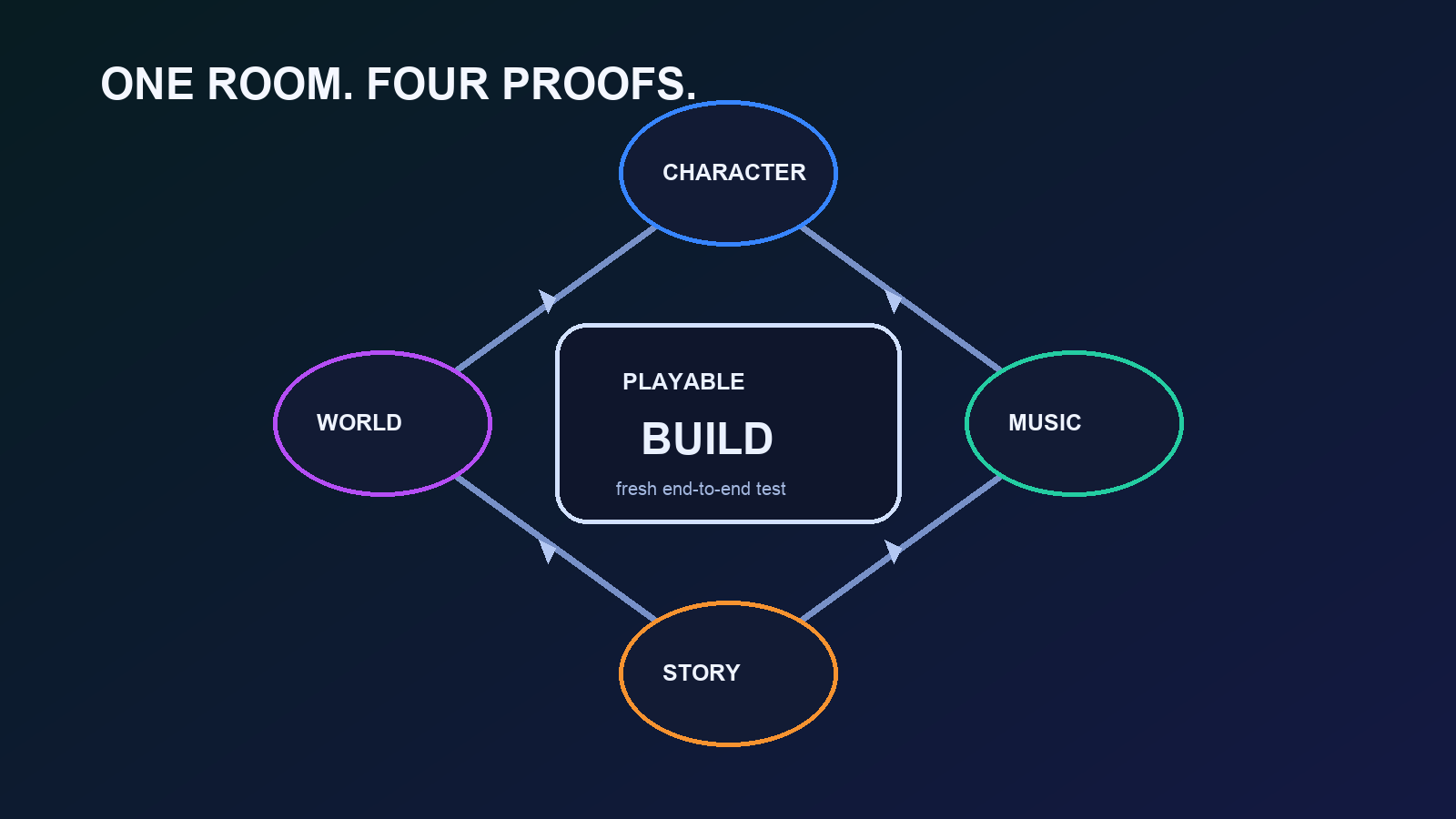
Create a small test game with one room, one controllable character, one short music loop, and one interaction that changes the story state. Keep the initial generated version so you can compare before and after. Then replace the layers in this order.
1. Replace the character first
Prepare a compact character kit rather than a folder of unrelated pictures. Include a clear front or three-quarter view, a short visual description, a color palette, signature clothing or props, and two or three personality rules. If the workflow accepts direct assets, also prepare the required sprite, portrait, model, or animation format.
Change only the protagonist. Keep the environment, music, and objective unchanged. In the new preview, check the title card, dialogue portrait, playable representation, ability effects, and any ending image. A character is not fully replaced if your design appears in the menu but the generated stand-in remains during play.
For visual consistency, describe traits that can be verified: “short silver braid, amber raincoat, round green glasses” is more testable than “unique and mysterious.” For a fan-inspired concept, remove protected logos, copied costume details, and names you do not control before turning the prototype into an original public release.
2. Replace the music without changing game logic
Use a short original loop for the test, preferably 20 to 45 seconds. Export a common Web-friendly format at a sensible bitrate and leave enough headroom to avoid clipping. If the tool accepts a direct upload, confirm whether it loops seamlessly and whether playback starts only after player interaction, as browsers may restrict autoplay.
Test music in context rather than merely confirming that the file uploaded. Start the game from a fresh session, enter and leave the relevant scene, trigger pause and restart, and listen for abrupt gaps or two tracks playing at once. Also check that dialogue and sound effects remain audible. A technically accepted track can still fail as a game asset if its volume, loop point, or scene assignment is wrong.
If only prompt-based music generation is available, your original composition may serve as a reference rather than the final soundtrack. That is a different capability. Decide whether stylistic continuity is enough or whether the project requires the exact recording.
3. Replace the story with an observable change
A story replacement should alter what the player can see or do, not only update a hidden summary. Write a small beat sheet with the opening situation, player goal, one decision, one consequence, and ending condition. Name the characters and locations consistently. Then request or apply the revision.
Use a change that is impossible to miss. For example, replace “defeat the gatekeeper” with “repair the gatekeeper and receive a map,” then verify the objective text, dialogue, interaction, reward, and ending state. If only the dialogue changes while the game still rewards combat, the narrative layer and game logic have drifted apart.
Keep your original script outside the tool as the source of truth. Version it with dates or simple revision numbers. That makes it easier to identify which lines were paraphrased, omitted, or attached to the wrong speaker after a broad edit.
4. Replace the world last
World replacement has the largest dependency surface. A new setting may affect level geometry, navigation, collision, lighting, interactable objects, camera framing, lore, and even mechanics. Test it after character, music, and story changes are already stable.
Define one location as a playable specification: visual theme, traversal route, required landmarks, entrance and exit, interactive objects, danger zones, and success condition. Then check both appearance and function. A beautiful new environment is not a valid replacement if the player spawns inside geometry, cannot reach the objective, or loses the interaction that advances the story.
For a 2D project, verify sprite scale, tile seams, collision boundaries, and foreground occlusion. For a 3D project, inspect scale, materials, navigation, camera clipping, and performance. Keep the first world swap deliberately small; one reliable room is stronger evidence than a sprawling scene that has never been played end to end.
Use an asset handoff sheet
Before uploading anything, create a simple handoff sheet for each layer. Record the asset name, version, intended role, owner, source file, export format, dimensions or duration, loop behavior, and where it should appear. Add a one-sentence acceptance test.
For example, a character row might say that Mara_Player_v03 must appear in gameplay and every dialogue portrait, retain the amber coat and green glasses, and complete the room without animation errors. A music row might require Workshop_Night_Loop_v02 to begin after the first interaction, loop without a click, and stop when the ending screen opens.
This sheet protects you from approving a result simply because it looks different. It also makes iteration easier: when a change fails, you can tell whether the problem is format compatibility, placement, behavior, or creative fidelity.
What to verify before you scale up
Run the test in a new session or clean preview, not only inside the editing view. Complete the game from start to finish and capture evidence for each layer.
- Identity: Does the original character remain consistent in all visible states?
- Exactness: Is your uploaded file used directly, or did the system generate a variation?
- Placement: Does the asset appear in the intended scene and nowhere unintended?
- Behavior: Do animation, looping, dialogue triggers, collisions, and objectives still work?
- Persistence: Are your changes present after closing and reopening the project?
- Revision safety: Can you change one layer without silently reverting another?
- Output: Do the replacements survive the final preview, share link, or export?
- Rights: Do you own or have permission to use every supplied asset?
Treat the final output check as mandatory. Editor state can differ from a published build, especially for audio loading, file paths, unsupported formats, or generated dependencies.
Preserve originals and make replacements reversible
Keep master files in your own storage. Do not rely on the project editor as the only copy of a script, layered illustration, model, or music session. Upload delivery copies and preserve editable sources separately.
Use predictable versions such as character-mara-v03, story-beats-v05, and harbor-night-loop-v02. Change one layer per revision whenever possible. After each successful replacement, create a checkpoint or duplicate the project if the workflow allows it. This gives you a known-good state when a later world edit unexpectedly changes dialogue or character styling.
Also retain a small rights record: who created the asset, when it was made, what source materials were used, and what license applies to collaborators’ work. Original content gives you more control only when the ownership trail is clear.
A practical decision rule for hobbyists and fan-game creators
Proceed with the full project when the tiny test proves all four layers at the fidelity you need. If exact files matter but the workflow only produces reference-guided variations, use it for prototyping and move final asset integration to an engine or editor that exposes direct imports. If broad story and world changes repeatedly break game logic, reduce the scope and replace content in smaller, testable slices.
For a fan-game concept, this test is also a useful transition point. You can prototype a familiar genre or emotional tone, then replace borrowed characters, names, music, logos, and settings with original equivalents before public release. “Fan-made” does not automatically grant permission to distribute someone else’s protected work, and generated variations do not erase the underlying rights issue.
The best signal is not that the editor accepts your files. It is that a fresh playable build uses your character, your soundtrack, your narrative decision, and your world as intended—without breaking the loop that made the prototype playable.
Final capability verdict
Yes, original-content replacement is a workable approach, but validate the form of replacement for each layer. Character and story changes are usually the easiest to test. Music requires exact-file and playback checks. World replacement needs the most gameplay regression testing. Build one controlled scene, make each change separately, preserve your source files, and approve the workflow only after the final playable output passes all four acceptance tests.
Frequently Asked Questions
Can I use my own character art instead of an AI-generated character?
Yes, when the project workflow supports either direct asset import or reference-guided character customization. Test whether your art appears in gameplay, portraits, menus, and ending states. An upload used only as a generation reference is not the same as using your exact file, so verify the playable output.
Can I upload my own music to an AI-generated game?
It depends on the creator's supported audio controls and formats. Use a short original loop, assign it to one scene, and test start, loop, pause, restart, volume balance, and final output. If the system only generates music from a prompt or reference, it may not preserve your exact recording.
Will changing the story also change gameplay?
Not always. A story edit may update text without updating objectives, rewards, encounters, or ending logic. Make one observable narrative change, then play through every affected trigger. If the revised dialogue and gameplay consequence disagree, edit the change in a smaller scope or use a workflow with more direct logic control.
Can I replace the whole generated world with my own setting?
A world can be customized or replaced when the workflow exposes the necessary scene or instruction controls, but it has more dependencies than a portrait or soundtrack. Validate scale, navigation, collision, camera, interactions, landmarks, and performance in one small location before rebuilding an entire map.
Do I keep ownership of the original assets I upload?
You retain whatever rights you already have in your original work, but platform terms may grant permissions needed to process, store, or display uploads. Review the current terms and privacy settings for the service you use, keep master files outside the project, and document collaborators and licenses.
Can I turn a fan-game prototype into an original game by replacing the content?
You can use a replacement pass to move toward an original project, but change all protected characters, names, artwork, music, logos, dialogue, and distinctive world elements you do not have permission to use. Generated variations are not automatically non-infringing. For a commercial or high-risk release, seek qualified legal advice.


