

A solo developer can use one weekend to build a small playable vertical slice by choosing one player fantasy, one complete interaction loop, one representative encounter, and one end condition—then cutting everything else. The goal is not a miniature full game. It is a short, testable demonstration that connects input, rules, feedback, art direction, audio, and progression well enough to answer one design question.
“Weekend” is an example timebox, not a promise. Your engine experience, asset readiness, game type, interruptions, hardware, accessibility needs, and bug count can change the outcome. If the slice is not stable by Sunday, preserve the build, document what failed, and continue or rescope. A truthful partial result is more useful than a rushed demo that hides broken fundamentals.
This tutorial uses a compact example: a top-down arena where the player moves, aims, defeats three enemies, collects one upgrade, survives a final wave, and reaches a results screen. You can translate the method to a platformer, puzzle, driving, or narrative game as long as the loop remains equally narrow.
1. Define the decision your slice must support
Write one sentence: “After this slice, I want to decide whether…” Examples include whether a dash-and-counter loop feels readable, whether a gravity-switch puzzle remains understandable at speed, or whether a dialogue choice changes player behavior. A slice with no decision question accumulates features because nothing tells you when it is done.
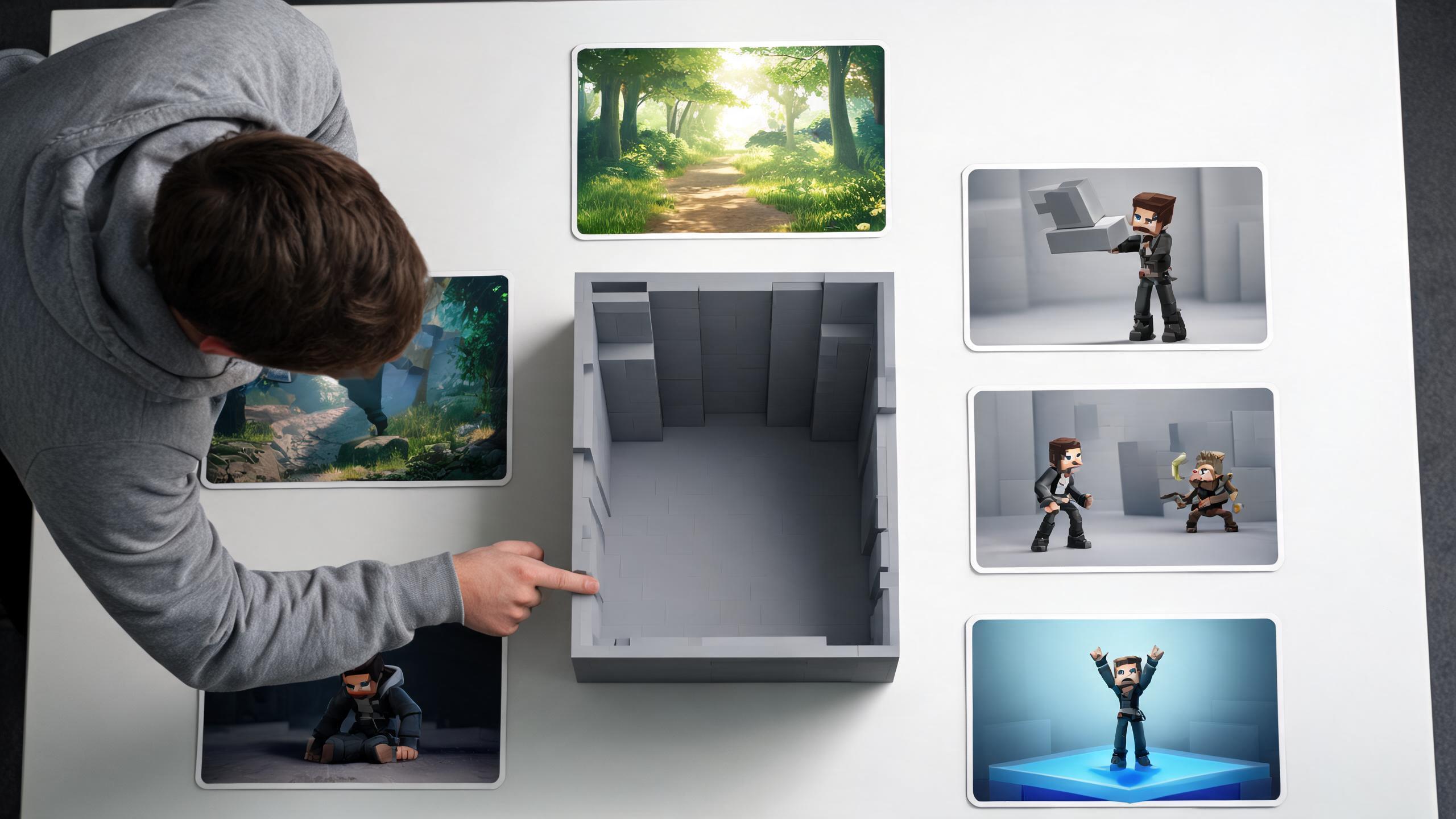
Then define observable signals. For the arena example: a new player can move and attack without explanation; damage sources are visually readable; the upgrade changes a tactical choice; and the run ends within five minutes. These are not commercial success metrics. They are test criteria for the slice.
List non-goals beside them. No inventory grid, procedural campaign, online multiplayer, save migration, cosmetic shop, advanced settings, or final narrative. If a feature does not help answer the decision question, move it to a parking-lot document. Do not leave it in the scene disabled “for later,” because unfinished systems create dependencies and debugging noise.
A useful slice statement is: “A three-to-five-minute desktop build that tests whether directional attacks, dodge timing, and one mid-run upgrade produce a readable risk-reward loop.” That sentence specifies duration, platform, mechanics, and decision. It is narrow enough to govern the weekend.
2. Prepare the project before the weekend clock starts
Preparation is not cheating; it is scope control. Install the engine version, target platform module, editor, source control, and any licensed packages before the timebox. Create the repository, ignore generated files, and make a blank build. If you cannot produce and launch a blank executable, the project is not ready for a weekend slice.
Choose assets by role rather than browsing during implementation: player placeholder, one enemy family, arena tiles or primitives, one impact effect, one music loop, four sound cues, and a readable UI font. Verify licenses and import formats. A consistent placeholder kit is better than final-looking assets from five incompatible styles.
Map input actions—move, aim, attack, dodge, pause, restart—and test them on the intended controller or keyboard. Decide a baseline resolution and aspect ratio. Create a single scene that can boot directly into play, plus a results state. Put a build command or checklist in the repository so Sunday’s export does not depend on memory.
If you use SEELE AI, keep its role bounded: it can help generate and iterate 2D or 3D assets, audio, code, or a Unity/Three.js project according to the current product reference. You still need to review rights, inspect generated code and assets, test interactions, and keep only outputs that fit the slice. Do not spend the weekend regenerating style variations; shortlist before the clock or use deliberately plain placeholders.
3. Budget the weekend around playable checkpoints
Use checkpoints, not a heroic hour-by-hour fantasy. The following schedule is an example that you should compress or extend.
Friday evening: prove the build path. Create the project, import the minimum kit, map input, and export a blank or movement-only build. Stop only when the build launches outside the editor. If setup overruns, cut scope immediately rather than borrowing all of Sunday.
Saturday morning: make the loop executable. Implement movement, one primary action, one enemy behavior, hit detection, health, and restart. Use primitives and text counters. By lunch, the player should be able to win or lose an ugly version.
Saturday afternoon: add the differentiator. Implement exactly one feature that answers the design question: the dodge counter, gravity switch, upgrade choice, or branching consequence. If the core loop is unstable, skip the differentiator and fix the loop.
Saturday evening: connect feedback. Add hit flash, sound, camera response, animation transitions, and a minimal HUD. Feedback should explain state, not decorate it.
Sunday morning: shape one representative run. Tune encounter order, pacing, difficulty, and the end screen. Run a clean build and hand it to one person if possible.
Sunday afternoon: fix blockers, then package. Reserve the final quarter of the timebox for defects, build verification, a short capture, known issues, and notes. Do not add features during this buffer. If no external test is possible, record yourself playing without editor controls and watch for hesitation or unreadable events.
4. Build the complete loop before improving any part
Implement the thinnest path from start to finish: spawn → act → encounter resistance → change state → win or lose → restart. Each arrow should exist before any node becomes sophisticated. This is vertical integration: a weak but complete thread through every layer.
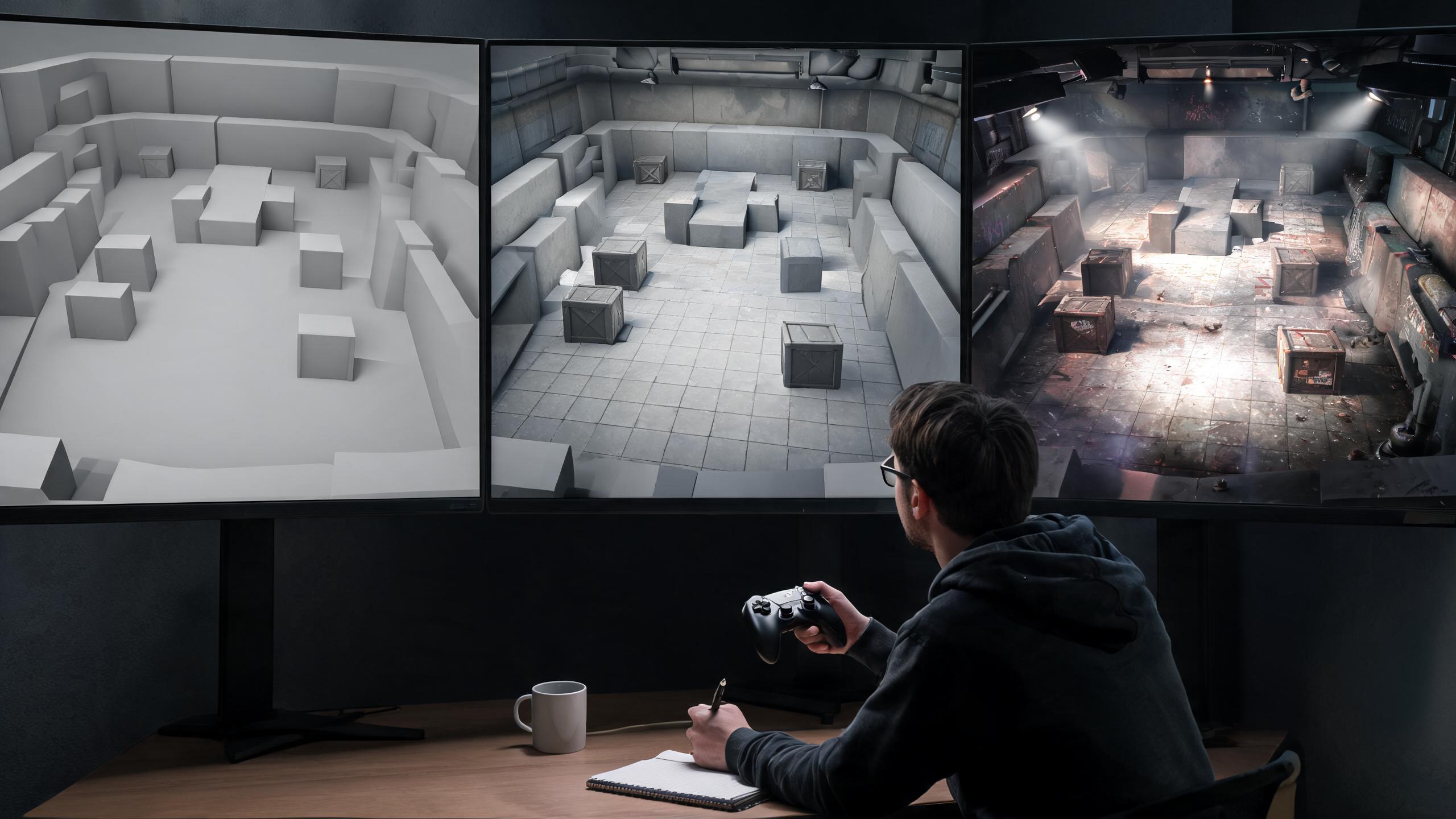
For the arena slice, create a player controller with acceleration you can tune, one attack with a visible direction, an enemy that approaches and attacks on a timer, damage and invulnerability windows, a three-enemy completion check, one upgrade selection, a final wave, and a results panel. Use one data object or configuration file for health, speed, cooldowns, and damage so balancing does not require code edits.
Keep architecture proportionate. Separate input, movement, combat, and game-state responsibilities enough to debug them, but do not build a universal ability framework for one ability. A good weekend abstraction removes repeated work today and remains readable Monday. A speculative framework creates interfaces for imagined features and delays the first playable build.
Add a restart path early. Many prototypes are tested through repeated editor resets, which hides initialization bugs and makes external testing awkward. A restart button that clears state, respawns entities, and returns to the opening condition exercises the same lifecycle your game will eventually need.
Checkpoint: export a build and complete three consecutive runs without the editor. If one run becomes unwinnable, crashes, or requires hidden knowledge, stay here. Art polish will not repair a broken state loop.
5. Add only the feedback that teaches the loop
Polish is valuable when it communicates cause and effect. Prioritize feedback in this order: input acknowledgement, action startup, contact, damage, recovery, objective progress, and end state. For an attack, that may mean a clear wind-up pose, directional arc, contact sound, enemy flash, knockback, and a cooldown indicator. Every effect should answer “What just happened?”
Add one channel at a time. Visual feedback can fail for players who cannot distinguish a color change; pair color with shape, motion, text, or sound. Audio cues should not be the only warning. Avoid camera shake that obscures aiming, and expose a quick way to reduce or disable intense motion if your slice relies on it. A weekend build need not have a complete accessibility menu, but it should not make the mechanic inherently unreadable.
Use the mute test and grayscale test. Play once with audio muted: are attacks and damage still understandable? Capture a screenshot or apply a temporary grayscale view: do the player, threats, pickups, and exit remain separable by value and silhouette? Shrink the game view: does the HUD still convey health and objective progress?
Stop adding effects when the loop becomes clear. Particle count, animation layers, and post-processing are not score multipliers. If removing an effect does not reduce comprehension or support the chosen art direction, it may not belong in the slice.
6. Test the slice with one observer and a short script
One fresh player can reveal assumptions you stopped seeing. Give them the build, not the editor, and say: “Please start a run and tell me what you think is happening. I will stay quiet unless the build blocks you.” Observe where they pause, misread a threat, fail to discover an action, or expect feedback that never appears.
After the run, ask narrow questions: What was the goal? What caused damage? What changed after the upgrade? Which action felt most or least reliable? What would you try next? Avoid “Did you like it?” until you understand whether they could read it.
Classify findings into four levels. Blocker: cannot launch, proceed, win, lose, or restart. Comprehension: core cause and effect is misunderstood. Feel: timing or response undermines the chosen fantasy. Expansion: request for more content or systems. Fix blockers first, then comprehension, then the single most damaging feel issue. Put expansion ideas in the parking lot.
Do not redesign from one preference. A tester asking for crafting does not prove the game needs crafting. A tester repeatedly failing to recognize the upgrade does show that the current feedback or framing is weak. Separate observed behavior from suggested solution.
If nobody is available, run a “cold start” yourself: close the editor, wait, launch the packaged build, and narrate what the screen communicates before touching input. It is weaker than external observation but better than another editor-only pass.
7. Use a scope ladder when the schedule slips
Cut from the outside inward. First remove optional content: extra enemy variants, secondary weapons, additional rooms, cosmetic effects, and narrative framing. Next simplify production: replace custom art with primitives, replace a branching upgrade with one fixed modifier, or use one arena instead of three. Then simplify the mechanic while preserving the decision question: directional dodge becomes a timed dodge, or three puzzle states become one.
Protect four things as long as possible: controllable input, the core interaction, readable feedback, and a definite end state. A slice with one enemy and a clear win condition can be tested. Five enemy types with no restart or ending cannot.
Define fallback levels before the weekend:
- Level A: complete intended slice with one differentiator and representative presentation.
- Level B: complete loop with placeholder presentation and the differentiator simplified.
- Level C: mechanic test with one challenge, feedback, and restart.
- Stop condition: the build cannot reliably launch or the core interaction cannot be evaluated.
At the stop condition, do not fabricate a showcase video that hides the failure. Save a reproducible project, list blockers, record the last known working build, and decide whether another session is justified. The weekend remains useful if it produces a clear technical or design finding.
8. Package the result as evidence, not a promise
Create a release folder with the executable or web build, controls, target platform, version, date, short description, known issues, and license notes for third-party assets. Include a one-paragraph statement of the design question and what you observed. If the slice is incomplete, label it clearly and state the blocked path.
Capture a short, unbroken run from launch to result screen. The capture is diagnostic evidence: it verifies boot flow, pacing, and visible feedback. Do not edit around crashes or substitute a video for a playable build when the stated outcome is playability.
Write a Monday decision with one of four outcomes: continue toward a larger prototype, repeat the slice with a changed mechanic, investigate a technical risk, or stop. Support that decision with observed facts. For example: “Two testers understood attack direction but missed the dodge cooldown; fix the cooldown signal before adding content.” That is stronger than “combat needs more juice.”
Archive the source revision and release build together. If you used generated assets or code, retain provenance and review notes. If you used SEELE AGENT to iterate the project, record which outputs were accepted and what you changed or tested; the tool does not replace authorship decisions or QA.
The vertical slice has done its job when it reduces uncertainty. It does not need to resemble a launch trailer, and the weekend does not need to end with a commercial roadmap.
Related professional workflows
Continue with another role-specific workflow in this six-part series:
- How to Sell AI-Assisted Game Asset Packs on itch.io and Unity Asset Store
- How Freelance Game Designers Can Deliver Client Prototypes Faster
- How to Make and Sell Branded Mini-Games for Marketing Campaigns
- How Teachers Can Create Interactive Learning Games Without a Development Team
- How Social Media Managers Can Turn Trends into Playable Campaigns
For adjacent implementation guidance:
Frequently asked questions
What is the difference between a prototype and a vertical slice?
A prototype isolates a risk and may use disconnected or disposable systems. A vertical slice connects a narrow path through gameplay, feedback, presentation, and completion so someone can experience a representative loop. For a weekend, keep that path extremely short.
Can a beginner finish a vertical slice in one weekend?
Maybe, but it is not guaranteed and should not be the expectation. A beginner can use the same method with a smaller outcome: movement, one interaction, one challenge, feedback, and restart. Learning the engine may consume most of the timebox.
Should I use Unity, Three.js, or another engine?
Use the engine in which you can already build and export most reliably. Engine switching adds setup risk. SEELE AI currently supports Unity and Three.js workflows according to the product reference, but generated projects still require inspection, testing, and platform-specific build work.
How much art should the slice include?
Use enough art to test readability and direction: one coherent environment treatment, one player, one enemy family, essential effects, and minimal UI. Replace anything that delays the loop with licensed placeholders, then note what remains nonrepresentative.
What if the build is not playable by Sunday?
Save the last working revision, write reproduction steps for blockers, label the result honestly, and choose whether to rescope or schedule another session. Do not hide failures in an edited capture. The timebox can still reveal a valuable technical risk.
Do I need external playtesters?
A single fresh observer is highly useful but not mandatory. If none is available, test the packaged build outside the editor, narrate the cold start, record a full run, and inspect comprehension, state transitions, restart behavior, and known issues yourself.


