Game-creation intent · from specification to native Unreal project
Use Claude Opus 5 Ideas to Build an Unreal Game — the world's first online native Unreal workflow
Move from Claude Opus 5 game ideas and specifications to a native Unreal 5 project in SEELE AI, with browser preview, validation, packaging, and download checkpoints.
Direct answer
Use Opus 5 to sharpen a game brief, mechanic, level plan, or acceptance checklist when that model is available in your approved workflow. Then move the bounded brief into SEELE AI to generate a native Unreal 5 project, preview the playable result in the browser, iterate on the scene and controls, and download or package the project. Keep every model claim separate from proof that the resulting game works.
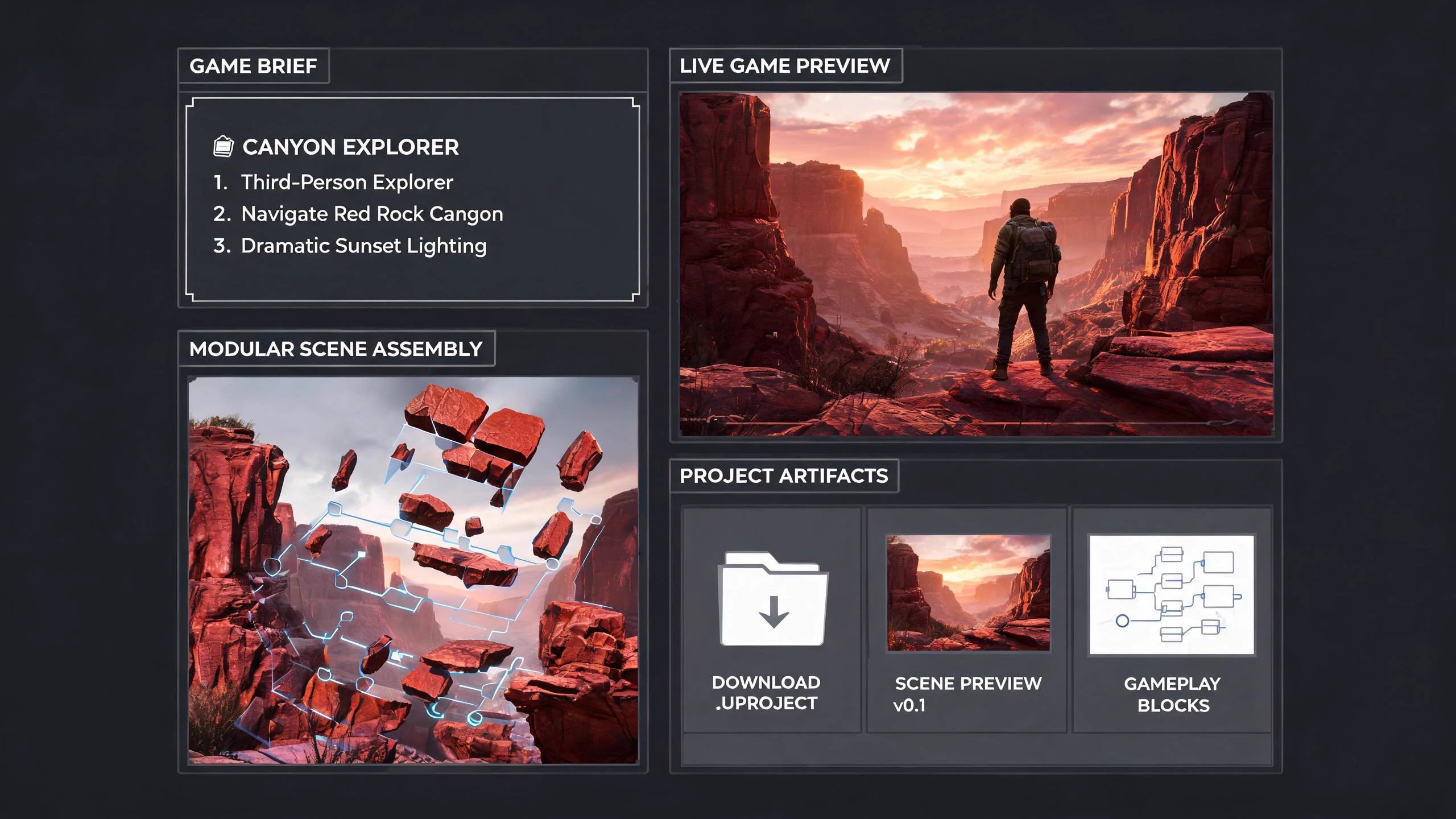
SEELE editorial concept created with Seedream 5.0. It is not an Anthropic or Epic asset, not a real Unreal Editor screenshot, not gameplay, and not proof of an official integration.
Start building an Unreal 5 game in SEELE
Choose a concrete prompt, open the SEELE Unreal creator, review the prefilled brief, and generate the native project. The first prompt is tailored to this page; the remaining prompts are reusable starting points.
Use this page's scoped brief
Build a native Unreal 5 third-person canyon rescue game. The player finds a disabled drone, gathers two energy cells using short traversal challenges, restores the drone, and follows it to an extraction gate. Include keyboard and controller movement, a readable objective, interaction feedback, a fall-and-respawn path, a completion screen, and immediate restart. Aim for a polished three-to-five-minute vertical slice with browser preview and a clean downloadable project.
Use Unreal Engine to generate a simple third-person tour game with mountains and water. Include responsive movement, a clear route, one completion state, failure recovery, immediate restart, browser preview, and a native downloadable Unreal 5 project.
Build a compact dungeon crawler using Unreal Engine. Include third-person movement, one combat loop, two connected rooms, one key-and-door objective, visible health and feedback, death, completion, immediate restart, browser preview, and a native downloadable Unreal 5 project. Test and regress the result.
Create a native Unreal 5 third-person city tour with a compact walkable district, vegetation, landmark lighting, and sunny, cloudy, and rainy weather states. Include clear controls, browser preview, stable restart behavior, packaging checks, and local project download.
An inspectable Unreal project rather than a model answer or an unofficial integration claim.
Browser preview
A fast way to check camera, controls, objective clarity, feedback, completion, failure, and restart before local continuation.
Optimization and packaging path
A workflow for performance review and package preparation before external distribution.
Downloadable project
A local project handoff for source, Blueprint, asset, plugin, rights, build, target-device, and release review.
What is verified—and what it means for Unreal
Start with the player loop
A useful brief names the player verb, camera, goal, failure state, completion state, restart, environment, controls, and target session length.
Use Opus for specification
Long-horizon reasoning is most useful when it produces a concise backlog, edge cases, acceptance checks, and unresolved decisions instead of thousands of speculative features.
Use SEELE for creation
SEELE AI can generate a native Unreal 5 project, preview it in the browser, optimize or package it, and provide a downloadable output.
Release remains a gate
Third-party asset rights, plugin compatibility, performance, platform rules, storefront requirements, and final publishing decisions still need project-specific review.
A five-stage turning model-assisted design into an Unreal game workflow
Write a one-minute game promise
Describe what the player does, what changes, how success is visible, and why the loop is enjoyable. Exclude lore, monetization, multiplayer, and progression until the first playable slice proves the core interaction.
Ask for a production brief
Have the model return scene boundaries, player controller behavior, interaction states, camera rules, UI feedback, audio cues, failure handling, acceptance checks, and a cut list. Require each assumption to be labeled.
Choose a SEELE starter world
Open the Unreal creator and select the closest verified card rather than asking for a generic empty project. Carry the approved loop, setting, camera, and acceptance checks into the generation prompt with source attribution.
Generate and inspect
Generate the native Unreal 5 project and use the browser preview to test movement, camera, objective clarity, feedback, completion, failure, restart, and the visual hierarchy. Record what differs from the brief before expanding scope.
Download or continue production
When the slice is coherent, download the project or continue optimization and packaging. Review source, assets, plugins, performance, saves, input, target hardware, and distribution requirements before calling it release-ready.
Failure modes to block before adoption
Risk 1
A large design document can hide that the first thirty seconds are not playable or understandable.
Risk 2
A model-generated plan can invent engine APIs, marketplace assets, licenses, plugins, or platform support.
Risk 3
A browser preview is valuable product evidence but still needs target-specific packaged testing.
Risk 4
More systems, art, narrative, and multiplayer should not be added until the core loop survives restart and failure tests.
Decision scorecard
Dimension
What good looks like
Evidence to keep
Player clarity
The goal, controls, state, and success signal are readable without explanation
New-player test and observable completion path
Game feel
Movement, camera, timing, feedback, and restart support the intended loop
Browser preview plus target-build controller and frame checks
Project quality
The project is structured, inspectable, and recoverable
Open, rebuild, source-control, asset, and dependency review
Release readiness
The output fits target performance and distribution constraints
Cook, package, device, rights, save, and platform checks
Unreal implementation notes for this decision
Write for the first five minutes
Specify the opening view, first player input, first feedback, first obstacle, success signal, failure state, and restart. This prevents a broad design model from spending effort on lore, progression, monetization, or content volume before the playable loop is understandable.
Make cuts explicit
A production brief should contain a cut list beside the feature list. Defer multiplayer, inventory, crafting, procedural generation, cinematics, and complex AI unless one is essential to the core promise. Every deferred system protects iteration time and reduces native validation surface.
Review the generated project as a handoff
Treat the browser preview as the fastest feedback surface and the downloaded Unreal project as an engineering artifact. Inspect folder ownership, inputs, maps, Blueprints, C++, assets, plugins, dependencies, performance, saves, packaging configuration, and rights before expanding or shipping.
From evaluated idea to a SEELE native Unreal project
Use the model research to tighten the brief, not to replace project evidence. The direct creation path is deliberately short and observable:
1. Bound the player loop
Keep one camera, one primary verb, one objective chain, explicit failure and completion, restart behavior, visual direction, controls, target session length, and a clear cut list.
2. Generate in SEELE
Open the canonical Unreal creator, choose the closest verified starter world, submit the brief, and generate a native Unreal 5 project rather than treating a text answer as the deliverable.
3. Inspect the browser preview
Play the result from start through success, failure, and restart. Check camera, input, objective clarity, feedback, interaction state, visual hierarchy, and obvious performance or stability problems.
4. Download or continue production
Review the project, source, Blueprints, assets, plugins, rights, configuration, performance, saves, networking, cook, package, and target requirements before local continuation or external release.
Starter creation brief
Build a native Unreal 5 third-person canyon rescue game. The player finds a disabled drone, gathers two energy cells using short traversal challenges, restores the drone, and follows it to an extraction gate. Include keyboard and controller movement, a readable objective, interaction feedback, a fall-and-respawn path, a completion screen, and immediate restart. Aim for a polished three-to-five-minute vertical slice with browser preview and a clean downloadable project.
Official evidence and capability boundary
Snapshot date: July 25, 2026. Anthropic's July 24, 2026 announcement is the first-party source for release status, pricing, positioning, and launch availability. It does not claim an Epic-supported Unreal integration. Epic documentation and the exact project remain authoritative for engine behavior, compilation, assets, tests, cooking, packaging, and target-platform results.
Anthropic release
Release date, claude-opus-5 model ID, coding and agent positioning, pricing, Fast mode, alignment, safety, and availability.
Continue through the Claude Opus 5 × Unreal cluster
Claude Opus 5 for Unreal C++ and Blueprints
Test Claude Opus 5 on Unreal C++ and Blueprint work with exact context, reviewable diffs, compile evidence, automation, packaged checks, security, and rollback.
Calculate Claude Opus 5 cost for Unreal coding and agent tasks using official $5/$25 token pricing, effort, cache behavior, tools, retries, review time, and task-level budgets.
Compare Claude Opus 5 and GPT-5.6 for Unreal coding, debugging, agents, computer use, cost, safety, native validation, and task routing without unsupported winner claims.
How do I use Claude Opus 5 to make an Unreal game?
Use it to create a bounded, reviewable brief and acceptance checklist, then use SEELE AI for native Unreal 5 project generation and validate the result.
Why not ask for the entire game at once?
A complete request hides ownership and failures. A small vertical slice exposes whether the camera, controls, objective, feedback, and project structure actually work.
Can I preview the Unreal result without installing the editor first?
SEELE AI supports browser preview of generated Unreal projects, which lets you review the playable direction before local continuation.
Can I download the generated project?
Yes. The verified SEELE Unreal workflow includes local download, with optimization and packaging paths available before external publishing.
Does using Opus 5 prove the game is better?
No. Model choice is an input. Player testing, native project evidence, performance, stability, rights, and release checks determine whether the game is good enough.
What belongs in the first SEELE generation prompt?
Include the player verb, camera, setting, controls, objective, feedback, failure, completion, restart, visual direction, session length, and the features that are explicitly out of scope.
Turn the research into a native Unreal 5 game
Open the canonical SEELE Unreal creator, choose a verified starter world, generate the native project, inspect the browser preview, then download or continue optimization and packaging. Keep third-party model evaluation and project evidence separate.