Previsualization intent · H3 reference to Unreal Sequencer

MiniMax H3 Previs for Unreal Engine Cinematics

Use MiniMax H3 for cinematic previs, then rebuild approved shots in Unreal Sequencer with controllable scenes, cameras, timing, and evidence.

Direct answer

MiniMax H3 can generate short multimodal video references for composition, movement, audio rhythm, and transitions. Use the clip as previsualization: extract shot duration, lens intent, camera path, subject blocking, environment state, light change, audio beat, and cut point. Rebuild those decisions with Cine Camera Actors, Level Sequences, production assets, and deterministic timing in the Unreal project. When interactivity is part of the scene, use SEELE to generate the playable context before refining the cinematic layer.

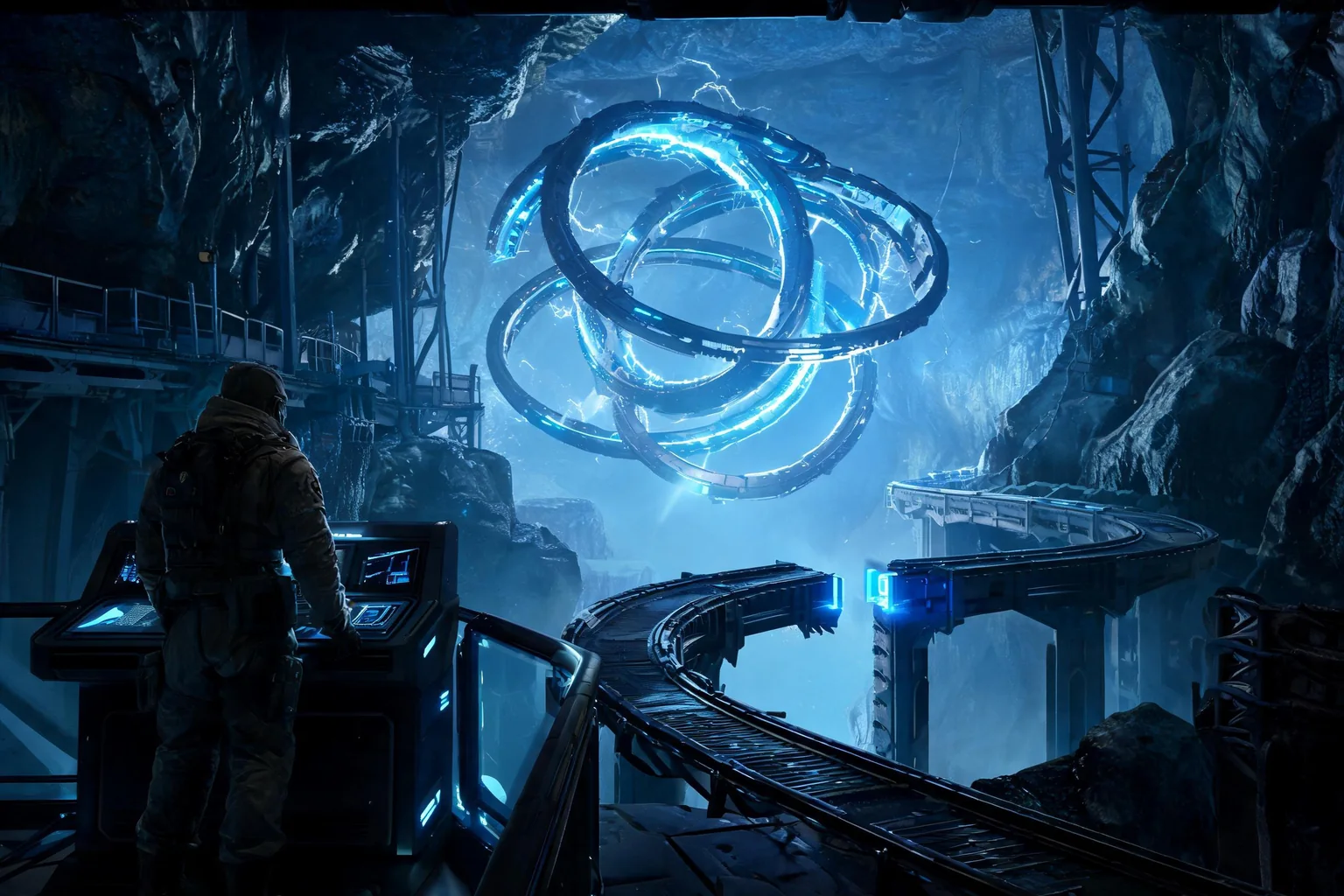
Editorial cinematic-previsualization concept of an underground observatory reveal that can be rebuilt in Unreal Sequencer
Original SEELE editorial concept generated with Seedream. It is not MiniMax or Epic media, not an Unreal Editor screenshot, not gameplay, and not proof of an official H3 integration.

Move from H3 interest to a playable Unreal result

Choose the prompt closest to the user job, review the prefilled scope, and generate the native project. Each prompt converts a video-model intent into input, state, objective, failure, restart, and an inspectable SEELE handoff.

Build the world behind the reveal

Create a native Unreal 5 third-person exploration slice in an original underground observatory. The player restores one console, triggers a twelve-second machinery reveal, regains control, crosses the opened bridge, reaches completion, can fail, and can restart. Include browser preview and a downloadable project for Sequencer refinement.

Use this Unreal prompt

Prototype a safe control handoff

Generate an Unreal 5 scene with one playable corridor, one interaction, a short in-engine camera transition to reveal a distant structure, a skip path, reliable control restoration, objective feedback, completion, failure recovery, immediate restart, and native project output.

Use this Unreal prompt

Create a cinematic boss entrance context

Build a compact Unreal 5 arena where the player crosses a trigger, a short boss entrance sequence plays, control returns, one enemy attack can be dodged, victory and defeat both work, restart is clean, and the sequence can be skipped without duplicating state.

Use this Unreal prompt

Make an environment transition playable

Create a native Unreal 5 weather-station slice with one lever interaction, a timed storm transition, lighting and audio feedback, a new traversal route, completion, failure recovery, restart, browser preview, and project download for camera and sequence polish.

Use this Unreal prompt

What the SEELE handoff gives you

Native Unreal 5 project

An inspectable Unreal project rather than a rendered clip, prompt answer, or unsupported provider-integration claim.

Browser-previewable game

A fast playable check for camera, controls, objective clarity, feedback, success, failure, and restart before local continuation.

Optimization and packaging path

A workflow for performance review and package preparation before external distribution or platform submission.

Downloadable project or package

A local handoff for source, Blueprints, assets, plugins, rights, build settings, target-device checks, and continued production.

What is verified—and what it means for this Unreal job

Why H3 fits previs

First/last-frame control, multimodal references, video editing, V2V motion transfer, native audio, and 4–15 second clips support rapid exploration of a bounded cinematic beat.

What previs can approve

A reviewer can approve framing, pace, subject direction, light progression, transition, color intent, and audio emphasis without claiming that production assets or final animation already exist.

What Unreal must own

Sequencer must own cameras, tracks, timing, bindings, animation, events, effects, audio, render settings, and the transition back to gameplay. Asset quality and performance remain native project concerns.

Where SEELE helps

If a cinematic belongs inside a game, first create the small playable world and interaction path in SEELE. Then refine the shot against the actual level, scale, character, input state, and performance budget.

A five-stage turn AI-video previs into a controllable Unreal cinematic workflow

Define the shot question

Choose one decision: camera reveal, character entrance, environment transition, action beat, UI-to-world transition, or audio cue. Specify duration, aspect ratio, continuity anchors, and what would make the result unusable.

Generate and annotate the previs

Create a rights-cleared H3 reference, then mark frames for camera start and end, lens feeling, subject path, action timing, light changes, audio events, transitions, and intentional discontinuities. Reject accidental temporal artifacts.

Create the playable context

When the shot interrupts or returns to play, define the player state before and after it. Use SEELE to generate the native Unreal slice with the relevant environment, mechanic, objective, and recovery behavior.

Rebuild in Sequencer

Use production cameras, transforms, rails or rigs, animation, event tracks, effects, audio, and render settings. Keep gameplay-owned state outside fragile cinematic bindings and verify skip, interruption, replay, save, and streaming behavior.

Compare and approve

Render a native review version and compare composition and timing with the previs, not pixel identity. Record accepted deviations, performance, assets, rights, project revision, and the final source of every frame and sound.

Where this workflow fits—and where review remains mandatory

Best for

  • Directors and designers testing a short shot before full Unreal scene assembly.
  • Teams integrating a cinematic into a playable level rather than producing a disconnected video.
  • Reviewers who need a structured translation from generated reference to Sequencer tracks.

Still needs human review

  • Camera comfort, motion, cuts, flashing lights, accessibility, subtitles, localization, and skip behavior.
  • Production rigs, animation, effects, audio, bindings, world state, streaming, frame time, and Movie Render Queue settings.
  • Rights and provenance for every reference input, generated output, production asset, voice, music cue, and final capture.

Failure modes to block

Risk 1

Copying a generated camera path literally can create impossible speed, collision, parallax, or player discomfort.

Risk 2

A beautiful shot can leave input locked, duplicate events, break saves, or return the player to an invalid state.

Risk 3

Temporal artifacts may be mistaken for intentional animation or effects requirements.

Risk 4

Previs audio and voices can introduce rights, consent, localization, and mixing problems.

Decision scorecard

DimensionWhat good looks likeEvidence to keep
Shot clarityOne cinematic decision is visible without depending on accidental artifactsAnnotated frame and timing sheet
Gameplay continuityControl, state, events, and camera recover correctly before and after the shotNative transition tests
Real-time fitThe shot works with actual scale, assets, streaming, and frame budgetProject capture and performance record
Source integrityEvery reference and production element has a known owner and roleMedia and project provenance map

Unreal implementation notes

Translate feeling into parameters

“Fast and tense” becomes duration, focal behavior, path speed, acceleration, shake limits, cut timing, exposure, color, and audio beats that a Sequencer owner can reproduce.

Separate cinematic and gameplay state

Let the shot request or observe gameplay-owned state through explicit events. Avoid burying persistent rules in temporary cinematic bindings that fail on skip or replay.

Test all exits

Validate natural completion, skip, interruption, death, pause, map streaming, replay, save/load, and returning control at low frame rate. The happy-path render is only one case.

Approve meaning, not pixels

The native version should preserve the approved story and timing while respecting real assets, rig limits, collision, camera comfort, and performance. Pixel matching a generated reference is not the production goal.

Official evidence and capability boundary

Snapshot date: August 4, 2026. MiniMax’s July 31, 2026 release and current API documentation identify the API model as MiniMax-H3 and support H3’s video modes, duration, resolution, frame rate, multimodal references, audio, and dated pricing. They do not establish an Epic-supported Unreal integration or native game output. Epic documentation and the tested project remain authoritative for engine behavior.

MiniMax release

First-party release positioning, H3 technologies, multimodal context, video and audio claims, editing, motion transfer, and target industries.

Open official announcement

API guide and model table

Model name, supported generation modes, 4–15 second duration, resolution, frame rate, aspect ratios, and reference inputs.

Video guide · Model table · API overview

Pricing and Unreal authority

Re-check current output and reference-material pricing before spending. Use Epic documentation and the actual project for engine, asset, animation, UI, cinematic, build, and package decisions.

MiniMax pricing · Epic documentation

Continue through the MiniMax H3 × Unreal cluster

MiniMax H3 Motion Reference for Unreal Characters

Use MiniMax H3 V2V motion transfer as character reference, then validate rigs, animation graphs, root motion, collision, and gameplay in Unreal.

Open this workflow

MiniMax H3 Pricing for Unreal Game Work

Budget MiniMax H3 video experiments for an Unreal game, account for references and retries, and spend only after a playable slice proves the idea.

Open this workflow

MiniMax H3 for Unreal Engine

Use MiniMax H3 for game-video reference, then turn the approved mechanic and visual brief into a native Unreal 5 project with SEELE AI.

Open this workflow

Frequently asked questions

Can MiniMax H3 replace Unreal Sequencer?

No. H3 can create a useful short previsualization, but Sequencer controls the actual Unreal cameras, tracks, bindings, animation, events, effects, audio, render settings, and gameplay transition. Rebuild approved decisions in the project and verify them against the native scene and state. Confirm the current provider documentation before you lock a production decision.

What should I extract from an H3 previs?

Record shot duration, aspect ratio, start and end composition, lens intent, camera path, subject blocking, action beats, environment state, light changes, audio events, transition points, and continuity anchors. Also mark artifacts or impossible motion that must not enter the Unreal specification. Treat the tested Unreal build, not the reference clip, as acceptance evidence.

How does SEELE fit a cinematic workflow?

Use SEELE when the shot needs a playable context that does not yet exist. Generate the native Unreal 5 scene and mechanic, validate the browser-preview loop, then refine cameras and timing against that real level instead of designing the cinematic around a disconnected video. Keep prompts, outputs, project versions, and review notes in the same decision log.

Can I import an H3 clip into Unreal?

A licensed clip can be used as a media plate or reference where appropriate, but that does not create editable geometry, cameras, rigs, animation tracks, gameplay state, or real-time lighting. Confirm codec, audio, color, rights, performance, and platform behavior for any runtime media use. Recheck rights, runtime behavior, performance, and packaging before any external release.

How do I validate a cinematic that interrupts gameplay?

Test the player state before the shot, input lock and restoration, camera handoff, event uniqueness, skip, replay, pause, failure, save/load, streaming, and low-frame-rate behavior. Completion should return the player to one explicit valid state without duplicating rewards or objectives. Use the browser preview to reject weak interaction before deeper production work.

Should the native render match the H3 clip exactly?

No. Preserve the approved composition, action, timing, and emotional purpose while accepting differences required by real assets, scale, rigging, collision, camera comfort, lighting, and performance. Document intentional changes so reviewers know why the production version is safer or more playable. Record the source clip separately from the native project and package evidence.
Turn the approved idea into a native Unreal 5 game

Use H3 to answer the video question. Use SEELE to generate the playable system: native Unreal project, browser preview, optimization and packaging path, and a downloadable handoff. Keep concept media and native evidence clearly separated.