
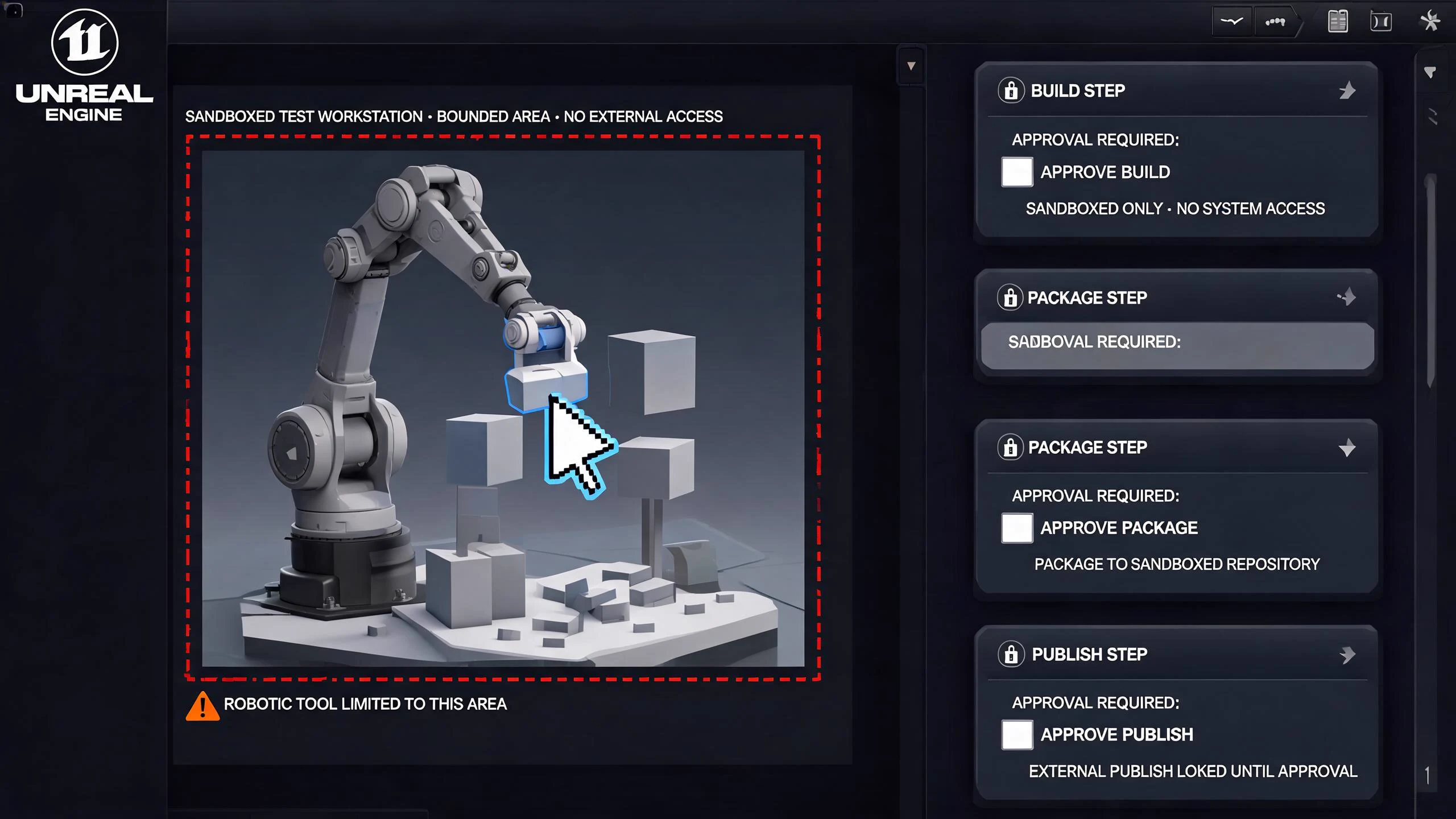

Direct answer: how Unreal MCP works in Unreal Engine 5.8
Unreal Engine 5.8 ships an Experimental Unreal MCP plugin that embeds a Model Context Protocol server in the Unreal Editor process. Enable Unreal MCP in Edit > Plugins, restart the editor, choose whether the server should auto-start, generate the client configuration for your AI agent, and launch that agent from the project root. The default endpoint is http://127.0.0.1:8000/mcp. Treat every tool call as an editor action performed on your behalf: keep the connection local, start from a clean source-control revision, request one bounded change, inspect the diff and Output Log, run the relevant Unreal validation, and revert anything you cannot explain.
That is the practical answer behind searches for “Unreal Engine 5.8 MCP,” “Unreal MCP setup,” and “Unreal MCP plugin.” It is not a promise that an AI agent can safely build or ship an entire game unattended. Epic labels the plugin Experimental, says features and data formats may change, and documents no authentication layer for the default local server. Use it as a controlled editor automation surface, not as a remote production service.
What Epic actually released in UE 5.8
Epic's Unreal MCP documentation describes a server that runs inside Unreal and exposes editor functionality as MCP tools. The documented examples include spawning Actors, configuring lighting, creating Material Instances, inspecting Slate widgets, and running automation tests. Any MCP-compatible client can connect over local HTTP; Epic explicitly names Claude Code, Cursor, MCP Inspector, Gemini, VS Code, and Codex configuration paths.
The distinction between the server and its tools matters. Unreal MCP owns the protocol server, settings, and commands. The Toolset Registry and the AllToolsets plugin provide the editor toolsets that become callable MCP tools. If a client connects but lists no useful tools, do not assume the model is broken: first confirm the dependent toolset plugins are enabled and refresh the tool list.
Epic's UE 5.8 announcement calls MCP support Experimental and says the plugin can connect LLM systems to engine and project context. The 5.8 release notes remain the version authority. This guide narrows those broad statements into a setup and review workflow; it does not expand them into unsupported claims about autonomous shipping, platform certification, or SEELE controlling Unreal Editor.
Prepare a reversible project before enabling an agent
Do the safety work before the interesting prompt. Use a copy, branch, or changelist that can be discarded. Close unrelated edits, save the current map, and record the exact UE 5.8 build and plugin state. Decide which folder, level, Actor, material, or test the agent may touch. A request such as “change the whole scene” is not an acceptance criterion; “create one Point Light in the sandbox level and stop” is.
Keep the first task local and disposable. The default MCP listener is loopback-only and has no authentication layer. Epic says it is not designed for remote use. Do not expose port 8000 through a tunnel, public bind address, shared build machine, or inbound firewall rule just to make a client connect. If your organization needs remote automation, design authentication, network isolation, audit logging, and an approval boundary separately instead of treating the experimental default as production infrastructure.
Write a five-line acceptance record before the first call:
- Starting revision: commit, changelist, or clean working-tree state.
- Allowed scope: one level, asset folder, test, or editor subsystem.
- Expected change: the exact Actor, property, asset, or test result.
- Forbidden change: project settings, plugins, source files, deletes, or external commands unless explicitly reviewed.
- Rollback: revert the diff, restore the map, or discard the branch.
This small contract is more useful than a long prompt because it lets a reviewer distinguish a correct tool invocation from an attractive but uncontrolled result.
Set up Unreal MCP in five verifiable steps
Complete the following setup in order and verify each boundary before moving on. The first successful connection should prove only local discovery and one reversible editor action; it should not expand the agent's authority or become a remote service.

1. Enable the plugin and restart
Open Edit > Plugins, search for Unreal MCP, enable it, and restart when prompted. Epic documents that the Toolset Registry dependency is enabled automatically. Verify that the friendly plugin name is Unreal MCP; the internal identifier used by engine source, console commands, and C++ symbols is ModelContextProtocol.
2. Start the local server
Open Edit > Editor Preferences > General > Model Context Protocol. Enable Auto Start Server if this project should start the server with the editor. The documented default is http://127.0.0.1:8000/mcp. If port 8000 conflicts with another local service, change the listening port there rather than guessing that a client-side error is an Unreal failure.
For an on-demand session, leave auto-start disabled and run ModelContextProtocol.StartServer in the Unreal console. Epic also documents an optional port argument, for example ModelContextProtocol.StartServer 8000. Confirm the Output Log reports the bind address, port, and path before opening the AI client.
3. Generate the client configuration
In the Unreal console, generate the config for the client you will actually use. Epic documents ModelContextProtocol.GenerateClientConfig ClaudeCode and supports ClaudeCode, Cursor, VSCode, Gemini, Codex, or All. The generated HTTP entry points to the local endpoint and uses the server name unreal-mcp.
JSON client configs are merged with existing entries, according to Epic. The Codex CLI TOML path is intentionally write-once: a stale entry must be reviewed and removed manually instead of being silently overwritten. Inspect the generated file before accepting it into source control; local agent configuration can contain machine-specific paths or choices that do not belong in the shared project.
4. Launch the agent from the project root
Start the selected AI client from the project or workspace root where Unreal wrote the configuration. If the client cannot find unreal-mcp, verify its working directory before regenerating files or reinstalling plugins. Connect only after the editor and server are running so the client discovers the current tool schema.
5. Prove discovery with a read-first task
Ask the client to list or search the available tools before requesting a write. Then choose one read-only inspection, such as identifying selected Actors or reporting a named asset's properties. Preserve the tool name, arguments, result, and timestamp. A successful chat response is not proof that Unreal state changed; verify the object in the editor and in the source-control diff.
Understand the tool-call and game-thread boundary
The MCP protocol defines how a client discovers and calls typed tools. Epic's implementation synchronizes external requests with the Unreal game thread and executes tool invocations serially. Clients should not issue overlapping tool calls. This is a correctness constraint, not only a performance hint: two concurrent requests that both assume they own selection, asset state, or an editor transaction can produce results that neither prompt anticipated.
Use a deliberate sequence:
- Discover the current tool schema.
- Read the target state.
- Make one bounded tool call.
- Wait for its result before sending another call.
- Re-read the target and inspect the Unreal transaction or source diff.
- Save only after the acceptance condition is met.
If you add a toolset or change a tool function, run ModelContextProtocol.RefreshTools and reconnect the client. Epic notes that Live Coding does not propagate new UFUNCTION declarations, so adding a new tool requires an editor restart. Do not keep prompting against an old schema and then blame the model for parameter mismatches.
Use an editor-first asset workflow, not an autonomous promise
MCP does not make an imported mesh, texture, or generated asset production-ready. For FBX, GLB, OBJ, or packaged 3D inputs, keep the real workflow visible: upload or import, preview, fix, optimize, convert, export, then validate in Unreal. Before Unreal import, inspect scale, pivot, orientation, normals, UVs, material slots, texture references, polygon weight, collision needs, LOD needs, and export format. The Unreal 3D asset optimizer can support that pre-import review without claiming to edit a .uproject.
Inside Unreal, use MCP for a bounded editor operation only after the asset is understood. For example, ask the agent to inspect a named Static Mesh asset and report fields first; then approve one reversible placement or material-instance task. Validate scale against a known reference, inspect shading and material slots, run collision and navigation checks, profile representative views, and package a small target build when the change can affect runtime behavior.
SEELE AI generates a native Unreal Engine project, including its .uproject and project files, and presents the running Unreal application in the browser through Pixel Streaming. That product workflow is separate from configuring Epic's Unreal MCP plugin in a specific local editor. Treat plugin installation, local server exposure, editor-tool approvals, and packaged-build acceptance as independently reviewed steps. Review the generated code, Blueprints, assets, plugins, dependencies, engine version, performance, packaging, and target-platform requirements before release.
Debug connection, discovery, and stale-schema failures
When the server does not appear to start, read the Unreal Output Log first. Epic routes plugin messages through LogModelContextProtocol; increase verbosity with Log LogModelContextProtocol Verbose. A port conflict, missing dependency, bind failure, or startup problem should be diagnosed there before changing the agent prompt.
Use the official MCP Inspector to separate protocol and schema problems from an AI client's interpretation. Point it at http://127.0.0.1:8000/mcp over Streamable HTTP. If the Inspector can list and call a tool but the selected client cannot, the remaining problem belongs in client configuration, working-directory discovery, or client behavior. If neither can see the tool, inspect Unreal's plugin state, Toolset Registry, AllToolsets, refresh behavior, and restart requirements.
Common symptom-to-check mappings:
Client reports no MCP server
- First checks: Project-root launch, generated config path, and editor/server state.
- Do not conclude yet: That Unreal MCP is unsupported.
Server fails to start
- First checks: Output Log, port 8000 conflicts, and plugin dependencies.
- Do not conclude yet: That the AI model caused the failure.
A tool is missing or returns an old schema
- First checks: AllToolsets, Toolset Registry,
ModelContextProtocol.RefreshTools, client reconnect, and an editor restart after a new UFUNCTION. - Do not conclude yet: That the prompt needs more detail or the tool implementation is correct.
The editor result differs from the chat summary
- First checks: Re-read the object, inspect the transaction, and inspect the source-control diff.
- Do not conclude yet: That the chat summary is evidence of an accepted editor change.
Apply security, source-control, and review gates
Epic documents that the default server has no authentication and rejects non-loopback use by default. Keep it that way unless a security owner designs and reviews an alternative. Treat prompt text, copied web content, asset metadata, filenames, and repository documentation as untrusted inputs. An agent should not expand scope because a file or webpage tells it to run commands, upload data, disable checks, or reveal credentials.

For write tasks, use least privilege at the workflow level even if the plugin's tool surface is broader. Expose only the project and client needed for the session. Ask for a plan or read-only inspection first. Require confirmation before deletes, project-setting changes, plugin changes, source edits, external commands, or bulk asset operations. Review every diff and keep generated client configs out of the commit unless the team deliberately shares them.
The plugin's editor tools are powerful enough to create real project changes, so validation belongs in Unreal, not in the agent response. Reopen modified assets, run the named automation test, compile or cook when relevant, check Output Log warnings, and reproduce the change after a restart. A safe acceptance note records the starting revision, tool call, changed files or assets, test result, limitations, and rollback point.
Known UE 5.8 limitations that change the decision
The current 5.8 documentation names several limits. HTTP and Server-Sent Events are supported; stdio and WebSocket transports are not. The server is local-only by default and has no authentication. Shipping toolsets do not advertise MCP Resources or Prompts. Toolset Registry discovery is editor-only; a cooked or shipping build can host the server through C++, but tools must be registered explicitly rather than being auto-discovered from the editor registry. New UFUNCTION tool declarations require an editor restart.
Those limits mean the right first use case is a local editor task with a human reviewer and an easy rollback. They also mean “the server can run in a shipping build” is not permission to put an unauthenticated automation surface into a released game. That would require a separate security design, explicit tool registration, network controls, product review, and evidence on the actual build.
Continue through the Unreal 5.8 workflow cluster
Use the UE 5.8 release overview for the wider version context, including worldbuilding, rendering, MetaHuman, mobile, and production-ready systems. Use the Kimi K3 and UE 5.8 MCP compatibility plan when evaluating one named model-client combination rather than assuming every MCP client behaves the same. Compare the best AI assistants and MCP tools for Unreal before choosing a client, and keep binary assets and generated changes reviewable with the Unreal source-control guide.
For the protocol itself, use the Model Context Protocol documentation. For Unreal behavior, prefer Epic's versioned documentation and release notes. Community tutorials can help with screenshots and client-specific ergonomics, but they do not override Epic's status labels, defaults, or known limitations.
Frequently asked questions
Does Unreal Engine 5.8 have an official MCP plugin?
Yes. Epic documents Unreal MCP as an Experimental plugin in Unreal Engine 5.8. It embeds an MCP server in the Unreal process and exposes engine capabilities through tools. Experimental means APIs, formats, and coverage can change, so keep tasks bounded and verify behavior against the versioned Epic documentation.
How do I enable Unreal MCP in UE 5.8?
Open Edit > Plugins, search for Unreal MCP, enable it, and restart the editor. Then open Editor Preferences > General > Model Context Protocol to configure auto-start, port, and path. Confirm the server endpoint in the Output Log before generating the client configuration.
Which AI clients can connect to Unreal MCP?
Any compatible MCP client can use the HTTP endpoint. Epic documents configuration generation for Claude Code, Cursor, VS Code, Gemini, Codex, and an All option. Client support does not guarantee identical tool behavior, so validate discovery, schemas, approvals, and diffs with the exact client version you plan to use.
Is it safe to expose the Unreal MCP server remotely?
No, not with the default UE 5.8 setup. Epic says the server binds to loopback by default, rejects non-loopback origins, and has no authentication layer. Keep it local. Remote use needs a separate security architecture with authentication, network isolation, audit logs, scoped tools, approvals, and an incident rollback plan.
Why is my Unreal MCP client missing tools?
Check that Unreal MCP, Toolset Registry, and the required AllToolsets content are enabled. Read LogModelContextProtocol output, run ModelContextProtocol.RefreshTools after toolset changes, reconnect the client, and restart the editor after adding new UFUNCTION declarations. Use MCP Inspector to separate server/schema failures from client interpretation.
How does SEELE AI native project generation relate to Unreal MCP?
SEELE AI generates a native Unreal Engine project, including its .uproject and project files, and shows the running application in the browser through Pixel Streaming. Unreal MCP is a separate editor integration for connecting an MCP client to a specific Unreal Editor session; configure and validate that local integration independently, with source-control review and bounded tool permissions.



