Direct answer
For realistic UE5 starts, stops, and pivots, do not begin by adding more clips or increasing blend time. First separate four owners: Character Movement owns physical acceleration and braking; the trajectory query describes where the character is expected to move; the Pose Search schema and database decide which pose Motion Matching can select; and Distance Matching or pose warping aligns playback with the distance, speed, and direction the gameplay system actually produces.
Start and stop foot sliding usually means animation time is not aligned to traveled or remaining distance. A pivot pop usually means the trajectory asks for a direction change that the database, schema channels, or transition cost cannot represent cleanly. Visual inertialization can soften a pose change, but it does not repair the wrong movement model, missing planted-foot poses, or bad distance curves. Debug one layer at a time, preserve the failing trace, and accept the change only in a cooked build with the real character, input, camera, and network role.
Diagnose the symptom before changing the animation graph
“The movement has too much inertia” is not a single Unreal diagnosis. It can describe slow controller response, a delayed start pose, a stop animation that outruns the capsule, a pivot selected on the wrong foot, or a network correction that looks like a locomotion blend. Record the first wrong frame and identify which state becomes incorrect first.
| Visible symptom | First owner to inspect | Evidence to keep | Common wrong fix |
|---|---|---|---|
| Capsule accelerates or brakes too slowly | Character Movement settings and gameplay state | Input, velocity, acceleration, braking values, movement mode | Adding more animation clips |
| Capsule responds, but the pose starts late | Trajectory history/prediction and Pose Search query | Query trajectory, selected pose, continuing-pose cost | Raising blend time everywhere |
| Feet slide during a start or stop | Distance curve, sequence time, stride, root/in-place ownership | Curve values, traveled/remaining distance, root delta | Using inertialization as a distance fix |
| Character pops or spins during a 90–180° turn | Database coverage, trajectory direction, pose channels, orientation warping | Selected asset/time, facing and travel directions, planted foot | Forcing one universal pivot clip |
| Looks correct offline but snaps in multiplayer | Movement authority, prediction, correction, animation state lifetime | Client/server roles, correction time, movement and animation traces | Tuning only the local preview |
Keep acceleration, braking, turn rate, camera-relative input, root-motion ownership, and network authority in the same baseline record. Changing several at once can make a preview feel better while hiding which layer was actually wrong.
Build a minimal UE5.8 Motion Matching baseline
Epic's Motion Matching documentation describes a query-driven Pose Search system: a schema defines the features to compare, a database indexes candidate animation poses, and the runtime selects a pose using the current query. The Game Animation Sample is useful as an official reference implementation, not a drop-in proof for a different skeleton, controller, camera, or game.
Create a small reproducible map before tuning the full project:
- Pin the exact Unreal patch, plugins, character, skeleton, database revision, Animation Blueprint, and movement configuration.
- Use one flat lane, one slope, one narrow turn corridor, and one network test if the game is replicated.
- Capture idle-to-walk, idle-to-run, run-to-stop, 90° turn, 135° turn, 180° pivot, interrupted stop, and repeated direction reversal.
- Record the selected animation asset and time, query trajectory, capsule velocity, facing direction, movement direction, root delta, and foot contact state.
- Preserve one failing baseline before adjusting costs, curves, or movement values.
The database needs representative poses, not simply a large clip count. A library can be numerically large yet still lack a clean left-foot 135° braking pivot at the speed and stance the query requests. Add an animation only when the trace identifies missing coverage; otherwise repair the query, curve, tag, cost, or movement owner first.
Make starts respond without hiding the acceleration model
A start contains two related motions: the capsule begins moving according to gameplay acceleration, while the animation progresses from planted rest into a locomotion cycle. Those motions must agree about direction, speed, and distance.
Use this order:
- Validate physical response. With animation diagnosis visible, confirm that the capsule reaches the intended speed under the current Character Movement configuration. Do not prescribe a universal acceleration number; the correct value depends on scale, input model, camera, networking, and game feel.
- Validate trajectory intent. Confirm the query predicts the input direction early enough for the database to select a compatible start pose. If camera-relative input changes facing and travel directions separately, capture both.
- Validate database coverage. Check that starts exist for the required stance, speed range, and major direction families. Inspect the chosen pose rather than assuming the desired clip was eligible.
- Align animation time. Epic's Distance Matching documentation explains how an animation curve can drive sequence playback from distance to or from a target. Use the curve and matching node only after the target distance has a reliable owner.
- Use warping narrowly. Stride or orientation warping can adapt a valid locomotion pose to speed or direction. It should not be stretched until a missing start, broken skeleton, or wrong trajectory becomes invisible.
Test a short tap as well as a held input. A system that looks good only after reaching full speed may still select the wrong start for rapid input changes.
Stop at the predicted distance without foot sliding
Stopping is where gameplay braking and animation timing most visibly disagree. The movement system predicts or produces a stopping path; the animation has a finite foot plant and body-settle distance. A stop curve links those two domains.
For each stop family, measure the animation's distance-to-stop curve against the real capsule path. The curve must be monotonic for the portion used by the matching logic, use the same scale convention as the project, and reach the expected endpoint. Then inspect the sequence evaluator or Distance Matching node while braking. If the evaluator reaches the plant too early, the character glides after the feet stop. If it reaches the plant too late, the pose keeps traveling after the capsule has settled.
Do not treat root motion and in-place motion as interchangeable. Decide whether Character Movement or the animation root owns translation for this state, then verify that the other layer does not add or remove travel. A montage, ability, or mover state can temporarily change ownership; record the handoff and the interruption path.
Accept the stop only after testing:
- full-speed and half-speed braking;
- immediate release after a short start;
- stop on a slope and near a collision boundary;
- stop interrupted by a new movement input;
- repeated stop/start reversals;
- client prediction and server correction where replication matters.
Make pivots searchable, not accidental
A pivot is a direction reversal under a particular speed, stance, foot phase, and facing policy. The query must express those facts, and the database must contain poses that can satisfy them. If the future trajectory changes direction but the schema gives that trajectory too little influence, Motion Matching may continue the current run. If the cost is too aggressive or the database lacks compatible coverage, it may jump to a visually distant pose.
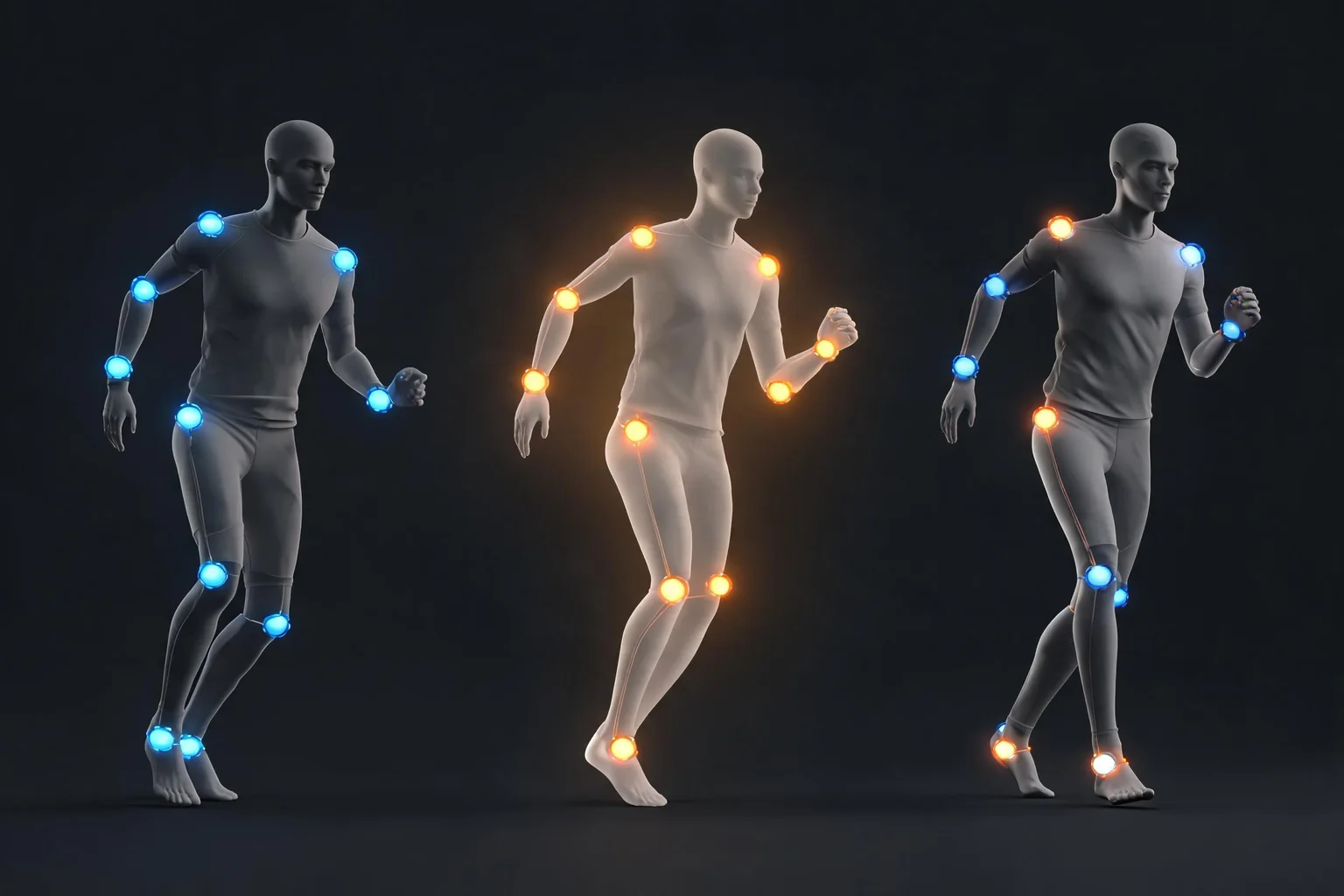
Inspect these layers in order:
- Travel versus facing. Record the delta between capsule travel, actor facing, controller or camera direction, and the skeleton's forward axis.
- Trajectory horizon. Verify that history and prediction samples expose the turn early enough without making minor stick noise look like a pivot request.
- Schema channels. Confirm that position, velocity, facing, pose, or other enabled channels represent the decision the game needs. More channels are not automatically better; each adds cost and can compete with the intended signal.
- Database eligibility. Check tags, filters, mirrored data, stance, speed, and foot phase. A clip that exists but is filtered out is not coverage.
- Transition cost. Compare the selected candidate with the continuing pose. A lower numeric search cost is not sufficient if contact, balance, or direction reads incorrectly.
- Warping boundary. Epic's Pose Warping documentation covers orientation, stride, and slope adaptation. Use warping to fit a valid pose inside an approved range, not to manufacture a missing 180° performance.
For 180° reversals, test both planted feet and multiple incoming speeds. A single pivot animation may work from one phase and fail from the opposite phase. Mirroring can expand coverage, but mirrored contact, weapon, asymmetry, and root behavior still require review.
Choose Motion Matching, a state machine, or a hybrid deliberately
| Situation | Motion Matching is a good fit when | State machine or hybrid is safer when | Evidence required |
|---|---|---|---|
| Broad realistic locomotion | The database covers speed, direction, stance, and transition families | The library is small or movement is deliberately discrete | Query and selected-pose traces across the movement matrix |
| Authored start/stop beats | Searchable curves and poses preserve the intended contact | A few named transitions need strict designer timing | Distance curve, root/capsule ownership, interruption tests |
| Combat or ability action | Search hands off cleanly to an owned action state | Gameplay timing, hit authority, or cancel windows must be explicit | Montage/state ownership, notifies/traces, recovery proof |
| Networked character | Query inputs derive from stable replicated or predicted movement state | Correction and authority changes frequently invalidate the query | Client/server captures and repeated correction tests |
A hybrid is not a failure of Motion Matching. Many projects use search for continuous locomotion and explicit states for jumps, attacks, interactions, or tightly authored transitions. The correct boundary is the one that preserves gameplay authority, contact quality, interruption behavior, and debuggability.
Debug the first wrong selection, not the final bad frame
Use the Pose Search and animation debugging views available in the target engine version to inspect the current query, candidate costs, selected asset, and continuing pose. Epic's Rewind Debugger documentation describes recording gameplay for frame-by-frame inspection; the Lyra animation documentation provides an official example of production-oriented locomotion systems.
For each failure, stop at the first frame where the expected owner diverges:
- If velocity is already wrong, stay in Character Movement or gameplay state.
- If velocity is correct but trajectory intent is wrong, fix trajectory inputs and horizons.
- If the query is correct but the selected pose is wrong, inspect schema weights, costs, eligibility, and database coverage.
- If the selected pose is correct but feet slide, inspect distance curves, sequence time, stride, and translation ownership.
- If local results are correct but networked results snap, inspect authority, prediction, correction, and state reinitialization.
Change one variable, replay the same capture, and keep the before/after selected-pose and movement evidence. A prettier final frame without the causal trace is not a reliable fix.
Run the asset-to-Unreal pipeline end to end
Keep Unreal as the acceptance owner even when animations originate in Blender, Maya, a motion-capture library, or an AI-assisted reference workflow.
- Upload or import: bring in only rights-cleared animation, skeleton, curve, and metadata assets. Preserve source scale, frame rate, root policy, and license.
- Preview: inspect skeleton compatibility, root trajectory, foot contacts, loop boundaries, curves, notifies, and retarget pose before adding the asset to the search database.
- Fix: correct scale, bone mapping, root motion, contact, curve monotonicity, or retarget errors at the owning layer. Do not compensate for a bad import with search weights.
- Optimize: include only useful clips and sampling detail; profile database memory, indexing, search time, animation evaluation, warping, and deformation on target hardware.
- Convert: convert formats only when a real DCC or delivery boundary requires it. Conversion does not prove the skeleton, curve, or rights contract survived.
- Export: export source, intermediate, and review evidence with version identifiers. Do not treat a rendered video as the animation asset or runtime proof.
- Validate in Unreal: reimport into a clean test revision, rebuild the Pose Search database, run the movement matrix, cook the target configuration, and repeat the runtime and network checks.
SEELE can help generate a bounded playable Unreal prototype so the team can test movement intent, objective, failure, and restart in context. It does not configure Motion Matching inside an existing project, rewrite a user's .uproject, install plugins, author production animation curves, or certify a character as shippable. Those remain project-specific Unreal and animation tasks.
Quality and performance acceptance matrix
Use project budgets rather than borrowed universal thresholds.
- Response: input-to-visible-response and input-to-capsule-response are both measured for short taps, held input, and reversals.
- Contact: planted feet do not drift beyond the project's visible tolerance during starts, stops, slopes, and pivots.
- Selection: the intended family is eligible and chosen across stance, speed, direction, foot phase, and interruption cases.
- Stability: selected poses do not oscillate under small input noise, camera movement, or repeated reversals.
- Cost: Pose Search, animation evaluation, warping, IK, and deformation remain inside the target frame and memory budgets.
- Recovery: interrupted states, respawn, save/load, level transition, and network correction return to one authoritative locomotion state.
- Delivery: the result passes in a cooked build on target hardware; editor preview is supporting evidence, not final acceptance.
Record the engine patch, content revision, device, build configuration, sample window, and network role beside every measurement. Reopen the decision when the skeleton, database, movement model, camera policy, or target platform changes.
Official sources and production boundaries
The current source set was verified against Epic's UE 5.8 documentation on 2026-08-19:
- Motion Matching in Unreal Engine — Pose Search workflow and runtime selection.
- Distance Matching in Unreal Engine — distance curves and sequence playback alignment.
- Pose Warping in Unreal Engine — orientation, stride, and slope adaptation.
- Game Animation Sample Project — Epic's inspectable sample, not proof for another project.
- Animation in Lyra and Rewind Debugger — reference architecture and frame-by-frame investigation.
The same-day forum question that triggered this refresh is a discovery signal, not an official engine defect or universal fix. Verify every node, property, plugin, and sample against the exact engine patch and project before changing production content.
Continue through the Unreal animation, rendering, VFX, and audio guide library when the next decision moves from locomotion selection into retargeting, Control Rig, deformation, rendering, or audio systems.
Frequently asked questions
Why does my UE5 character feel slow to start moving?
First compare input time, capsule velocity, acceleration, and the selected animation pose. If the capsule responds late, inspect gameplay and Character Movement. If the capsule responds correctly but the visual start lags, inspect trajectory prediction, database eligibility, selected-pose cost, and start-distance timing. Do not hide the distinction with a longer blend.
How do I stop foot sliding in a UE5 stop animation?
Confirm who owns translation, then compare the remaining stopping distance of the capsule with the distance curve and evaluated sequence time of the animation. Check scale, curve monotonicity, root/in-place policy, stride adjustment, slopes, collision, and interruption. The fix is alignment between movement and animation distance, not a universal play-rate or blend value.
Does Motion Matching automatically create start, stop, and pivot animations?
No. Motion Matching selects among eligible indexed poses; it does not create missing performances or repair imports. The database still needs rights-cleared, skeleton-compatible coverage for the required speeds, stances, directions, foot phases, and contacts. Warping can adapt valid poses within a reviewed range but cannot replace missing motion intent.
Should I use inertialization to fix locomotion inertia?
Not as the first fix. Animation inertialization can smooth a pose transition, while gameplay “inertia” usually refers to acceleration, braking, and direction response. It cannot correct a wrong capsule path, missing pivot coverage, bad distance curve, foot contact, or network correction. Identify the first wrong owner before enabling more smoothing.
Why does a 180-degree pivot select the wrong foot?
Inspect incoming speed, foot phase, trajectory direction, schema channels, database filters, mirrored data, and continuing-pose cost. Test both planted feet and several approach speeds. If the database contains only one compatible phase, the search cannot reliably produce the opposite-foot result without new coverage or a deliberate authored transition.
Is the Game Animation Sample safe to copy directly into my project?
Use it as an official learning and comparison reference. Its skeleton, database, controller, camera, content, and performance assumptions may differ from yours. Rebuild the smallest relevant path with your character, movement model, target platform, and acceptance matrix rather than treating a sample preview as production validation.
Can SEELE configure Motion Matching in my existing Unreal project?
SEELE can help create a bounded playable Unreal prototype for testing movement intent and the surrounding game loop. It does not modify an existing .uproject, install the required plugins, tune Pose Search schemas, author distance curves, or validate production animation and network behavior. Complete those steps in the target Unreal project with project-specific evidence.