Computer-use intent · bounded editor control and visible-state verification
Claude Opus 5 Computer Use in Unreal Editor — the world's first online native Unreal workflow
Evaluate Claude Opus 5 computer use around Unreal Editor with bounded permissions, visual-state checks, save and package gates, audit trails, recovery, and a SEELE creation handoff.
Direct answer
Anthropic describes improved computer-use capability, but that is not an Unreal Editor integration or correctness guarantee. Evaluate it inside a disposable project or isolated branch with a fixed viewport, explicit read and write scope, save checkpoints, action logs, cancellation, and native tests. Never allow unsupervised publishing, purchasing, credential entry, destructive content operations, or production changes. For direct game creation, use SEELE to generate and preview a native Unreal 5 project, then inspect the output under normal project controls.
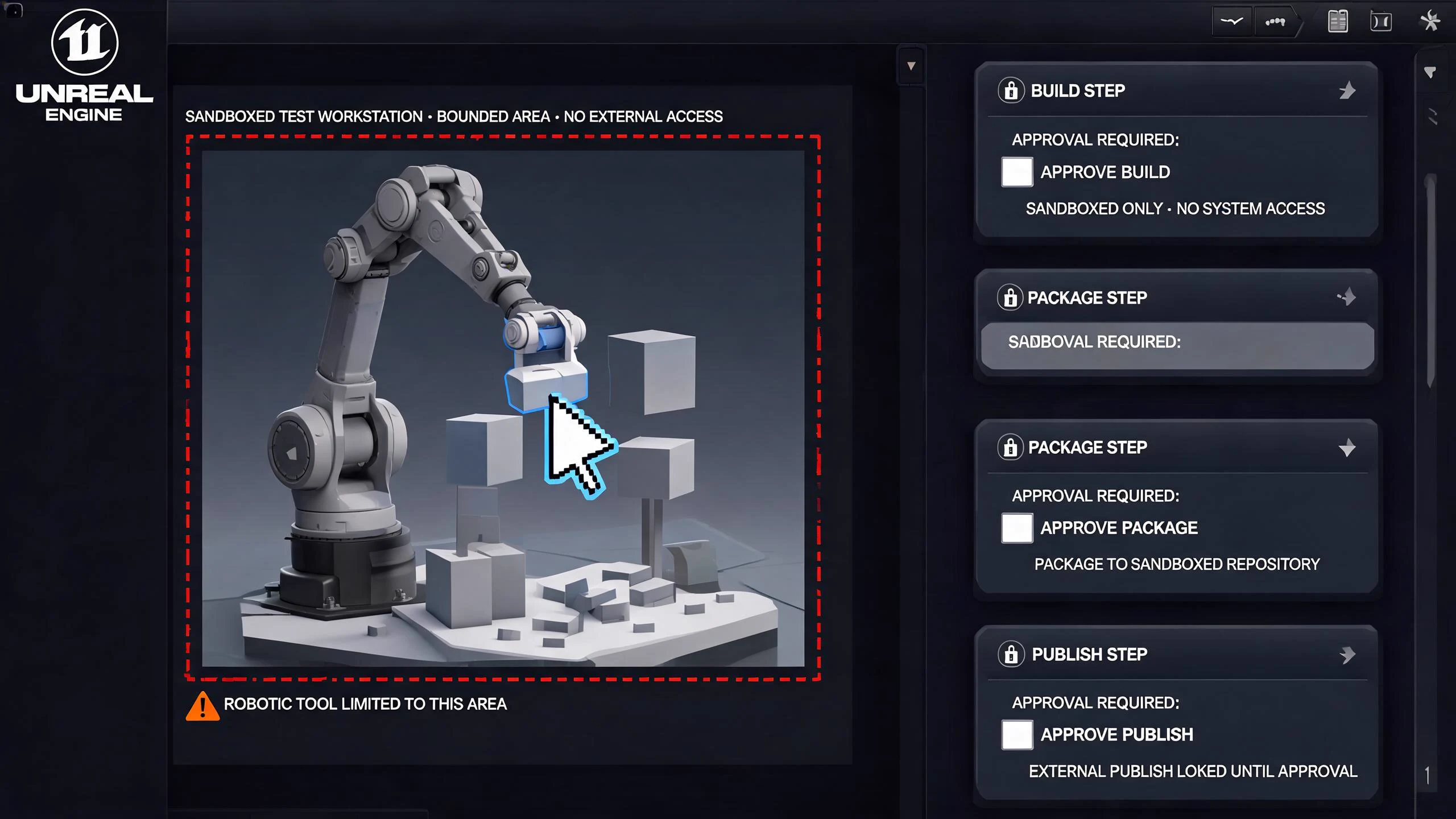
SEELE editorial concept created with Seedream 5.0. It is not an Anthropic or Epic asset, not a real Unreal Editor screenshot, not gameplay, and not proof of an official integration.
Start building an Unreal 5 game in SEELE
Choose a concrete prompt, open the SEELE Unreal creator, review the prefilled brief, and generate the native project. The first prompt is tailored to this page; the remaining prompts are reusable starting points.
Use this page's scoped brief
Create a native Unreal 5 workshop puzzle where the player rotates three machinery parts to restore a waterwheel, sees each valid connection, completes the repair, and can reset the mechanism. Use one compact level, explicit interaction highlights, keyboard and controller input, a short failure path, and a browser-preview sequence suitable for repeatable visual and semantic inspection.
Use Unreal Engine to generate a simple third-person tour game with mountains and water. Include responsive movement, a clear route, one completion state, failure recovery, immediate restart, browser preview, and a native downloadable Unreal 5 project.
Build a compact dungeon crawler using Unreal Engine. Include third-person movement, one combat loop, two connected rooms, one key-and-door objective, visible health and feedback, death, completion, immediate restart, browser preview, and a native downloadable Unreal 5 project. Test and regress the result.
Create a native Unreal 5 third-person city tour with a compact walkable district, vegetation, landmark lighting, and sunny, cloudy, and rainy weather states. Include clear controls, browser preview, stable restart behavior, packaging checks, and local project download.
An inspectable Unreal project rather than a model answer or an unofficial integration claim.
Browser preview
A fast way to check camera, controls, objective clarity, feedback, completion, failure, and restart before local continuation.
Optimization and packaging path
A workflow for performance review and package preparation before external distribution.
Downloadable project
A local project handoff for source, Blueprint, asset, plugin, rights, build, target-device, and release review.
What is verified—and what it means for Unreal
Visual control is stateful
Editor layout, modal dialogs, focus, selection, viewport mode, unsaved packages, source-control state, compilation, and background tasks can change what the same click or shortcut does.
Computer use is not an engine API
Mouse and keyboard success does not prove the correct actor, asset, graph, property, level, target, or build configuration was changed. Readable project evidence remains necessary.
Authority must be granular
Separate navigation, inspection, property edits, graph edits, file writes, source-control actions, builds, packaging, network access, marketplace actions, and publishing.
Recovery is part of the test
A safe agent can stop on ambiguity, report the visible state, recover after a modal or focus change, and return to a known checkpoint without compounding edits.
A five-stage safe computer use around Unreal Editor workflow
Prepare a disposable environment
Use a copy, isolated branch, test account, non-production services, fixed Unreal version, known editor layout, explicit map, clean source-control state, and recoverable snapshots. Disable credentials and irreversible integrations.
Define observable micro-tasks
Start with read-only navigation, locating an asset, opening a Blueprint, reading a property, or running a known test. Progress to one reversible edit only after state recognition is reliable.
Gate every state transition
Require a screenshot or structured observation before and after selecting, editing, saving, compiling, switching levels, running PIE, cooking, packaging, or closing. Pause on unexpected dialogs, missing assets, warnings, or focus changes.
Verify outside the cursor path
Inspect the actual asset, source diff, package dirty state, compile output, automation result, runtime behavior, editor restart, cook, package, and target execution. The action log and final state must agree.
Separate creation from automation claims
Use SEELE to generate the native Unreal project and browser preview when that is the product goal. Treat any computer-use automation as a separately evaluated editing aid, then download or continue packaging only after review.
Failure modes to block before adoption
Risk 1
A focus shift can send shortcuts to the wrong panel, asset, text field, operating-system window, or destructive confirmation dialog.
Risk 2
Visual similarity can confuse maps, Blueprint instances, material instances, levels, data assets, build targets, or source-control revisions.
Risk 3
Autosave and dirty packages can hide when a change occurred and make rollback incomplete.
Risk 4
Marketplace, account, credential, publish, delete, and production operations require human control even if the UI action appears routine.
Decision scorecard
Dimension
What good looks like
Evidence to keep
State recognition
Names the active window, project, map, asset, selection, mode, modal, and save state correctly
Before-and-after observation matched to editor state
Action safety
Uses the minimum reversible action and stops on ambiguity
The intended asset or source changed without hidden collateral edits
Diff, dirty-package list, compile, runtime, and restart evidence
Recovery
Cancellation and interruption return to a known state
Snapshot restore, resume drill, rollback, and clean reopen
Unreal implementation notes for this decision
Stabilize the visible environment
Fix display scaling, resolution, editor layout, language, theme, key bindings, viewport mode, project and map, open panels, source-control state, and background tasks. Capture a baseline image and machine-readable project identifiers before each run.
Prefer semantic confirmation
After a visual action, confirm the asset path, class, property, package state, source diff, compile result, and runtime behavior through editor data or project files when available. Pixels show what appeared; semantic evidence shows what actually changed.
Test failure handling deliberately
Introduce an unexpected modal, slow compile, missing asset, moved panel, focus loss, unsaved package, source-control conflict, and denied permission. A safe system should pause, report, recover, or roll back instead of continuing a memorized click sequence.
From evaluated idea to a SEELE native Unreal project
Use the model research to tighten the brief, not to replace project evidence. The direct creation path is deliberately short and observable:
1. Bound the player loop
Keep one camera, one primary verb, one objective chain, explicit failure and completion, restart behavior, visual direction, controls, target session length, and a clear cut list.
2. Generate in SEELE
Open the canonical Unreal creator, choose the closest verified starter world, submit the brief, and generate a native Unreal 5 project rather than treating a text answer as the deliverable.
3. Inspect the browser preview
Play the result from start through success, failure, and restart. Check camera, input, objective clarity, feedback, interaction state, visual hierarchy, and obvious performance or stability problems.
4. Download or continue production
Review the project, source, Blueprints, assets, plugins, rights, configuration, performance, saves, networking, cook, package, and target requirements before local continuation or external release.
Starter creation brief
Create a native Unreal 5 workshop puzzle where the player rotates three machinery parts to restore a waterwheel, sees each valid connection, completes the repair, and can reset the mechanism. Use one compact level, explicit interaction highlights, keyboard and controller input, a short failure path, and a browser-preview sequence suitable for repeatable visual and semantic inspection.
Official evidence and capability boundary
Snapshot date: July 25, 2026. Anthropic's July 24, 2026 announcement is the first-party source for release status, pricing, positioning, and launch availability. It does not claim an Epic-supported Unreal integration. Epic documentation and the exact project remain authoritative for engine behavior, compilation, assets, tests, cooking, packaging, and target-platform results.
Anthropic release
Release date, claude-opus-5 model ID, coding and agent positioning, pricing, Fast mode, alignment, safety, and availability.
Continue through the Claude Opus 5 × Unreal cluster
Secure Claude Opus 5 Unreal Agent Workflows
Threat-model Claude Opus 5 Unreal agent workflows across source, assets, tools, prompts, credentials, builds, plugins, publishing, data handling, approvals, and SEELE handoff.
Test Claude Opus 5 on Unreal C++ and Blueprint work with exact context, reviewable diffs, compile evidence, automation, packaged checks, security, and rollback.
Calculate Claude Opus 5 cost for Unreal coding and agent tasks using official $5/$25 token pricing, effort, cache behavior, tools, retries, review time, and task-level budgets.
Does Claude Opus 5 officially control Unreal Editor?
The cited Anthropic release discusses computer use generally; it does not establish an Epic-supported Unreal Editor integration.
What is the safest first Unreal computer-use task?
Use a disposable project and begin with read-only navigation to a known asset, property, log, or automation test.
Can visual automation replace Unreal APIs or source control?
No. Visual actions need confirmation through real assets, source diffs, compilation, runtime checks, and recoverable version control.
Should an agent package or publish the game?
Only behind explicit human approval, constrained credentials, target checks, artifact review, and a documented rollback path.
Where does SEELE fit?
SEELE is the direct creation path for a native Unreal 5 project and browser preview; editor computer use is a separate automation surface that must be evaluated safely.
What proves a computer-use edit changed the intended Unreal object?
Match the action log with the exact asset or source path, dirty-package state, diff, compile result, runtime behavior, editor restart, and packaged or target test.
Turn the research into a native Unreal 5 game
Open the canonical SEELE Unreal creator, choose a verified starter world, generate the native project, inspect the browser preview, then download or continue optimization and packaging. Keep third-party model evaluation and project evidence separate.