Security intent · least authority, evidence handling, and release control

Secure Claude Opus 5 Unreal Agent Workflows

Threat-model Claude Opus 5 Unreal agent workflows across source, assets, tools, prompts, credentials, builds, plugins, publishing, data handling, approvals, and SEELE handoff.

Direct answer

Secure an Opus 5 Unreal workflow by treating prompts, repositories, assets, logs, plugins, tool outputs, build systems, and generated artifacts as separate trust zones. Minimize data, use short-lived scoped credentials, isolate execution, allowlist tools and destinations, log model and tool identity, require approval for state changes, scan outputs, and verify the native project. SEELE can generate a native Unreal 5 project from an approved brief, but source, asset, dependency, privacy, packaging, and distribution controls still apply.

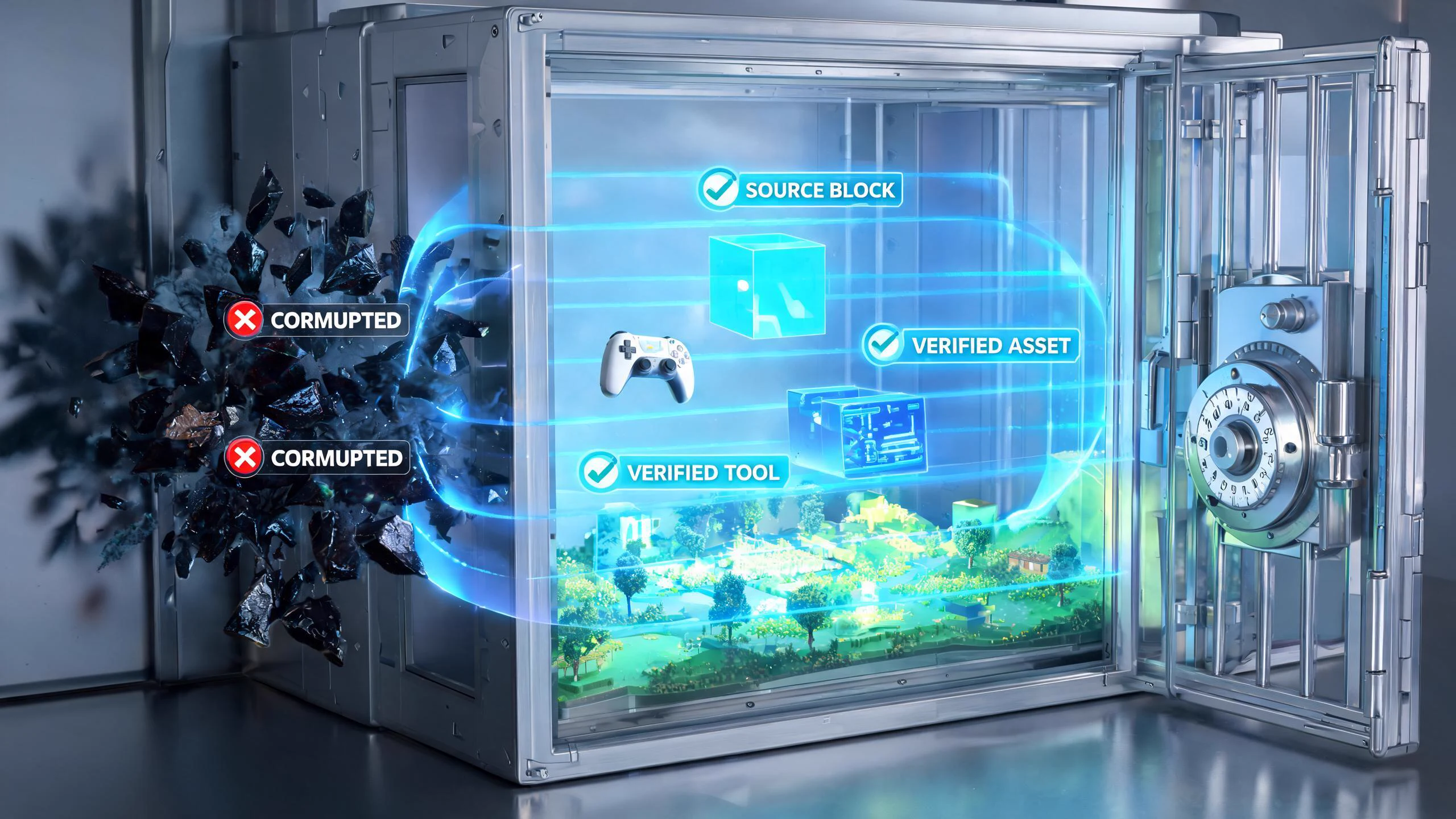
Seedream concept art of a miniature game world protected by layered security and trusted production paths
SEELE editorial concept created with Seedream 5.0. It is not an Anthropic or Epic asset, not a real Unreal Editor screenshot, not gameplay, and not proof of an official integration.

Start building an Unreal 5 game in SEELE

Choose a concrete prompt, open the SEELE Unreal creator, review the prefilled brief, and generate the native project. The first prompt is tailored to this page; the remaining prompts are reusable starting points.

Use this page's scoped brief

Create a native Unreal 5 security-training adventure in a small research vault. The player identifies three suspicious terminals, isolates one compromised device, restores a trusted control path, and exits. Use fictional symbols rather than real brands, no real credentials or network endpoints, clear feedback, failure and restart, and a browser-preview route under five minutes.

Use this prompt in SEELE

Generate a mountain exploration game

Use Unreal Engine to generate a simple third-person tour game with mountains and water. Include responsive movement, a clear route, one completion state, failure recovery, immediate restart, browser preview, and a native downloadable Unreal 5 project.

Use this prompt in SEELE

Generate a playable dungeon crawler

Build a compact dungeon crawler using Unreal Engine. Include third-person movement, one combat loop, two connected rooms, one key-and-door objective, visible health and feedback, death, completion, immediate restart, browser preview, and a native downloadable Unreal 5 project. Test and regress the result.

Use this prompt in SEELE

Generate a city tour with weather

Create a native Unreal 5 third-person city tour with a compact walkable district, vegetation, landmark lighting, and sunny, cloudy, and rainy weather states. Include clear controls, browser preview, stable restart behavior, packaging checks, and local project download.

Use this prompt in SEELE

What SEELE gives you after generation

Native Unreal 5 project

An inspectable Unreal project rather than a model answer or an unofficial integration claim.

Browser preview

A fast way to check camera, controls, objective clarity, feedback, completion, failure, and restart before local continuation.

Optimization and packaging path

A workflow for performance review and package preparation before external distribution.

Downloadable project

A local project handoff for source, Blueprint, asset, plugin, rights, build, target-device, and release review.

What is verified—and what it means for Unreal

The prompt can carry sensitive data

Source, crash dumps, logs, screenshots, asset paths, account names, player identifiers, endpoints, tokens, and proprietary design details need classification and minimization before upload.

Tools expand the blast radius

Shell, editor, source control, package managers, browsers, cloud consoles, marketplace access, build farms, signing systems, and publishing accounts each need independent least-privilege policy.

Untrusted content can instruct the agent

Repository files, documentation, issues, assets, web pages, plugin metadata, and tool output may contain prompt injection or misleading operational instructions.

Generated projects remain supply chains

Code, Blueprints, plugins, binaries, assets, licenses, network calls, configuration, build scripts, packaging, and distribution artifacts require normal review and scanning.

A five-stage security and governance for Unreal agents workflow

Map data and authority

Inventory what the model may read, retain, transmit, write, execute, purchase, publish, or delete. Classify source, assets, player data, secrets, crash data, telemetry, credentials, signing materials, and release artifacts.

Isolate the execution surface

Use a disposable workspace, isolated branch, restricted account, network allowlist, read-only mounts where possible, scoped temporary credentials, locked dependency sources, and no production publishing authority.

Treat inputs as untrusted

Separate system policy from repository and web content, mark external instructions as data, require source provenance, reject requests to reveal secrets or bypass controls, and pause when instructions conflict.

Inspect and prove outputs

Review diffs and binary changes, scan dependencies and assets, build from a clean environment, compile Blueprints and C++, run automation, test network behavior, reopen, cook, package, and compare the manifest with the approved plan.

Hand off only approved creation intent

Send SEELE the minimum game brief needed for native project generation, review the browser preview, then apply the same code, asset, plugin, privacy, packaging, and distribution controls before download or release.

Failure modes to block before adoption

Risk 1

Secrets may appear in logs, configs, environment dumps, command history, screenshots, crash reports, URLs, or generated support bundles.

Risk 2

Prompt injection can arrive through source comments, documentation, issues, plugin descriptions, websites, tool output, or asset metadata.

Risk 3

A broad token or workstation account can turn a small reasoning error into repository, cloud, marketplace, signing, or release compromise.

Risk 4

Generated code and assets can introduce vulnerable dependencies, unexpected network calls, licensing conflicts, telemetry, or unsafe build steps.

Decision scorecard

DimensionWhat good looks likeEvidence to keep
Data minimizationOnly task-required data crosses the approved boundaryClassification manifest, redaction receipt, retention and region settings
Least authorityEach tool and credential is scoped, temporary, logged, and revocablePolicy, token scope, network log, approval and revocation test
Injection resistanceUntrusted instructions cannot override policy or obtain secretsSeeded injection tests and truthful refusal evidence
Release integrityReviewed source and assets produce the approved artifact in a clean environmentDiff, scans, build provenance, manifest, signing and rollback records

Unreal implementation notes for this decision

Build a threat model per workflow

Name the assets at risk, trusted identities, entry points, untrusted content, tools, credentials, network destinations, persistence, approval events, build outputs, and recovery actions. The threat model for read-only code review is different from editor control or publishing.

Keep release authority out of the model

Signing keys, storefront credentials, production cloud roles, marketplace purchasing, legal approval, privacy decisions, and final publish controls should remain in human-governed systems. The agent can prepare evidence without owning the irreversible action.

Verify provenance after download

Record the generation brief, model and tool surface, project receipt, file manifest, hashes, plugins, dependencies, licenses, network endpoints, build environment, scans, reviewer approvals, and packaged artifacts. Provenance makes later incident response and rollback possible.

From evaluated idea to a SEELE native Unreal project

Use the model research to tighten the brief, not to replace project evidence. The direct creation path is deliberately short and observable:

1. Bound the player loop

Keep one camera, one primary verb, one objective chain, explicit failure and completion, restart behavior, visual direction, controls, target session length, and a clear cut list.

2. Generate in SEELE

Open the canonical Unreal creator, choose the closest verified starter world, submit the brief, and generate a native Unreal 5 project rather than treating a text answer as the deliverable.

3. Inspect the browser preview

Play the result from start through success, failure, and restart. Check camera, input, objective clarity, feedback, interaction state, visual hierarchy, and obvious performance or stability problems.

4. Download or continue production

Review the project, source, Blueprints, assets, plugins, rights, configuration, performance, saves, networking, cook, package, and target requirements before local continuation or external release.

Starter creation brief

Create a native Unreal 5 security-training adventure in a small research vault. The player identifies three suspicious terminals, isolates one compromised device, restores a trusted control path, and exits. Use fictional symbols rather than real brands, no real credentials or network endpoints, clear feedback, failure and restart, and a browser-preview route under five minutes.

Official evidence and capability boundary

Snapshot date: July 25, 2026. Anthropic's July 24, 2026 announcement is the first-party source for release status, pricing, positioning, and launch availability. It does not claim an Epic-supported Unreal integration. Epic documentation and the exact project remain authoritative for engine behavior, compilation, assets, tests, cooking, packaging, and target-platform results.

Anthropic release

Release date, claude-opus-5 model ID, coding and agent positioning, pricing, Fast mode, alignment, safety, and availability.

Open official announcement

Developer guidance

Re-check current model behavior, API surface, prompting guidance, limits, effort settings, and migration notes before production use.

What's new in Opus 5 · Prompting guide

Continue through the Claude Opus 5 × Unreal cluster

Claude Opus 5 for Unreal Engine

A complete Claude Opus 5 Unreal Engine guide covering the July 2026 release, coding and agent claims, pricing, limits, evaluation, and a direct SEELE game-creation path.

Read this guide

Claude Opus 5 for Long Unreal Tasks and Debugging

Evaluate Claude Opus 5 for long-running Unreal debugging and agent work using checkpoints, root-cause evidence, tool boundaries, interruption recovery, tests, and rollback.

Read this guide

Claude Opus 5 vs Opus 4.8 for Unreal

Compare Claude Opus 5 and Opus 4.8 for Unreal coding, debugging, long agents, price, migration, safety fallback, native validation, and rollback.

Read this guide

Frequently asked questions

What Unreal data should not be sent by default?

Do not send secrets, signing material, private player data, proprietary source or assets, internal endpoints, full crash bundles, or licensed content unless policy explicitly permits it.

Can repository files prompt-inject an agent?

Yes. Treat source comments, docs, issues, plugin metadata, tool output, and web content as untrusted data that cannot override system policy.

What credentials should an Unreal agent receive?

Prefer none. When necessary, use narrowly scoped, short-lived, environment-specific credentials with allowlisted actions, logging, and immediate revocation.

Does a generated native project bypass security review?

No. Native output still needs code, Blueprint, plugin, asset, dependency, network, privacy, build, package, and distribution review.

How should SEELE be used securely?

Provide the minimum approved game brief, review the browser preview and downloaded project, then apply normal source, asset, dependency, privacy, packaging, and release controls.

What is the minimum release-security record?

Keep the approved brief, source revision, model and tool identity, permissions, data manifest, diffs, asset and dependency provenance, scans, native test results, package manifest, approvals, signing, and rollback path.
Turn the research into a native Unreal 5 game

Open the canonical SEELE Unreal creator, choose a verified starter world, generate the native project, inspect the browser preview, then download or continue optimization and packaging. Keep third-party model evaluation and project evidence separate.