Specify the physics before the spectacle
A useful physics-sandbox prompt names an object’s mass, the force applied, the time and direction of that force, gravity, surface behavior, and the condition that counts as success. Keep the first scene small enough that you can compare one predicted state with what a later build actually does.
This guide uses Pocket Physics Yard, a fictional side-view test scene. Its crate, fan, and floor switch are an original paper design; the calculations are idealized and the prompt templates have not been run. No generated trajectory, playable build, engine test, or measured result is claimed. The example gives you a checkable starting point for a future prototype, not evidence about a physics solver.
The workflow is: define units and assumptions, request one interaction, compare its expected motion with the result, then change one physical variable. If the actual build differs, record the version, starting state, action, and observed contact before deciding which rule to revise.
Define one bounded test scene
Start with a single object and a single goal. Here the player positions a crate beside a fan, releases it, and tries to land it on a pressure plate. Each value matters: mass changes acceleration under the same force; the pulse duration changes horizontal travel; and the plate has a defined contact range.
| Property | Pocket Physics Yard rule | Why it matters |
|---|---|---|
| View and units | 2D side view; meters, seconds, kilograms, newtons; x points right and y points up. | Coordinates and measurements have one interpretation. |
| Crate | Width 0.2 m; starts with its bottom at y=2.0 m and center x=0; initially at rest. | The start pose gives the fall height and horizontal footprint. |
| Gravity | 10 m/s² downward throughout the fall. | Gravity determines the time available for the fan to move the crate. |
| Fan | 4 N toward +x for the first 0.5 s after release; then it stops. | Force and duration define the horizontal acceleration and impulse. |
| Switch | Floor plate spans x=0.45 to x=0.55 m; it activates at first contact if the crate overlaps it. | A visible boundary makes success measurable. |
| Idealizations | No air drag or floor friction; crate stays axis-aligned; fan force passes through its center of mass; no torque. | The hand calculation isolates translation from rotation and drag. |
| First landing | Inelastic floor contact with no bounce; vertical motion stops while horizontal speed is preserved. The plate does not push the crate. | Contact and feedback have a defined order. |
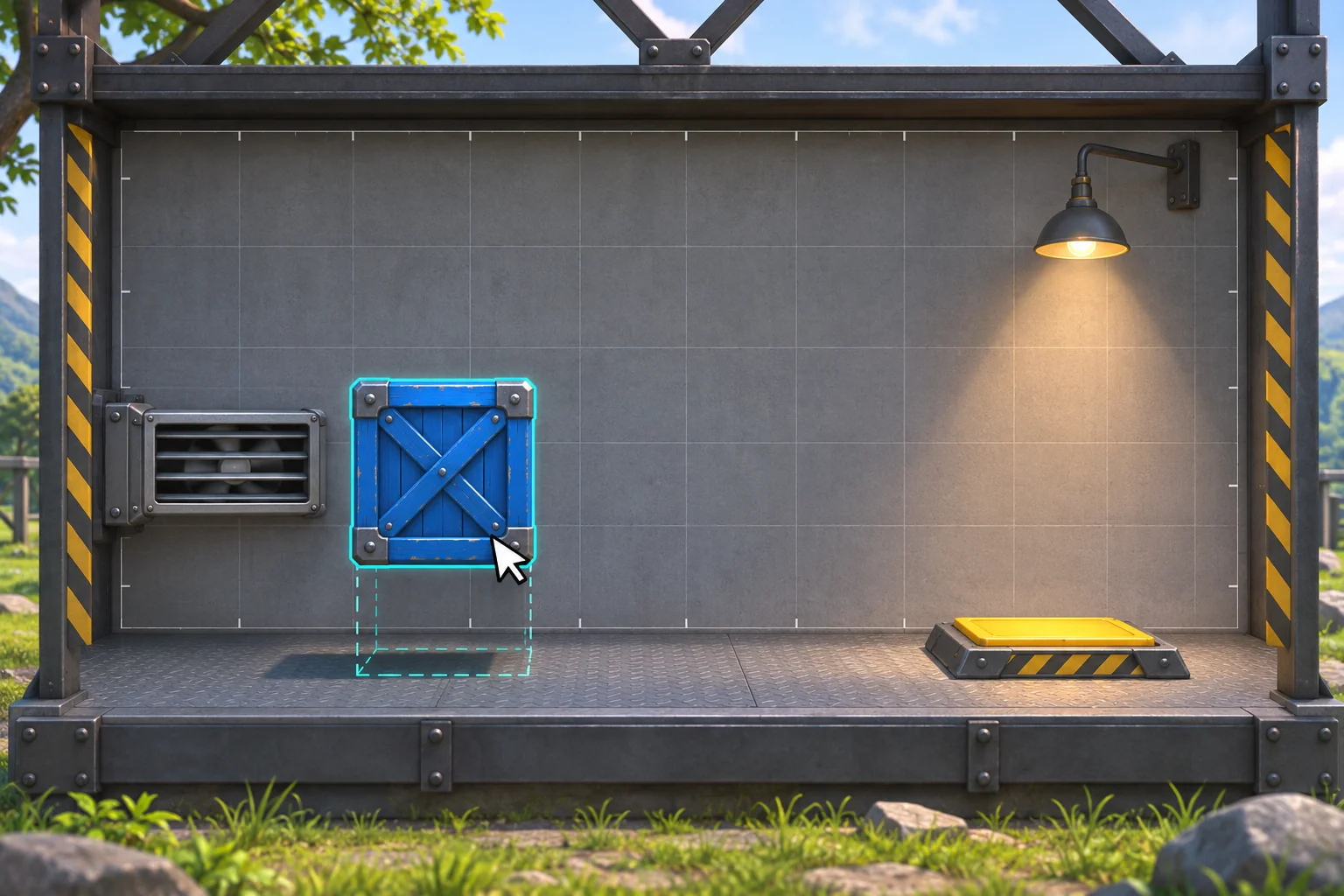
Use the scene as a small rule contract, not a claim that a particular engine must behave exactly this way. A real game may include a fixed time step, collision tolerances, damping, rotation, or different switch geometry. Either specify those rules or list them as measurements to collect during a later test.
Prompt 1: state the physical contract
Design one side-view physics-sandbox test called Pocket Physics Yard. Use meters, seconds, kilograms, newtons, x to the right and y upward. The floor is y=0. A 0.2 m-wide, 2 kg blue crate starts at x=0 with its bottom at y=2.0 m and zero velocity. Gravity is 10 m/s² downward. A fan applies a constant 4 N horizontal force toward +x for exactly the first 0.5 seconds after release, then stops. The crate remains axis-aligned: apply force through its center of mass, with no torque or rotation. Ignore air drag and floor friction. On first floor contact use an inelastic landing with no bounce: vertical motion stops, horizontal speed is preserved. The pressure switch spans x=0.45–0.55 m and activates if the crate’s horizontal footprint overlaps it at contact; it does not push the crate. List initial state, force duration, assumptions, predicted observable output, and unresolved questions. Do not add extra objects or infer engine behavior not stated here.The prompt includes the units and coordinate direction so a reader can audit the numbers. If a response invents a slope, bounce, or drag coefficient, ask whether it is an intentional rule before treating it as part of the design.
Prompt one interaction and its feedback
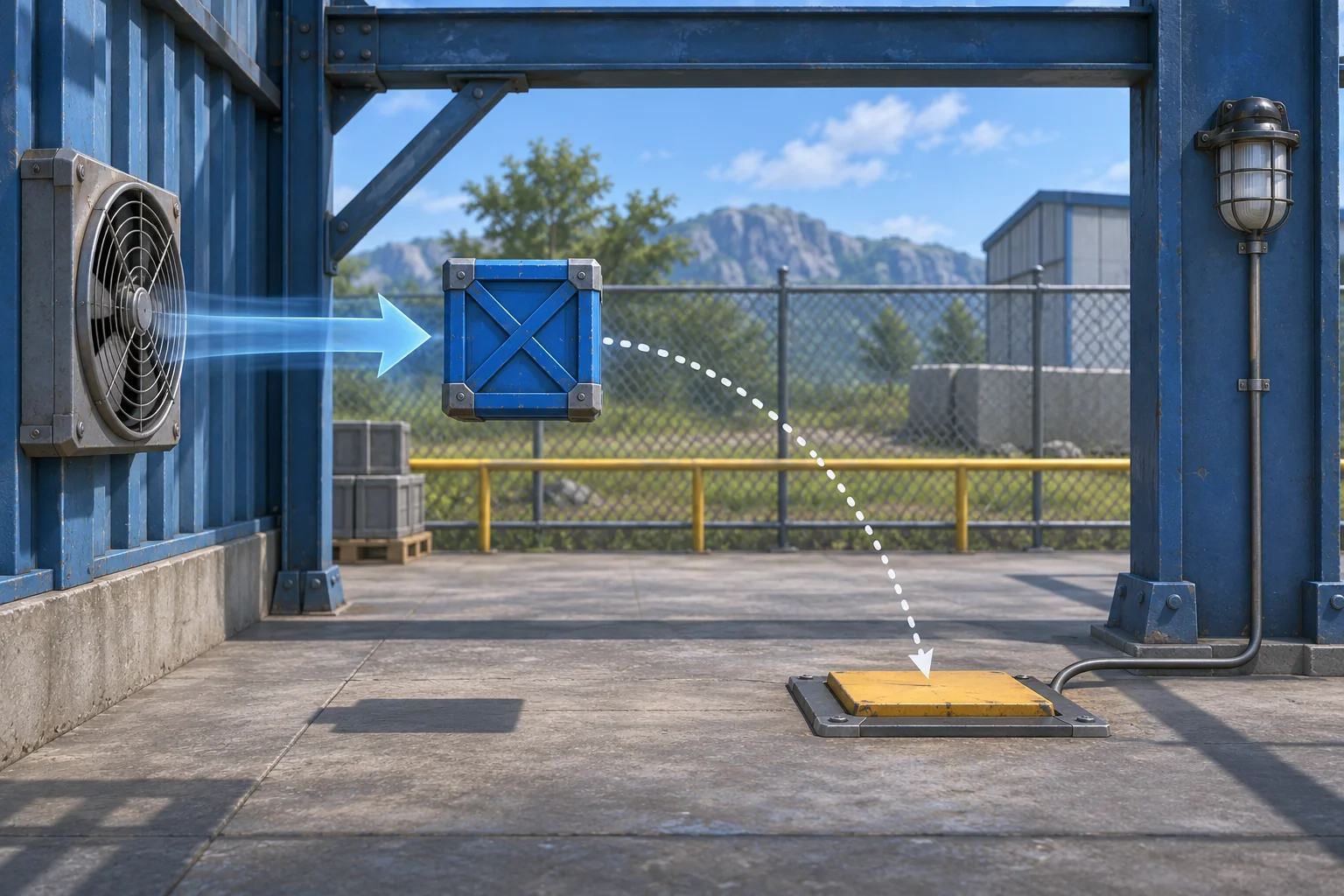
A first playable slice needs a small set of actions: position the crate, pulse the fan, release the object, and restart. Ask for state feedback that helps a player see what happened. The fan should visibly turn off after the specified half-second; the pressure plate should show whether contact occurred; and a reset should restore the exact start position and velocity.
Prompt 2: build one observable loop
Using the Pocket Physics Yard contract, create one playable test room and no additional level. Let the player drag the 2 kg crate to the marked release point, activate the fan, and release it. Apply the 4 N force only during the first 0.5 seconds; after the pulse ends, retain the horizontal velocity because floor friction is zero. Keep the crate axis-aligned with no torque or rotation. At first contact with y=0, stop vertical motion without a bounce and check whether the crate overlaps the x=0.45–0.55 m pressure plate. Turn the feedback lamp on only for an overlap at that first contact; do not let the plate push the crate. Show the fan pulse, crate path, switch state, and restart control. Restart must restore x=0, bottom y=2.0 m, zero velocity, fan idle, and lamp off. Return the control mapping, state variables, collision assumptions, and one trace a reviewer can repeat. Do not add ramps, extra crates, collectibles, or unsupported physics.Keep the display useful rather than busy. One path trace and one clear target indicator can explain more than decorative speed lines. If a build exposes velocity or force, show the units; otherwise, let the visible pulse and contact response carry the explanation.
Hand-check the expected landing
Use a basic constant-acceleration estimate to make a reference state. The bottom of the crate falls 2.0 m under 10 m/s², so the ideal fall time is t = sqrt(2h/g) = sqrt(4/10) ≈ 0.632 s. The fan acts for 0.5 s, leaving about 0.132 s before first contact.
For the 2 kg case, the horizontal acceleration during the pulse is a = F/m = 4/2 = 2 m/s². In 0.5 s, the crate moves 0.5 × a × t² = 0.25 m and reaches 1 m/s. With no horizontal force or friction after the pulse, it travels another 1 × 0.132 ≈ 0.132 m. The center is therefore near x=0.382 m when the crate first touches the floor.
| Mass | Center at first contact | Right edge | Switch result |
|---|---|---|---|
| 2 kg | ≈0.382 m | ≈0.482 m | Overlaps the plate by about 0.032 m; activate on first contact. |
| 4 kg | ≈0.191 m | ≈0.291 m | Stops about 0.159 m short of the plate; do not activate. |
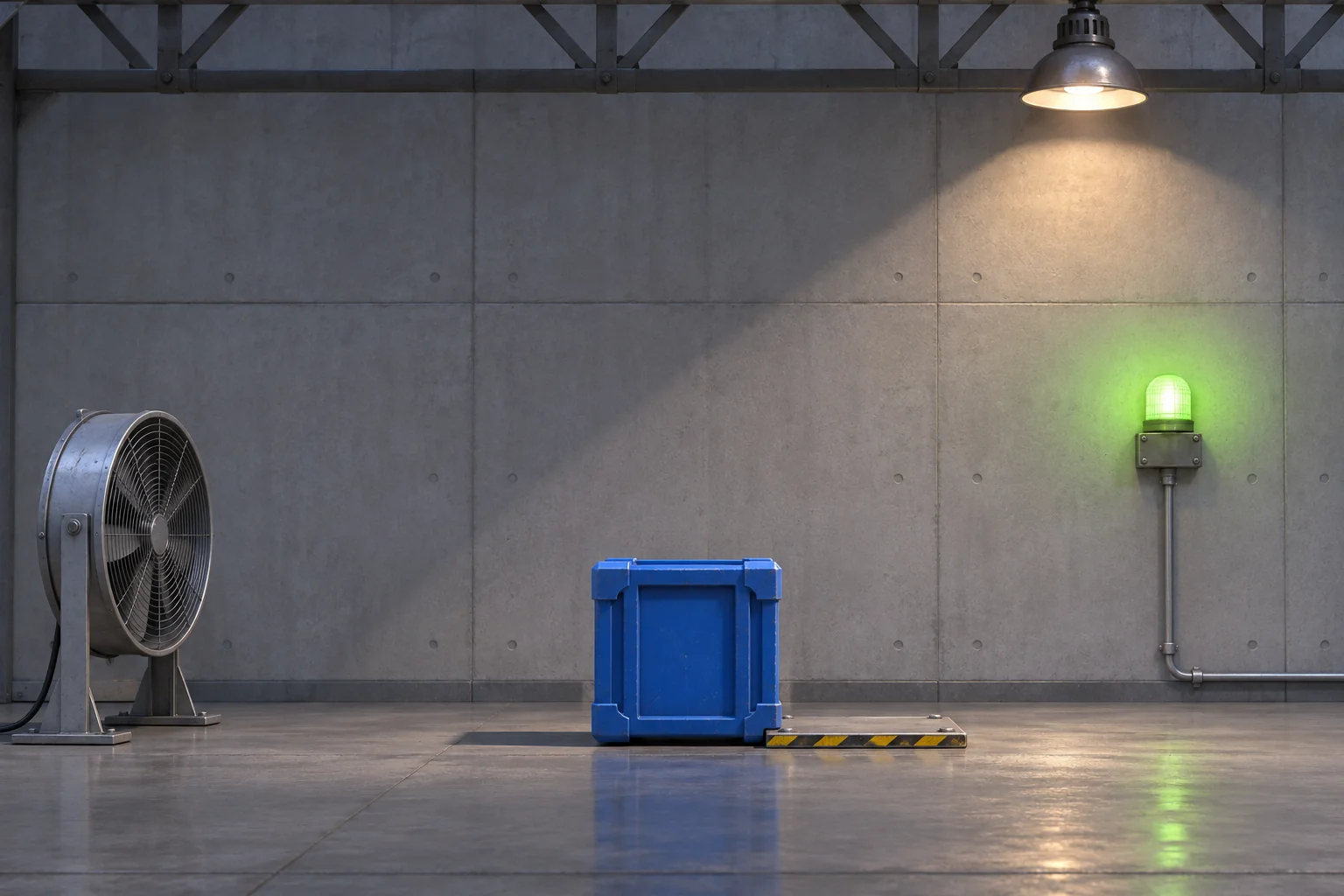
The 4 kg comparison keeps the scene, force, pulse, and starting height fixed. Acceleration becomes 1 m/s². The pulse covers 0.125 m and reaches 0.5 m/s; the remaining fall adds about 0.066 m. That places the center near x=0.191 m, so a 0.2 m-wide crate ends at about x=0.291 m—short of the plate.
This is an idealized calculation, not a collision-engine prediction. The crate is assumed not to rotate, the fan acts through its center of mass, and the first floor contact has no rebound. A real build may approximate these values differently. Treat the numbers as a question to test and record what the version actually does.
Revise one physical variable
If the first build misses the plate, keep the starting geometry and fan pulse fixed while changing one variable. For example, compare a 2 kg crate with a 4 kg crate under the same 4 N fan for 0.5 seconds. Then inspect the recorded path and contact point. Changing mass, pulse duration, gravity, and plate location together would make the result harder to interpret.
Prompt 3: compare mass only
Repeat the same Pocket Physics Yard trial twice from the exact reset state. Run A uses crate mass 2 kg; Run B changes only mass to 4 kg. Keep crate width, start position and height, gravity, 4 N fan direction and 0.5 s duration, no-rotation/no-torque assumption, inelastic no-bounce landing, frictionless horizontal motion, and switch bounds fixed. For each run, return time to first floor contact, horizontal center position, crate right edge, whether the x=0.45–0.55 m plate overlaps at contact, and the lamp state. Separate predicted values from observed game values. If a value is not exposed by the build, say what should be logged instead of guessing. Do not add another design change.The design expectation is that the 2 kg case overlaps while the 4 kg case misses. That expectation comes from the stated equations, not an executed prompt. If a real result disagrees, preserve the run and inspect force timing, coordinates, mass units, collision footprint, and time step before changing the objective.
Check the boundaries before adding objects
Once the central action is clear, try cases that should differ for an explicit reason. These are proposed checks for a future build, not tests that have already been performed.
| Case | Expected contact | Visible check |
|---|---|---|
| Fan disabled | Crate falls near x=0 and misses the plate. | Fan indicator remains off; lamp stays off. |
| 2 kg crate, 0.5 s pulse | Right edge reaches about x=0.482 m and overlaps. | Lamp activates on first contact. |
| 4 kg crate, same pulse | Right edge reaches about x=0.291 m and misses. | No switch feedback appears. |
| 2 kg crate, shorter 0.25 s pulse | Under the same idealized assumptions, the right edge is about x=0.354 m and misses. | Pulse ends earlier; no overlap at floor contact. |
| Overlapping the plate edge | Use the stated footprint-overlap trigger, not only center position. | The crate’s edge and plate state can be inspected together. |
| Restart after a miss or success | Return to x=0, bottom y=2.0 m, zero velocity and fan idle. | The plate lamp is off and the trial can be repeated. |
The shorter-pulse estimate is another paper calculation: after 0.25 s at 2 m/s², the crate has moved 0.0625 m and reaches 0.5 m/s. The remaining 0.382 s adds about 0.191 m, placing the right edge near 0.354 m. As with the main trace, a real build must be measured before calling this its behavior.
Carry the physics brief into a creation workflow
The official Free AI Game Maker page describes a general workflow: describe a game in plain English, generate a playable 2D or 3D first version, test it in a browser, and refine it with follow-up prompts. It offers free Koins and asks creators to review the cost before each generation. Those broad facts do not validate Pocket Physics Yard, its values, or any generated physics behavior.
When you take your own experiment into a game workflow, specify what the player controls, what force is applied, what response should be visible, and how to reset. Review the actual object motion and collision state after generation. A concept image or ideal equation can clarify a question, but neither proves that a build follows it.
Turn one interaction into a repeatable test
Name the units, starting pose, force, duration, gravity, contact rule, and target before adding more objects. Then compare one predicted state with a recorded run and revise a single variable at a time. That gives a physics sandbox a clear first interaction—and gives you a way to tell what changed when it behaves differently.
To shape your own experiment, continue with the Free AI game maker. Bring a small action, expected response, and reset condition, then inspect the returned result against those rules.
Physics sandbox prompt questions
What should a physics-sandbox prompt specify first?
Start with units, coordinate direction, object shape and mass, initial position and velocity, forces, gravity, contact rules, and the visible goal. Include what the build should report and what assumptions it must keep fixed. That makes a first result easier to inspect and gives you a baseline for a later revision.
Does changing mass always change where an object lands?
Not by itself in every setup. Under the fictional rule here, the same 4 N force creates less acceleration for a 4 kg crate than for a 2 kg crate. Other forces, constraints, friction, rotation, or control systems can change the result, so describe the conditions and inspect the actual build.
Do I need to describe every physics detail?
Define the details that determine the first interaction and its success condition. List important exclusions such as drag, bounce, or rotation; record other unknowns as questions to observe. You can add complexity later, after one small interaction produces a result that you can explain.
Was Pocket Physics Yard simulated or playtested?
No. It is a fictional design, and the trajectory values are calculated from simplified assumptions by hand. The prompts were not run and no playable game, physics solver output, or user test is claimed. A future build would need to be recorded and checked separately before describing its behavior as observed.
What should I do when the build misses the expected target?
Keep the run and record the build version, starting state, input, force timing, object path, and contact point. Compare those observations with the stated assumptions, then change one rule at a time. If the result is not measurable, first add a visible readout or repeatable reset instead of guessing why it missed.