
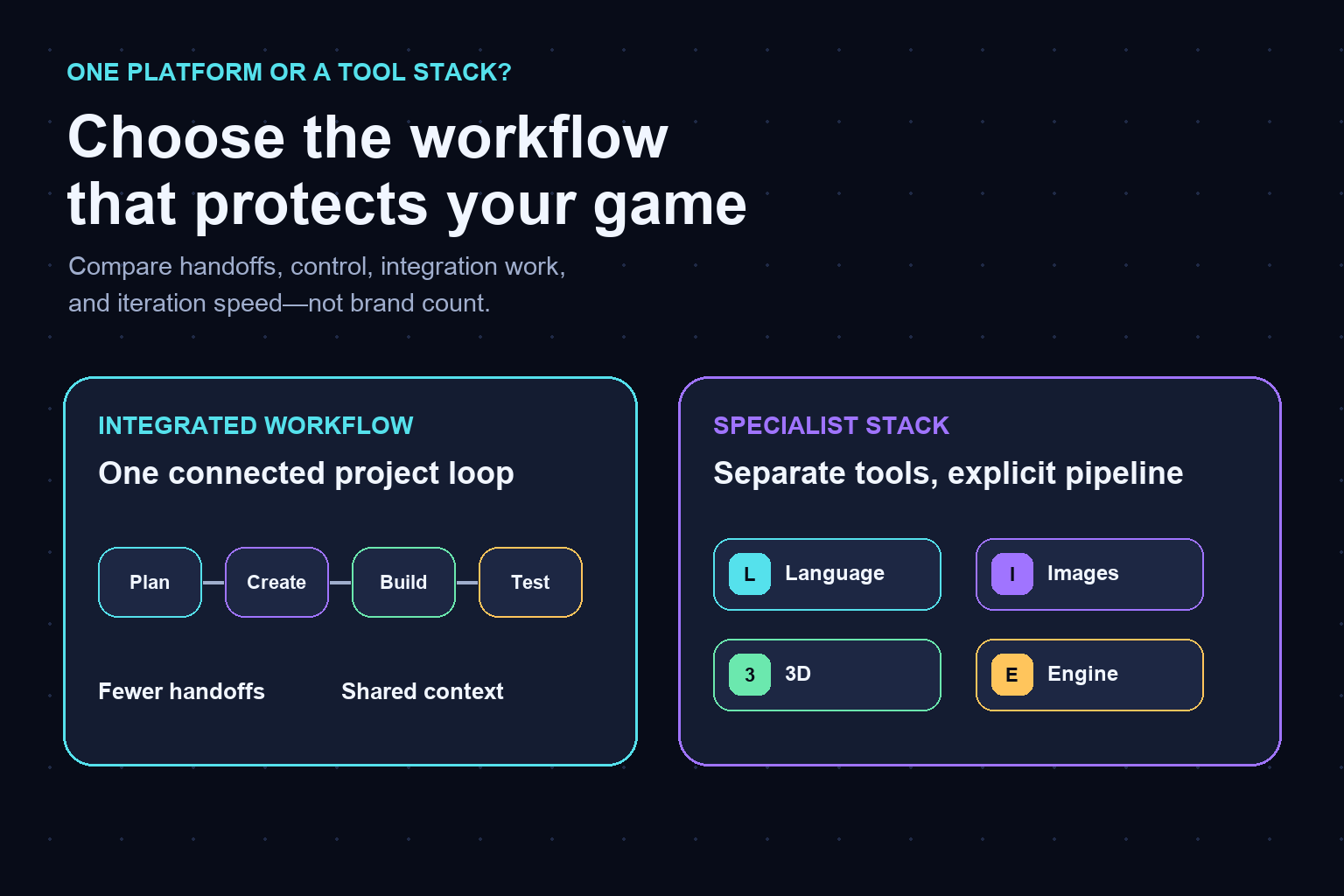
Key takeaways
- An all-in-one platform is better when fewer handoffs and faster playable iteration matter most. A Claude, Midjourney, Meshy, and Unity stack is better when specialist control justifies the integration work. Test both with the same tiny game loop.
An all-in-one platform such as Seeles can be the better choice for an independent game developer when the main constraint is getting from idea to playable iteration with fewer handoffs. A stack built from Claude, Midjourney, Meshy, and Unity can be better when you need deeper control inside each specialist stage and are willing to design, document, and maintain the pipeline between them. Neither setup wins universally. The practical decision is whether your project benefits more from shared context and a shorter loop, or from specialist control and replaceable components.
This comparison is about workflow shape, not a claim that the products are interchangeable. Their published features, file support, usage terms, and service limits can change. Confirm any capability that is essential to your production on each product’s current official documentation before committing a project.
The direct answer: optimize for the bottleneck
Choose an integrated platform when your bottleneck is coordination: repeatedly explaining the same game idea, moving outputs between tools, keeping asset versions aligned, or rebuilding context after every change. Keeping planning, creation, scene work, and testing closer together can reduce the number of decisions required before the next playable result.
Choose a specialist stack when your bottleneck is control: you need a particular engine workflow, detailed image-generation direction, a defined 3D asset pipeline, or a coding assistant that fits an existing repository. Separate tools make those boundaries explicit. That can be valuable, but it also makes you responsible for file conventions, import settings, naming, provenance, and recovery when one stage changes.
For a solo developer, the right question is not “Which option has more features?” Ask, “Which setup lets me make, test, reject, and revise the core interaction without losing the thread of the game?”
What each route is designed to do
Seeles presents itself as an AI game-creation platform where creators can turn ideas into playable experiences. Evaluate it as an integrated route: its appeal is the possibility of keeping more of the creation loop in one environment. Verify the exact workflows, export paths, supported inputs, and current limitations that matter to your game through Seeles’ official materials and a small trial project.
The named specialist stack divides the work. Anthropic documents Claude as an AI assistant with capabilities that can support reasoning, writing, and coding tasks. Midjourney publishes tools and documentation for image generation. Meshy describes AI workflows for creating 3D assets. Unity documents a general-purpose game engine and editor. Together, these products can cover several distinct production jobs, but the developer still defines how an idea, image, model, script, scene, and playable build move between them.
This division is not automatically inefficient. A deliberate pipeline can be a strength when you already know the formats, settings, and review criteria at every stage. It becomes expensive when the project changes faster than the pipeline can be updated.
Where integration cost actually appears
Integration cost is the work between outputs, not merely the number of subscriptions or browser tabs. An image may need naming, resizing, background cleanup, licensing records, and engine import settings. A 3D asset may need scale checks, topology review, materials, collision, animation setup, and performance testing. Code suggestions still need to fit the project architecture and be tested in the target environment.
Count four kinds of boundary work:
- Format work: Can the next stage use the output in the form you received it?
- Context work: What constraints must you restate so the next tool understands the same game?
- Version work: Which prompt, asset, script, or scene is the approved one?
- Recovery work: Can you trace and reverse a bad change without rebuilding several stages?
An integrated environment may reduce some of these transfers because more steps share a project context. A specialist stack may expose them more clearly, which can make the pipeline easier to customize. The relevant cost is the time and attention you spend keeping boundaries reliable over repeated iterations.
Control, portability, and creative direction
Specialist tools usually appeal to developers who want to select the tool for each job and replace one component without replacing the entire workflow. That modularity can support a highly tailored art or engineering process. It can also preserve an established Unity project when AI tools are additions rather than the center of production.
The tradeoff is operational ownership. You need a source-of-truth folder or repository, stable naming rules, import presets, prompt records where appropriate, and a definition of “done” for each asset. Without those conventions, flexibility can turn into rework.
An integrated platform can provide stronger continuity between ideation and playable output, but you should test its boundaries before depending on it. Check whether you can retrieve the project outputs you need, how revisions are represented, which parts can be edited directly, and whether the workflow suits your desired level of technical control. Do not assume “all-in-one” means every specialist feature is present, or that “specialist” means the parts will connect automatically.
A workflow-first decision matrix
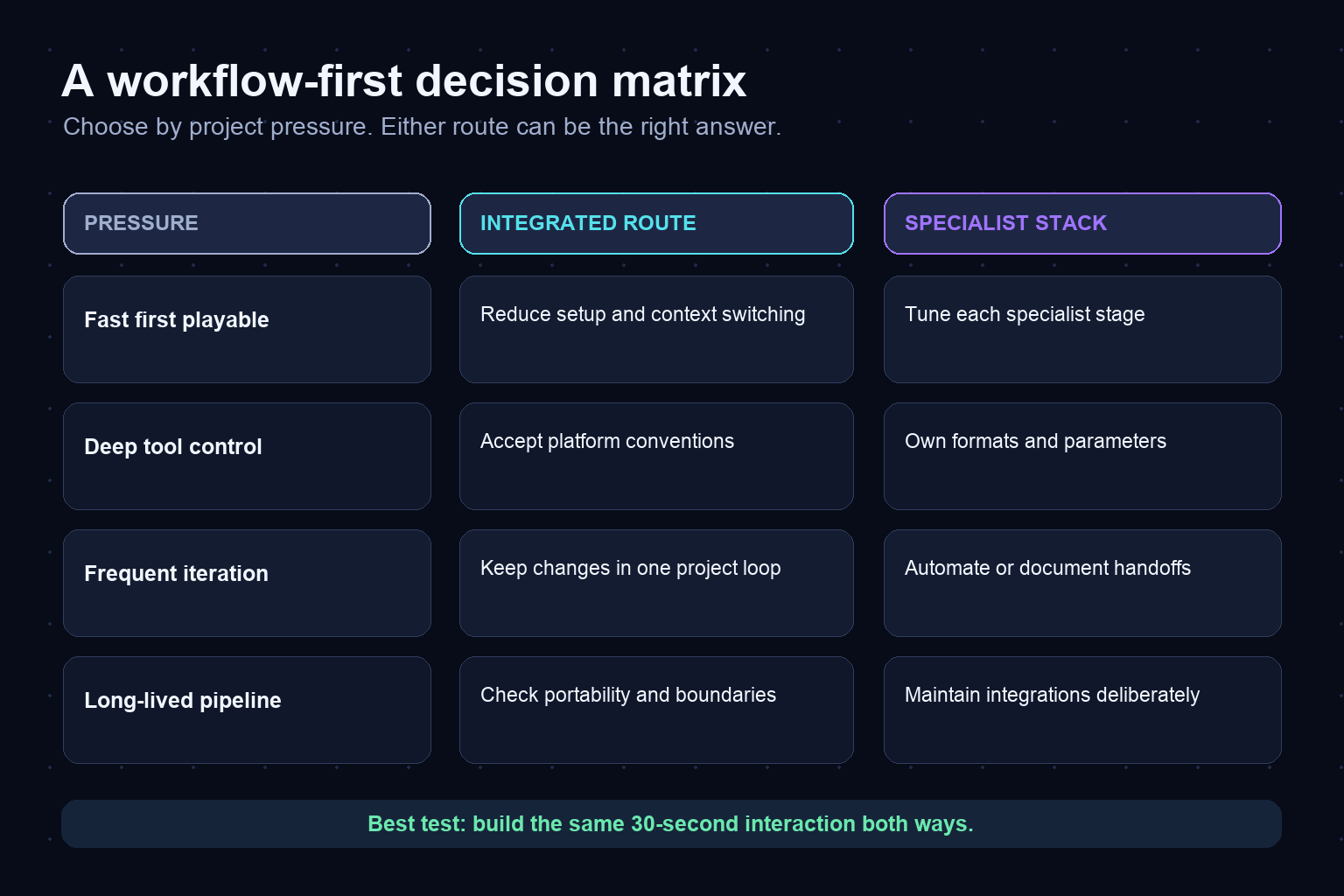
An integrated route is often the better first test when you are validating a game concept, working alone, learning several disciplines at once, or trying to reach a playable prototype before the idea loses momentum. Its value comes from reducing coordination load, not from eliminating design decisions.
A specialist stack is often the better first test when you already have a Unity production workflow, need precise control over individual asset stages, collaborate with people who own different tools, or expect to maintain a reusable pipeline across multiple projects. Its value comes from specialization and modularity, not from having more applications.
Use these scenario rules:
- Fast first playable: favor the route that minimizes setup and gets the core interaction into your hands.
- Deep stage-level control: favor the route that exposes the parameters and formats you genuinely need.
- Frequent cross-discipline revisions: favor the route with the lowest cost for changing a mechanic and updating dependent assets.
- Long-lived production pipeline: favor the route your team can document, test, and maintain after the first prototype.
- Existing engine project: compare how well each route extends that project rather than rebuilding it by default.
- Uncertain art direction: prefer reversible experiments until the visual language stabilizes.
The same developer may choose Seeles for concept exploration and a specialist stack for a later production phase, or keep an integrated route throughout. A phased decision is often more realistic than declaring permanent loyalty before the prototype exists.
Run a fair 30-second prototype test
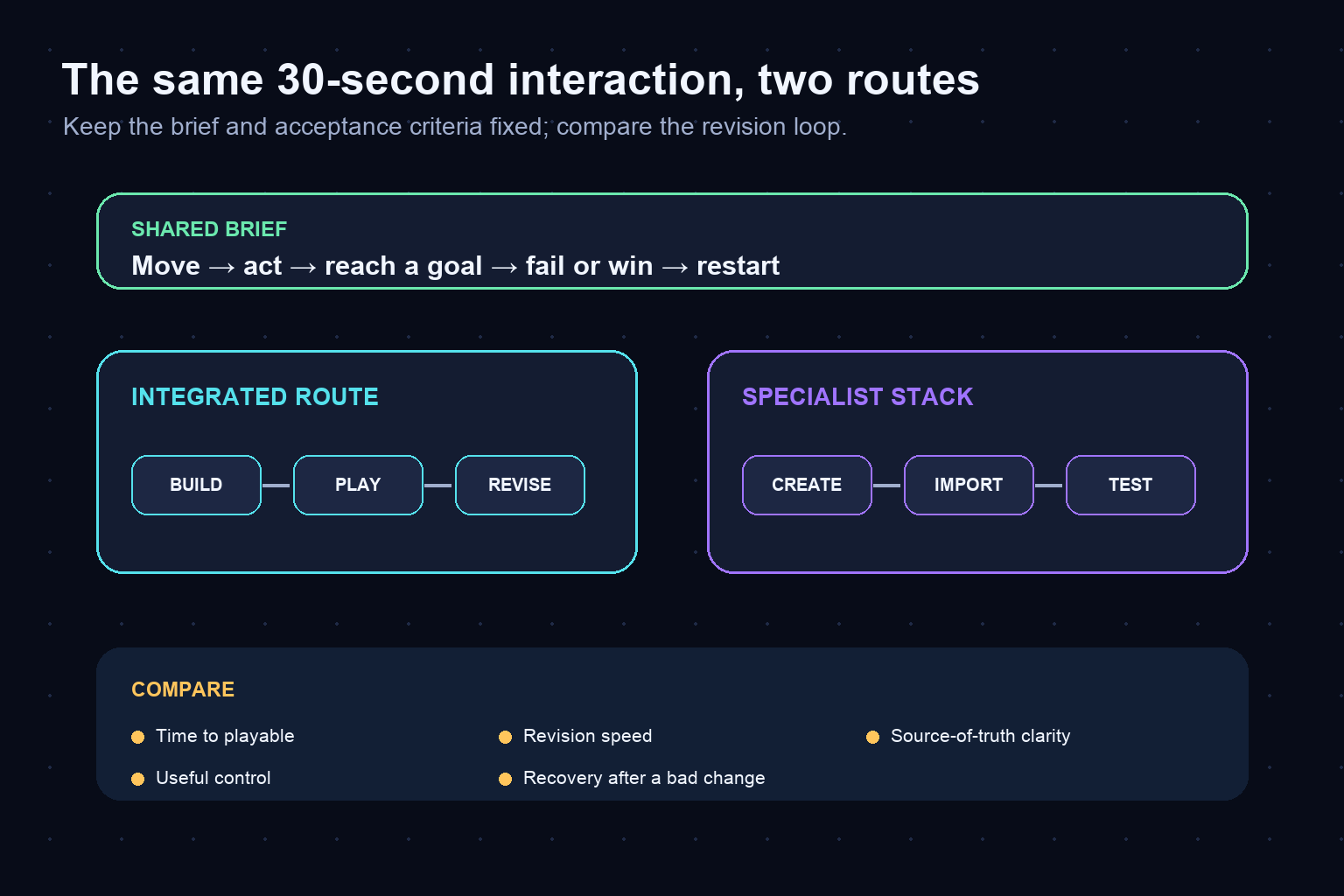
Build the same tiny interaction with both routes. Keep the scope small enough to finish: one controllable character or object, one action, one goal, one failure state, and a restart. Reuse the same creative brief so you are comparing workflow rather than ideas.
Record the work rather than relying on memory. Note how many times you re-enter constraints, export and import files, fix naming or format issues, wait for dependencies, and recover from an unwanted change. Also record where you gained valuable control. A longer route can still be preferable if the extra steps produce decisions that matter to the game.
At the end, score each route on five questions:
- How quickly did you reach a playable result?
- Could you make a mechanic change without losing asset or scene context?
- Did you understand which file or project state was authoritative?
- Could you inspect and edit the output at the level you need?
- Would the workflow remain understandable after two weeks away?
Do not compare polished showcase outputs. Compare the ordinary revision loop, because that is where a solo project spends most of its time.
Risks to test before committing
For an integrated platform, test editability, project retrieval, output portability, collaboration fit, and the gap between a quick generated result and the quality bar for your game. A fast start only helps if you can continue revising the parts that matter.
For a specialist stack, test asset compatibility, handoff documentation, version control, repeatability, and the time required to rebuild context. A powerful component only helps if its output survives the next stage without avoidable cleanup.
For both routes, keep creative acceptance criteria outside the tool. Define the game’s core loop, target visual direction, performance envelope, and “done” conditions in language you control. That makes it easier to evaluate outputs fairly and change tools later if the project demands it.
Recommendation for an independent developer
Start integrated if you have a new idea, no settled pipeline, and a strong need to reach playability quickly. Start with the specialist stack if you already know why each component is necessary and can describe the handoff from one to the next. If you cannot explain those handoffs yet, a multi-tool stack may be premature rather than more professional.
The most reliable decision is a reversible one. Give both routes the same small brief, build the same interaction, and choose based on the quality of the iteration loop. Once one route wins, document the reasons, freeze the minimum toolset for the next milestone, and revisit the choice only when a real constraint appears.
Frequently Asked Questions
Is Seeles better than Claude, Midjourney, Meshy, and Unity together?
It can be better when your priority is a connected path from idea to playable iteration with fewer handoffs. The specialist stack can be better when you need deeper control within separate writing, image, 3D, and engine stages. Test the same small interaction in both workflows.
Can an all-in-one platform replace every specialist game-development tool?
Do not assume that it can. “All-in-one” describes workflow integration, not feature-for-feature equivalence. Verify the specific editing, asset, engine, export, and collaboration capabilities your project requires.
When should a solo developer choose a specialist tool stack?
Choose it when you already have a defined engine pipeline, need specific stage-level controls, or can maintain formats, versions, imports, and handoffs. The added control should solve a known production need.
What is the hidden cost of combining multiple AI tools with a game engine?
The hidden cost is integration work: restating context, converting formats, naming assets, tracking versions, configuring imports, testing outputs, and recovering when a change breaks a later stage.
How should I compare an integrated platform with a Unity-based workflow?
Build the same 30-second interaction in both. Compare time to first playable, revision speed, output editability, source-of-truth clarity, and how much boundary work you must document and repeat.
Can I use Seeles for prototyping and specialist tools later?
A phased workflow can be reasonable. Validate the game loop quickly, then test whether later production needs justify specialist stages. Confirm portability and project-output boundaries before relying on a transition.


