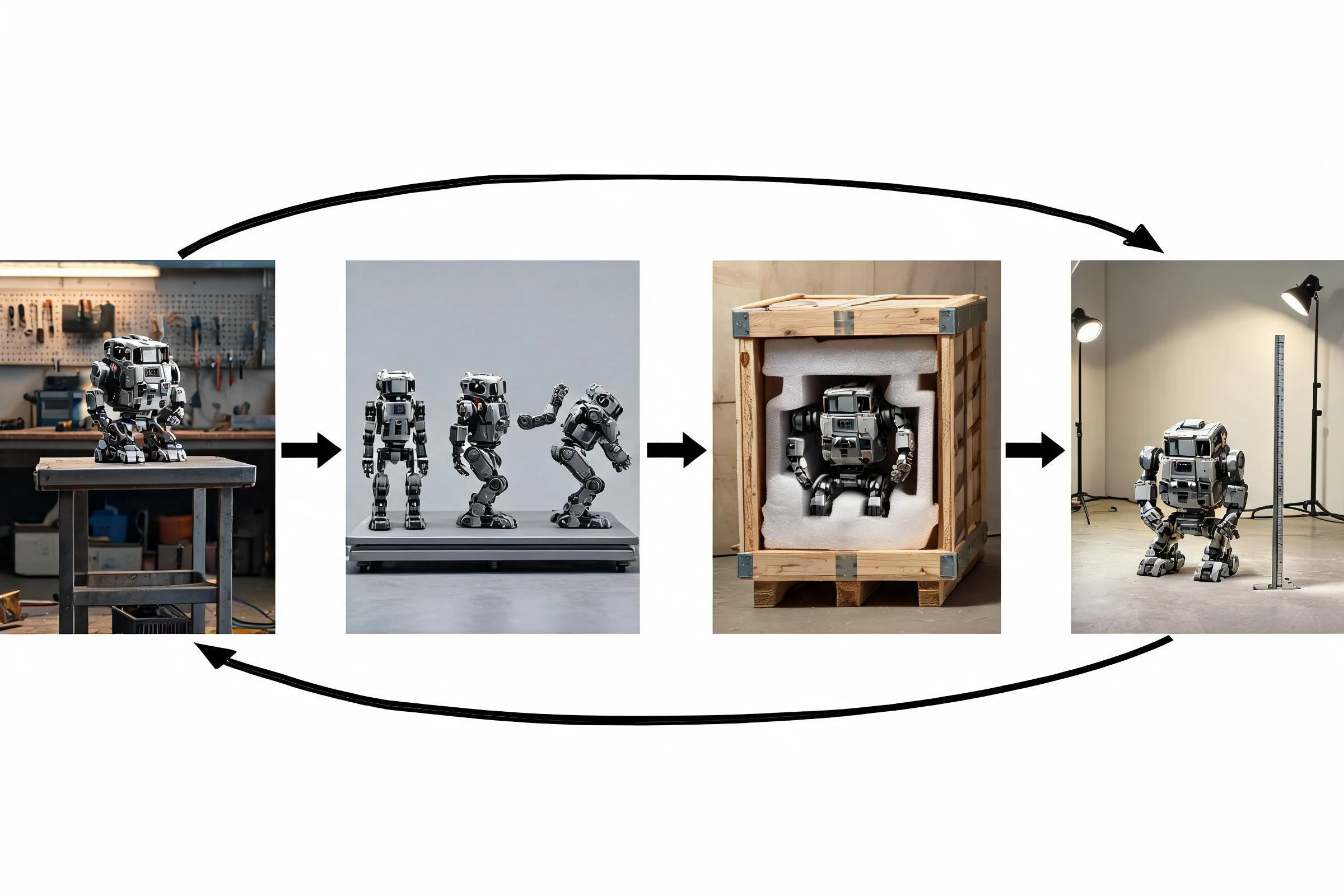
Key Takeaways: Best 3D Animation Software for Indie Game Creators
- You can make 3D animation in a general digital-content-creation package, a specialist character-animation tool, a procedural package, or a real-time engine. For most indie creators, the best first choice is the smallest toolset that can complete one representative asset from editable source through rigging, animation, export, engine import, and revision. Blender is a common general-purpose starting candidate; commercial suites and specialist tools can be better fits for teams with established pipelines. Do not choose from feature lists alone—test your real file, rig, animation clip, and target engine before committing.
Direct answer: You can make 3D animation in a general digital-content-creation package, a specialist character-animation tool, a procedural package, or a real-time engine. For most indie creators, the best first choice is the smallest toolset that can complete one representative asset from editable source through rigging, animation, export, engine import, and revision. Blender is a common general-purpose starting candidate; commercial suites and specialist tools can be better fits for teams with established pipelines. Do not choose from feature lists alone—test your real file, rig, animation clip, and target engine before committing.
The goal is not to collect software. It is to reduce handoffs while keeping source files recoverable.
Start with the work package
A question such as “What software can I use to make 3D animation?” is too broad until the deliverable is defined. A character animation for a game requires different capabilities from a simulated destruction shot, a cinematic camera move, a product visualization, or a short social clip.
Write a brief with these fields:
- subject: character, prop, environment, camera, effects, or interface element;
- motion: keyframed acting, locomotion, mechanical movement, procedural behavior, simulation, or captured performance;
- destination: real-time game, offline video, interactive experience, or review render;
- source condition: new model, purchased/licensed asset, scan, generated asset, or existing production file;
- handoff requirements: editable rig, animation clips, materials, cameras, naming, scale, and versioning;
- review constraints: who can open, inspect, and revise the source;
- platform constraints: target hardware, engine version, and delivery format, all verified separately.
Once this brief exists, a tool can be evaluated against an observable job rather than a marketing category.
Tool categories and representative options
The examples below are not a ranking. Product details and licenses change, so verify the current official documentation before choosing a tool.

General-purpose 3D creation suites
A general DCC typically combines modeling, rigging, animation, scene layout, materials, lighting, rendering, and some simulation in one application. This can reduce handoffs for a solo creator and keep the editable source in one place.
Representative candidates: Blender, Autodesk Maya, Autodesk 3ds Max, and Maxon Cinema 4D. Their exact strengths, included components, platform support, licenses, and interchange paths vary by release. Evaluate them with the same test asset rather than treating category membership as feature parity.
Choose this category when the animator also needs to repair geometry, adjust a rig, inspect materials, or stage a shot. The tradeoff is breadth: a large application can take time to learn, and a team may use only a fraction of it.
Character-animation and performance-focused tools
Specialist tools may focus on rapid character posing, motion editing, facial performance, retargeting, or human-centric workflows. They can shorten a narrow task while adding a handoff to the main DCC or engine.
Use this category only after confirming ownership rights, skeleton compatibility, scale, root motion, facial data, animation curves, and round-trip behavior. A fast preview is not enough; the animation must survive the production destination and remain revisable.
Procedural, simulation, and technical-animation tools
Procedural packages can be valuable when motion or geometry is driven by systems: crowds, destruction, particles, fluids, terrain, repeated variations, or data. Houdini is a widely recognized example, but current editions, engine connections, and license constraints must be verified from official sources.
This category rewards technical skill and reproducibility. It may be excessive for a single hand-keyed character clip. Choose it when a procedural graph replaces repeated manual work and someone on the team can maintain that graph.
Real-time engines
Game engines can be used for scene assembly, state-driven animation, real-time preview, sequencing, lighting, and final interactive behavior. They are not automatically substitutes for source modeling, topology, UV, rigging, or skinning tools.
Use an engine for what must be evaluated in the destination: animation state behavior, camera, lighting, collision, material response, performance, and gameplay context. Keep editable source assets outside the engine when the workflow requires deep geometry or rig changes.
Lightweight and browser-based tools
A lightweight editor may be useful for review, simple blocking, or a constrained task. Before adopting one, test file size limits, browser/device support, privacy terms, export fidelity, source-file access, version recovery, and what happens when the service is unavailable. Do not assume “online” means no installation, free use, private storage, or complete interchange.
Representative tool comparison
Blender is the strongest first candidate for an indie creator who wants modeling, rigging, keyframe animation, simulation, and rendering in one open-source application. Its breadth reduces early handoffs, but a team should still test its exporter and the target engine with the actual skeleton, clips, materials, and scale. Review the current Blender feature overview and manual before setting the pipeline.
Autodesk Maya is a candidate for teams prioritizing established character-animation, rigging, and studio pipeline workflows. Evaluate the current edition, operating-system support, licensing, plug-in dependencies, source-file exchange, and engine handoff against the project budget. Start from Autodesk's current Maya overview, then run the same representative clip used for every candidate.
Autodesk 3ds Max is worth testing when the team already uses its modeling and animation workflow, particularly in a Windows-centered asset pipeline. Existing team skill can outweigh a generic feature comparison. Confirm the current 3ds Max overview, rig requirements, interchange settings, and whether another contributor can revise the source.
Maxon Cinema 4D is a candidate when motion-design, scene animation, and artist familiarity are central. A game-character team should explicitly test skeleton editing, clip export, material transfer, and round-trip revision instead of assuming motion-design strengths cover every runtime need. Verify the current Cinema 4D product information.
SideFX Houdini is the specialist candidate when procedural motion, effects, crowds, destruction, or repeatable technical systems are the hard part of the work package. It can be excessive for a small hand-keyed clip, so compare the maintenance cost of a procedural graph with the amount of repetition it removes. Check the current Houdini product overview and destination integration for the exact versions in use.
No candidate wins every row. For a solo character-game workflow, begin by testing Blender and the target engine. For an experienced studio team, test the DCC already supported by its rigs, scripts, and reviewers. For effects-heavy procedural work, include Houdini. Keep the winner only if it completes the same source-edit, animation, export, import, and revision test with fewer blocking failures.
Decision matrix
Score each candidate as pass, conditional, or fail. Avoid false numerical precision unless the team defines and records the scoring method.
| Criterion | What to test | Failure signal | |---|---|---| | Animation job | Complete the hardest representative clip | Work depends on unavailable or fragile workarounds | | Rig and deformation | Pose shoulders, hands, face, and extreme bends | Skinning or control behavior breaks | | Source editability | Reopen and revise the original file | Only a flattened or opaque output remains | | Engine handoff | Import into the actual target version | Scale, axes, clips, materials, or skeleton mismatch | | Round trip | Make a source change and update destination | Manual reconstruction is required every time | | Team fit | Another contributor reviews the file | Knowledge is locked to one person | | Performance | Preview and manipulate the real scene | Representative assets are unusably slow | | Automation | Run needed naming, baking, or export steps | Pipeline cannot be repeated reliably | | License and cost | Verify official current terms for intended use | Terms or budget do not fit production | | Longevity | Confirm source export and recovery plan | Project depends on an inaccessible service state |
Weight engine handoff, source editability, and team fit more heavily than cosmetic interface preference. A tool that produces a beautiful preview but breaks the destination contract is not the best production choice.
Three indie scenarios
Scenario 1: solo developer making a stylized character game
The work includes model cleanup, a simple humanoid rig, locomotion clips, prop animation, and engine import. A general-purpose DCC plus the target engine is the smallest plausible stack. The pilot should include one character, one prop, an idle, a locomotion clip, and one source revision. Add a specialist tool only if a measured bottleneck justifies the extra handoff.
Scenario 2: small team building a cinematic sequence
The project needs camera layout, character acting, lighting, and review across several contributors. The best tool may be the one the team can version, review, and hand off—not the one with the longest feature list. Test shot assembly, reference management, cache behavior, render or real-time preview, and how notes turn into source revisions.
Scenario 3: technical artist creating repeated effects
The project needs many controlled variations of destruction, vegetation motion, or effects. A procedural tool can be appropriate when a graph or rule set produces maintainable variants. The acceptance test must include parameter changes, caching or baking, destination import, and ownership by someone other than the original author.
File and engine handoff test
A software evaluation is incomplete until the output reaches the destination. Use a rights-cleared representative asset and record:
- source application and exact version;
- destination and exact version;
- export path and settings, verified from current docs;
- unit scale, up axis, forward axis, pivot, and transforms;
- mesh count, material slots, UV sets, and texture references;
- skeleton hierarchy, bind pose, root motion, and clip naming;
- cameras, lights, constraints, simulation, or custom data that may not transfer;
- warnings during export and import;
- screenshots or logs of the destination result;
- a round-trip revision, such as changing one joint, clip, or material reference.
Do not infer native compatibility from a shared file extension. Formats vary in what they can represent, and importers vary by version.
A one-week evaluation sprint

Day 1: define the acceptance test
Choose one small asset that contains the real project’s difficult parts. List pass/fail criteria before opening a candidate application.
Day 2: build or repair source data
Create enough geometry and rig structure to test the workflow. Record any tasks that require external software.
Day 3: animate the representative motion
Evaluate posing, curve editing, timeline navigation, constraints, and preview. The question is whether the team can diagnose motion, not whether a preset looks polished.
Day 4: hand off to the destination
Import into the target engine or renderer and validate scale, pose, clips, material references, and runtime behavior.
Day 5: revise and recover
Make a requested change, update the destination, reopen the project, and hand it to another contributor. A reversible pipeline beats a one-time demo.
At the end, document blockers and choose a default. Keep the second-best candidate only if it covers a clearly different work package.
Common software-selection mistakes
Choosing from a “best” list without a test asset
Feature tables hide interaction costs between modeling, rigging, export, and destination validation. A representative file exposes them.
Mistaking free access for low total cost
License cost is only one factor. Training, plug-ins, migration, broken handoffs, hardware, support, and review time also matter. Do not attach numbers without current evidence.
Building a stack with too many handoffs
Every transfer can lose semantics, create version mismatches, or blur ownership. Add a tool only when its value exceeds the cost of the boundary.
Assuming the engine should author everything
An engine is the source of truth for runtime behavior, but complex source geometry, UV, skinning, or rig work may belong in a DCC. Keep responsibilities explicit.
Locking the project to an opaque output
Keep editable source, documented versions, rights records, export settings, and an exit path. A final render or imported asset is not a complete production archive.
Frequently Asked Questions
What software can I use to make 3D animation?
You can use a general-purpose DCC such as Blender or a commercial suite, a specialist character-animation tool, a procedural package, or a real-time engine. Choose by testing your representative asset and destination, not by category alone.
What is the best 3D animation software for beginners?
The best beginner option is one that runs reliably, has learning resources you can follow, preserves editable source, and can complete your intended handoff. A general-purpose tool is often a practical start, but the project should decide.
Is Blender enough for indie game animation?
It may cover a broad source-creation workflow for many teams, but “enough” depends on the required rig, animation, interchange, collaboration, and target-engine test. Verify the current version and your exact pipeline.
Should I animate in a DCC or in the game engine?
Create source animation where rig and curve editing are controllable; use the engine to validate state behavior, blending, camera, lighting, interactions, and performance. The boundary can vary, so document it.
Do I need more than one 3D animation tool?
Not automatically. Start with one general tool and the destination. Add a specialist only when a measured bottleneck justifies another file, version, and ownership boundary.
How should I compare 3D animation software?
Use the same rights-cleared asset, hardest representative clip, destination version, and revision request. Compare pass/fail results for rigging, source editability, handoff fidelity, performance, team review, license, and recovery.