To make a cozy exploration game with AI, give the player a place they can recognize, a choice of where to walk, and a reason to stop along the way. In the first version, put one discovery at the end of each short path. Let the player return whenever they want. If the return is hard to read, adjust what they can see from the path before adding an arrow.
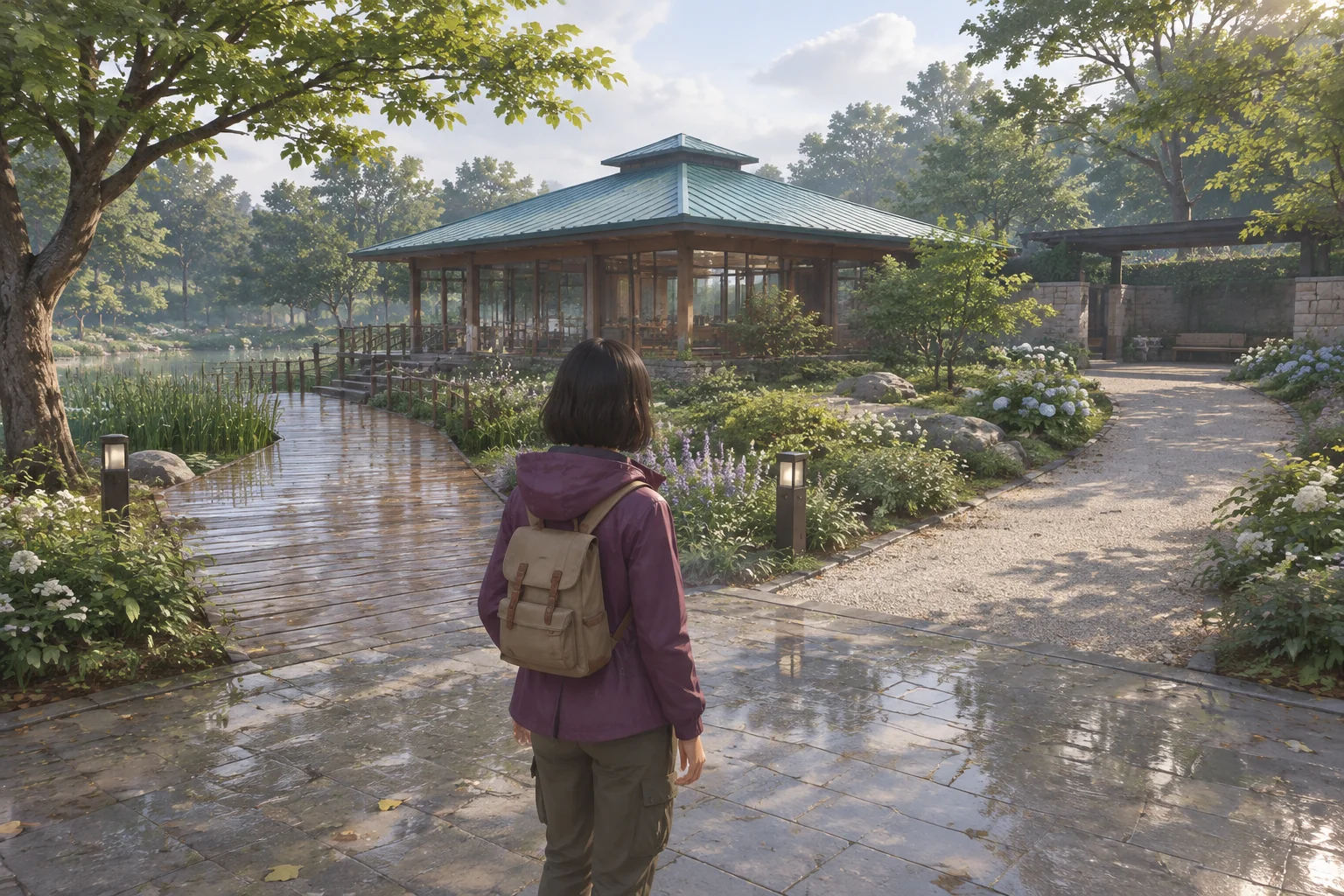
In the fictional Rain Garden Walk, the player starts at a teal-roof pavilion after a shower. A timber boardwalk leads to a bench beside the reeds. A pale gravel path leads to a courtyard with a rain chain. Both routes are open when the walk begins.
Make the pavilion a place players can find again
Start the player at the junction with the pavilion roof in view. Keep the two path entrances separate. A player who sees reeds at the end of the timber boardwalk can choose that walk without opening a map. The gravel path needs a different visual cue. Let the opening into the stone courtyard show from the junction or from the first bend.
End each path at a place with enough room to turn around. Keep the same material on the way back and leave the pavilion as the reference point for the next walk. Both paths should work in either order. The player can pass either discovery, turn back and take the other path without losing anything.
Make discoveries happen where the player stops
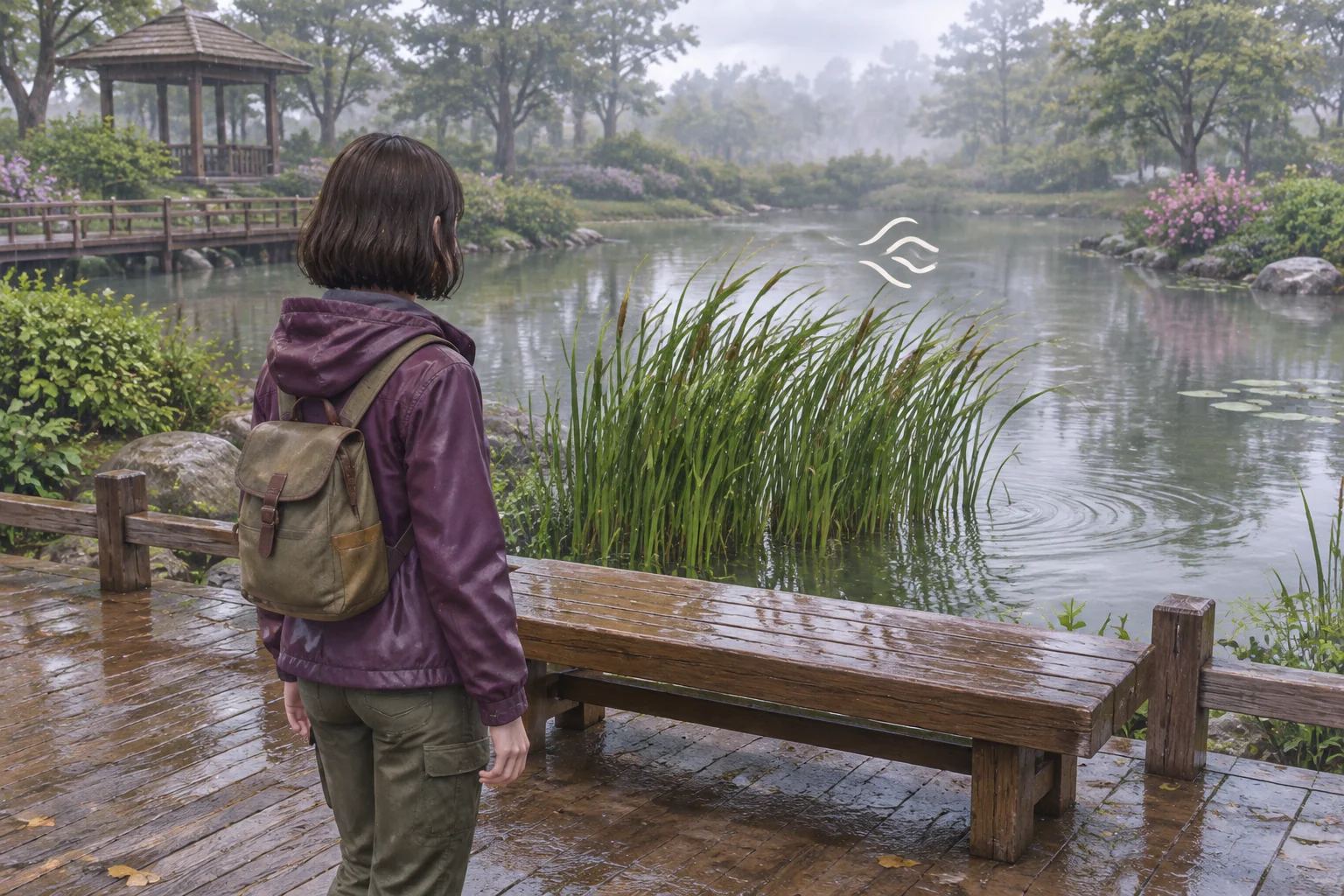
Use one inspect action at both sites, with a short prompt that appears when the player is close enough. For example, show “Listen” at the bench and “Look closer” at the rain chain. Give the player the feedback at the site. A journal note can preserve the moment for later.
| Place | Optional action | What happens on the spot | Journal note |
|---|---|---|---|
| Reed deck | Listen by the bench | A brief rustle and nearby reed movement, with the caption “Reeds rustle beside the deck.” | Reed Deck |
| Rain-chain courtyard | Look at the lower links | A drip meets the stone basin and makes a visible ripple, with the caption “Water ripples in the basin.” | Rain Chain |
Let the player move while the feedback plays. A second inspection can replay the moment and leave the existing note as it was. Put location names on the notes and leave them unnumbered. Then someone who stops only at the deck can keep a record of that walk without seeing an unfinished checklist.
Give the AI a map and two inspect rules
SEELE supports starting a game project from a written idea. Describe the route shapes and the action rules before refining the garden art. The request below uses two short paths and keeps both discoveries available from the start. Use the checks that follow to see whether your prototype follows those rules.
Create a small original browser prototype called Rain Garden Walk.
Use a stable third-person camera and keyboard walking controls.
Start at a cedar pavilion with a distinctive teal roof at a junction.
Lead a timber boardwalk to a reed deck with a bench. Lead a pale gravel
path to a separate rain-chain courtyard with a stone basin.
Both routes are always open. Let the player turn around on either path.
Use one inspect control and show its prompt near each discovery.
At the bench, play a short reed rustle and move nearby reeds visibly.
Show the caption Reeds rustle beside the deck.
At the rain chain, show a drip and ripple in the basin.
Show the caption Water ripples in the basin.
Both captions must be visible with audio muted. Keep movement active.
On first inspection, save one optional named journal note for the site.
Reinspection replays the feedback without a duplicate note.
Let the player leave either site without inspecting. Journal notes
never open a route, award points or complete a requirement.
Use simple original garden assets. Keep the path and its edges readable.
Restart returns the player to the pavilion, clears notes and stops
any active feedback. Omit timers, damage, jumps, locks and collection goals.
Start with the junction and the two walks. Check that you can approach each site and return before adding its feedback. Then add the two inspect actions and the journal. If you lose control after one inspection, describe which site you used and when movement stopped. The brief-to-playable testing guide gives a way to report what you expected and what happened in a first build.
Test what happens when the player skips a stop
Walk the boardwalk, come back to the pavilion and walk the gravel path without using Inspect. You should be able to complete that walk with an empty journal. Then check the feedback itself.
| Try this | Expected result |
|---|---|
| Inspect the courtyard first, then the deck | Both events run. The journal has one note for each site. |
| Mute audio and inspect at the deck | Reed movement and the caption still show what happened. |
| Inspect twice at the rain chain | The ripple and caption replay. The journal keeps just one Rain Chain note. |
| Walk away while a caption is visible | Movement remains available and the return path stays open. |
| Restart from a discovery | Return to the pavilion with an empty journal and no lingering feedback. |
Try a clearer view on the way back
Suppose a tall hedge hides the pavilion roof as the player turns to leave the deck. Take a look from the first boardwalk plank beyond the deck railing. If the roof only appears farther along, move the hedge sideways outside the walkable area until the roof is visible from that plank. Keep the camera, controls and path the same for the comparison.
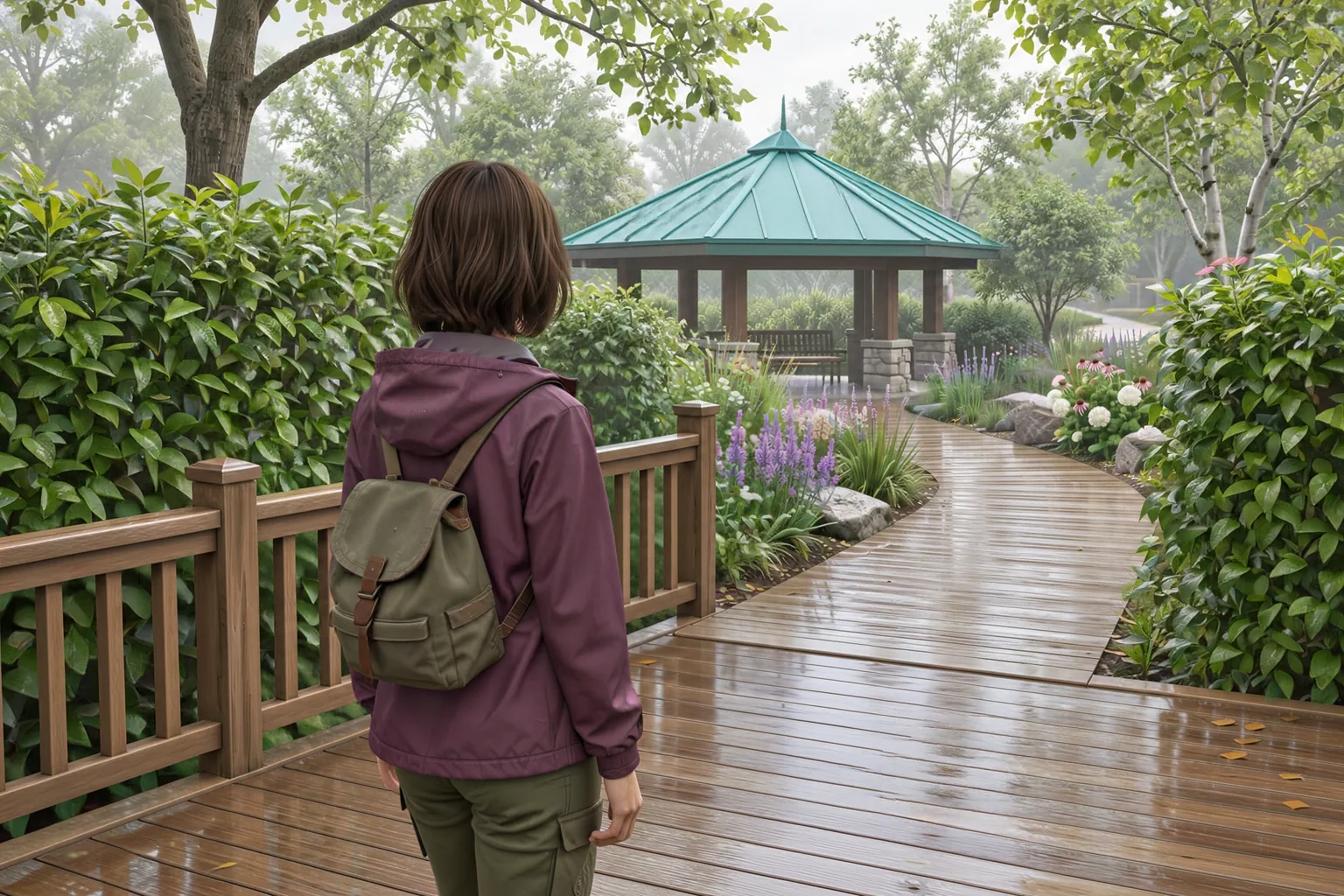
Compare both views from the same spot facing the pavilion. Ask someone to point toward the junction before they walk. If the roof is visible but the route still looks unclear, inspect the path edge where the deck meets the boardwalk. The roof can tell the player where the hub is. The surface underfoot should tell them how to get there.
Frequently asked questions
Does a cozy exploration game need a win state?
A small wandering game can let the player end the walk whenever they choose. Give each path a point of interest and a readable route back. If you later add an ending, decide what it should say about the walk before making it depend on visiting every site.
How can I guide players without arrows?
Give them a landmark they can recognize from multiple angles, and use materials or planting to distinguish the path entrances. Check the view from the return direction as well as the start. An obvious junction on the way out can look different when approached from a deck or courtyard.
How do I make sound optional for a discovery?
Pair the sound with a visible change and a short caption near the moment of interaction. For the reed deck, show movement and describe the rustle in words. Try the interaction muted from the normal play camera and check that the caption stays long enough to read.
What should an exploration journal record?
Record something the player noticed at each site, such as the sound of reeds by a bench. Give each entry a stable place name so returning to that site can replay the experience without adding duplicates. Avoid making the journal a requirement if discoveries are meant to be optional.
Build one place worth walking back to
Choose a landmark with a shape players can remember and a small activity that belongs at each stop. Use the SEELE AI Cozy Game Generator to start from your walk and its interaction rules. Check the route with an empty journal first. Once the walk works on its own, you can judge what each discovery adds.