Start with one legible alliance loop
To make a diplomacy strategy game with AI, define what a player offers, what makes a council accept, what the agreement changes, and when it ends. A compact first loop can use public preferences, a bounded trust track, one diplomacy action per round, and a shared objective. That gives every alliance a visible reason to form or shift.
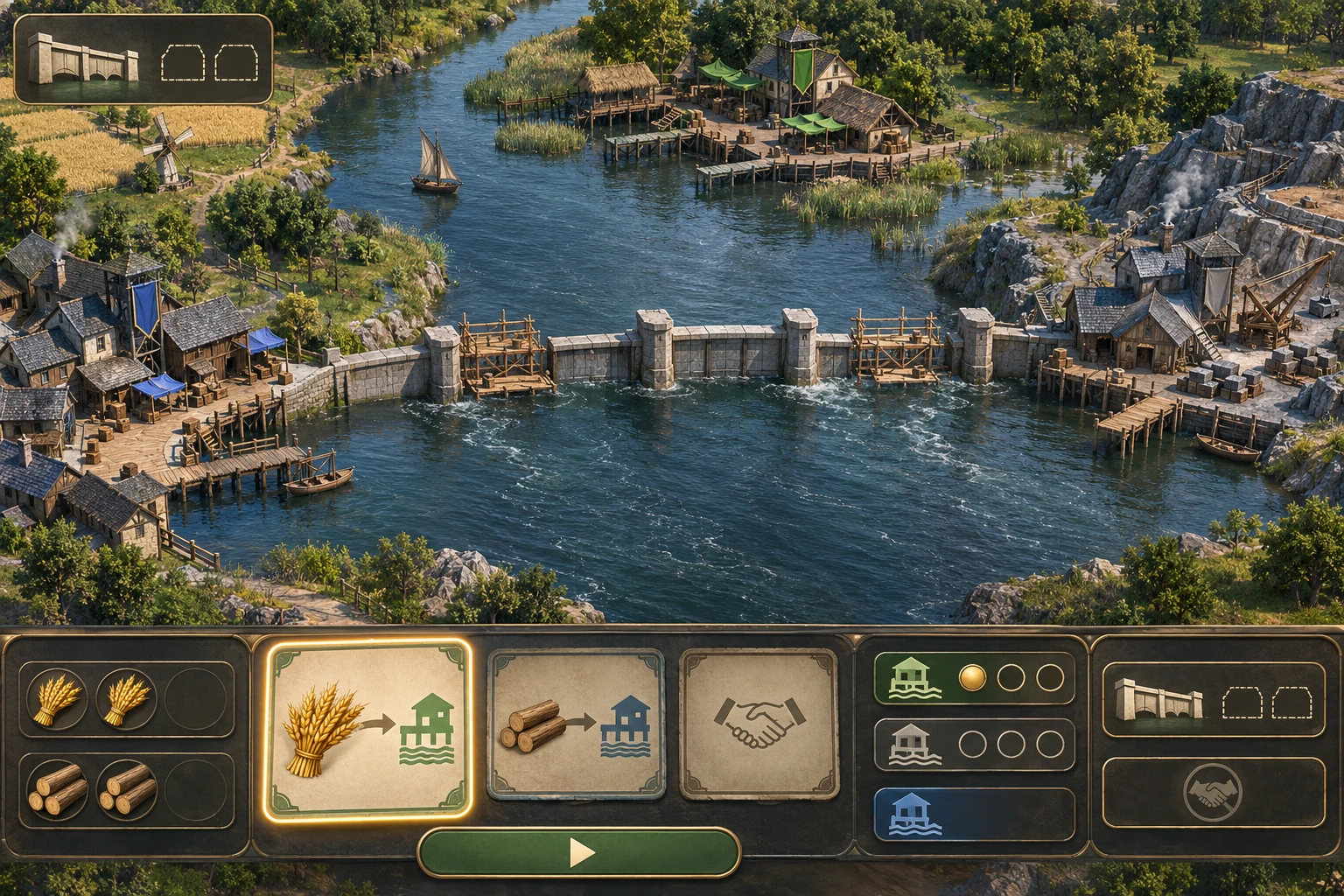
The example below, Three Harbors Compact, is an original fictional paper design. Lowbank is the player port; Reed Harbor and Slate Quay are neighboring councils with visible rule cards. Its icons and map describe a proposed game state, not a real build, product screen, or tested result.
Give the factions one shared objective
Begin with a fixed river map and a two-segment flood barrier. Each pact advances that barrier, while the active ally lasts only until the next round. The shared goal gives an agreement a concrete purpose; the short duration makes the next negotiation matter. Keep the first slice small enough that a reader can follow every state change without a hidden motive model.
Reed Harbor publicly prefers Grain, and Slate Quay publicly prefers Timber. Each council's card also shows a trust threshold of one. The preferences, numbers, and effects are invented for this tutorial; they are not claims about historical diplomacy or about a specific AI game's behavior.
Define preferences, trust, and pact timing
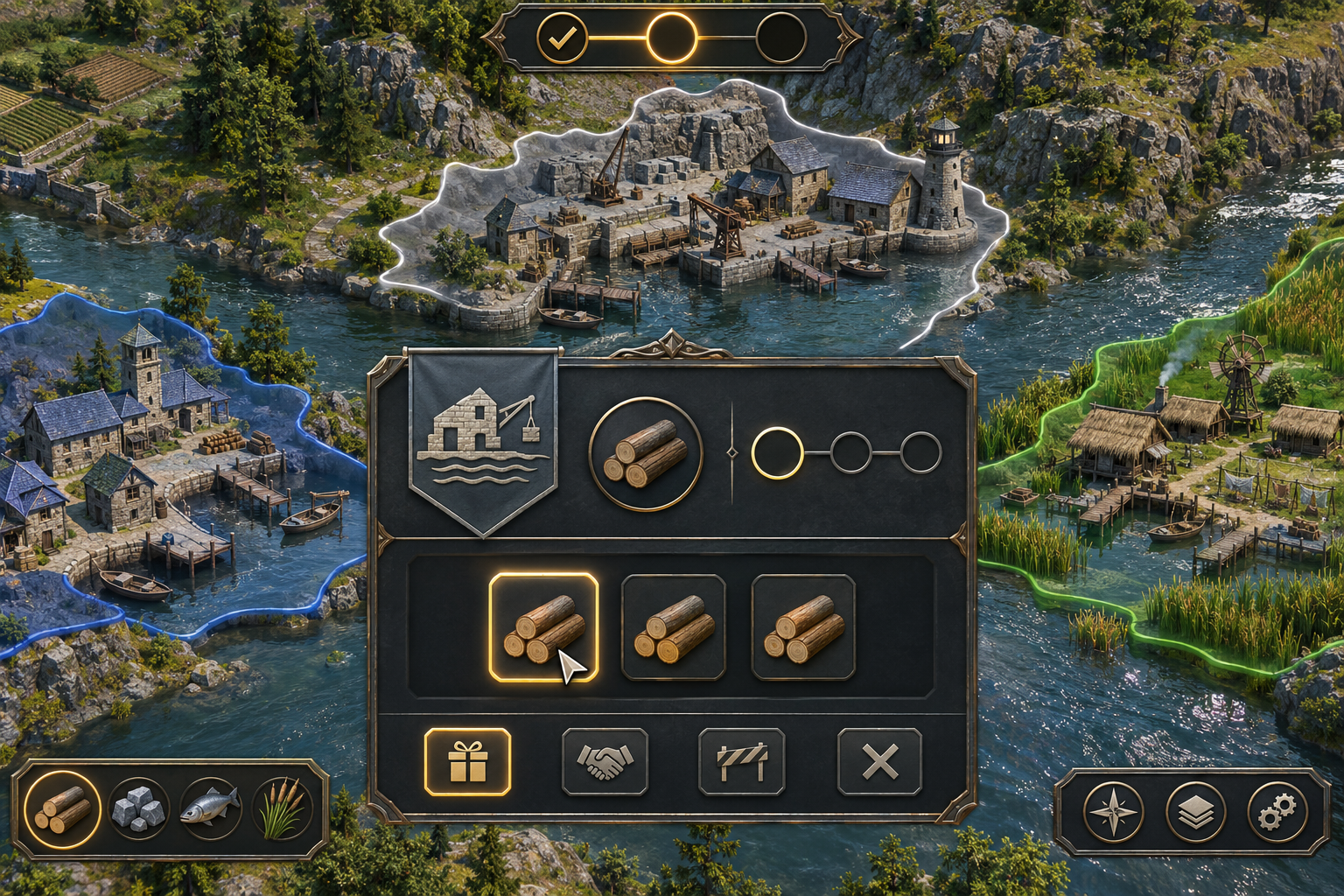
Write the action contract before adding dialogue. In this design, the player gets exactly one diplomacy action each round: make a pact offer or give one goodwill gift. The interface should show the selected council's preferred resource, trust, cost, and likely effect before submission.
| Action or state | Rule | Visible result |
|---|---|---|
| Pact offer | Offer that council's preferred resource, and trust must be at least 1. On acceptance, spend one resource, add one barrier segment, raise trust by 1 up to 3, and make that council the active ally until next round. | Show acceptance, the resource decrease, barrier progress, trust change, and active-pact marker together. |
| Rejected pact | A wrong resource or trust below 1 means rejection. The offer uses the round's one action, but spends no resource and changes no trust or barrier progress. | Name the unmet condition beside the response; leave resource, trust, and objective unchanged. |
| Goodwill gift | Give the council one matching preferred resource while its trust is below 3. Trust rises by 1; the barrier and active-pact state do not change. The gift uses the action. | Show the resource cost and new trust, while the pact badge stays empty. |
| Full trust | At trust 3, a goodwill gift is disabled and cannot be submitted. It consumes neither an action nor a resource. An accepted pact at trust 3 stays at 3. | Keep trust capped at 3; do not show an overflow pip or a misleading enabled gift. |
| Round change and win | An active pact expires at the start of the next round; trust persists. At the end of round 3, win only with barrier 2/2 and one active pact; otherwise show the unmet condition and offer a fresh run. | Show expiry before the next action, then display both win conditions at the final check. |
This separates relationship-building from cooperation: a gift can prepare a council to accept later, but only an accepted pact advances the barrier. It also makes refusal legible. The player can distinguish “wrong resource” from “not enough trust” and decide what to do next.
Build the first turn loop in visible steps
Represent the map, resources, council cards, trust, barrier, active pact, round, and action-used flag as explicit state. Resolve the chosen action in a fixed order: validate the target and resource, check the public condition, apply only the allowed changes, show a reason if rejected, then end the action. At round start, expire the prior pact before presenting a new choice.
A concise build brief can describe that contract and how to inspect it. Treat this as a proposed prompt, not a record of a prompt run:
Create a small turn-based strategy prototype on a fixed map with Lowbank, Reed Harbor, and Slate Quay. Show each council's public preferred resource and trust threshold. In each of three rounds, let the player make one pact offer or goodwill gift. Implement the exact resource, trust, barrier-progress, and one-round-expiry rules described here. A declined offer uses the round's action but changes no resource, trust, or barrier; show the unmet condition. Goodwill is unavailable at trust 3 and cannot consume an action or resource there. Cap trust at 3. End after round 3 with a win only when the barrier is 2/2 and one pact is active; otherwise show the missing condition and offer restart. Do not add hidden preferences, random events, combat, or claims about real diplomacy.Then check the contract directly: wrong-resource offers are rejected; a below-threshold offer does not spend the resource; a matching offer at the threshold succeeds; a gift adds trust but no barrier segment; full-trust gifts are unavailable; trust never exceeds 3; and an old pact expires before the next round's choice. These checks make an implementation reviewable without assuming what a generation tool will produce.
Hand-resolve the three-round example
Use the rules as a paper oracle before trying to balance dialogue or add more factions. Initial state: Grain 2, Timber 2, barrier 0/2, Reed trust 1/3, Slate trust 0/3, no active pact, and round 1 ready. The trace below is calculated from the fictional rules; it is not a game run or playtest.
| Step | Action and rule | Resource after | Trust after | Barrier and active pact |
|---|---|---|---|---|
| Start | Review both public preference cards. | Grain 2; Timber 2 | Reed 1; Slate 0 | 0/2; none |
| Round 1 | Offer Reed one Grain. Preference matches and trust is at least 1. | Grain 1; Timber 2 | Reed 2; Slate 0 | 1/2; Reed active |
| Round 2 start | Reed's pact expires; trust remains. Give Slate one Timber as goodwill. | Grain 1; Timber 1 | Reed 2; Slate 1 | 1/2; none |
| Round 3 | Offer Slate one Timber. Its preference matches and trust is now at least 1. | Grain 1; Timber 0 | Reed 2; Slate 2 | 2/2; Slate active |
| End | Check both final conditions after the accepted pact. | Grain 1; Timber 0 | Reed 2; Slate 2 | Win: barrier 2/2 and one active pact |
The choice changes the relationship without changing the objective: Reed's agreement expires, a gift prepares Slate, and Slate's later pact completes the barrier. The arithmetic is closed: two Timber are available, one is spent on the gift and one on the final pact; the barrier moves from 0 to 1 to 1 to 2. No extra action or hidden resource is needed.
Use a simulated review, then test the build
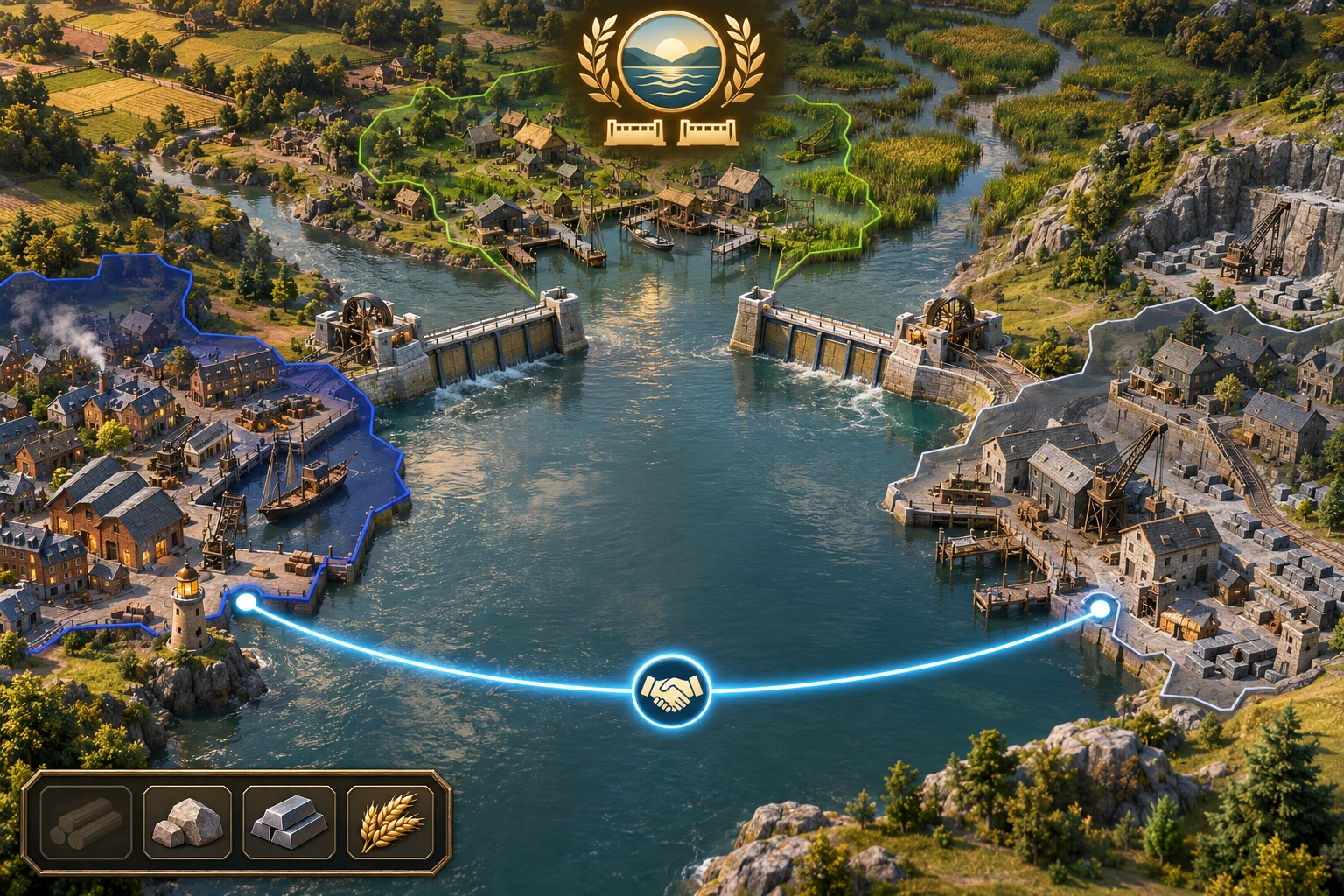
Simulated interface review: If a rejected offer produces only “No,” a player cannot tell whether the resource or trust condition failed. A useful design correction is to keep the public rule card visible and label the unmet condition in the response. This is a reasoned paper-design hypothesis, not an observed usability result.
When a playable version exists, record the state before and after a real action. Separate interface observation from rule arithmetic: a paper trace can show that your written contract is internally consistent, but only a real run can show whether the build follows it or whether the controls are understandable.
| Check | Expected from this design | Record during a real run |
|---|---|---|
| Wrong resource | Offer is declined; action is used; resource and trust stay unchanged. | Selected council, offered resource, response, action flag, resource and trust before/after. |
| Goodwill | Below trust 3, matching gift spends one resource and adds one trust, without a pact or barrier change. | Trust before/after, selected resource, barrier, active-pact badge, and whether another action is available. |
| Round transition | Old pact expires at the next round start; trust persists. | Active council and trust before the transition, then both values after it. |
| End condition | Win only when barrier is at least 2/2 and one pact is active at round end. | Barrier, active ally, round count, and displayed outcome. |
If an observed state differs, identify the first transition where it diverged, state the expected and actual values, and change one rule or interface cue at a time. Do not call the simulated correction a test result; replace this section's hypothesis with real observations only after a run has actually been recorded.
Take the design into a creation workflow
The current SEELE Free AI Game Maker page describes entering a game idea in plain English, reviewing a playable 2D or 3D result, and refining it with follow-up prompts in Workspace. It supports a broad creation-and-review workflow, but it does not establish that a generated project will implement this example's diplomacy rules, trust cap, expiry order, or victory gate. Before submitting a larger request, review the selected model, available Koin balance, and displayed generation cost in Workspace.
Use the brief to explain the player action, visible conditions, state changes, and acceptance checks. After a result is available, inspect each rule and run the checks above; continue only with the parts that behave as intended. For a current starting point, open the Free AI game maker, describe your own small diplomacy loop, and review the result and displayed generation costs before continuing.
Keep alliances understandable as they change
A clear diplomacy loop connects a public offer to a known condition, a visible cost, a bounded state update, and a predictable expiry. Start with one shared goal and two rule-based councils, hand-check the route, then use real runs to find the first mismatch. Add more factions or uncertainty only when each new rule creates a decision the player can understand.
How should trust work in a diplomacy game?
Start with a small bounded track and state exactly what each point changes. In Three Harbors, trust of at least 1 permits a matching pact, gifts raise trust only below the cap of 3, and accepted pacts cannot push trust above 3. Show the current value and the threshold before an offer so the player can predict the response.
Why should an alliance expire?
A short expiry can create a deliberate renewal or change of ally without adding hidden betrayal rules. Here, a pact lasts through its current round and expires at the next round start, while trust persists. Make the timing visible before the next action; if the design instead allows permanent or multi-round treaties, define their end condition separately.
What should happen when a council rejects an offer?
Show which public condition failed, such as an incorrect resource or trust below the threshold. In this design, rejection uses the round's one diplomacy action but spends no resource and changes neither trust nor barrier progress. Display those unchanged values so the player can tell what was consumed and choose a different plan next round.
Do councils need complex AI for the first prototype?
No. A visible preference card and deterministic acceptance rule are enough to test whether the offer, cost, and response form a readable decision. Start with a small rule-based council, then add motives or negotiation only if they produce a meaningful choice. The exact strategy behavior still needs to be implemented and checked in the actual build.
Does a prompt guarantee the diplomacy loop will work?
No. A prompt can state the intended rules and acceptance checks, but the generated result still needs inspection. Compare each action with the state trace, test rejection and expiry cases, and record what actually happens. The Three Harbors numbers in this article are a hand-resolved fictional example, not evidence from a generated game or user test.