Kimi Claw: What It Is, Setup, and Use Cases
Kimi Claw is Kimi’s managed cloud experience for deploying an OpenClaw-based personal agent without maintaining a local always-on host. Official Kimi resources describe browser access, persistent operation, memory, scheduled tasks, skills, storage, and web capabilities. This third-party guide explains the decision and safety boundaries rather than reproducing volatile plan details.
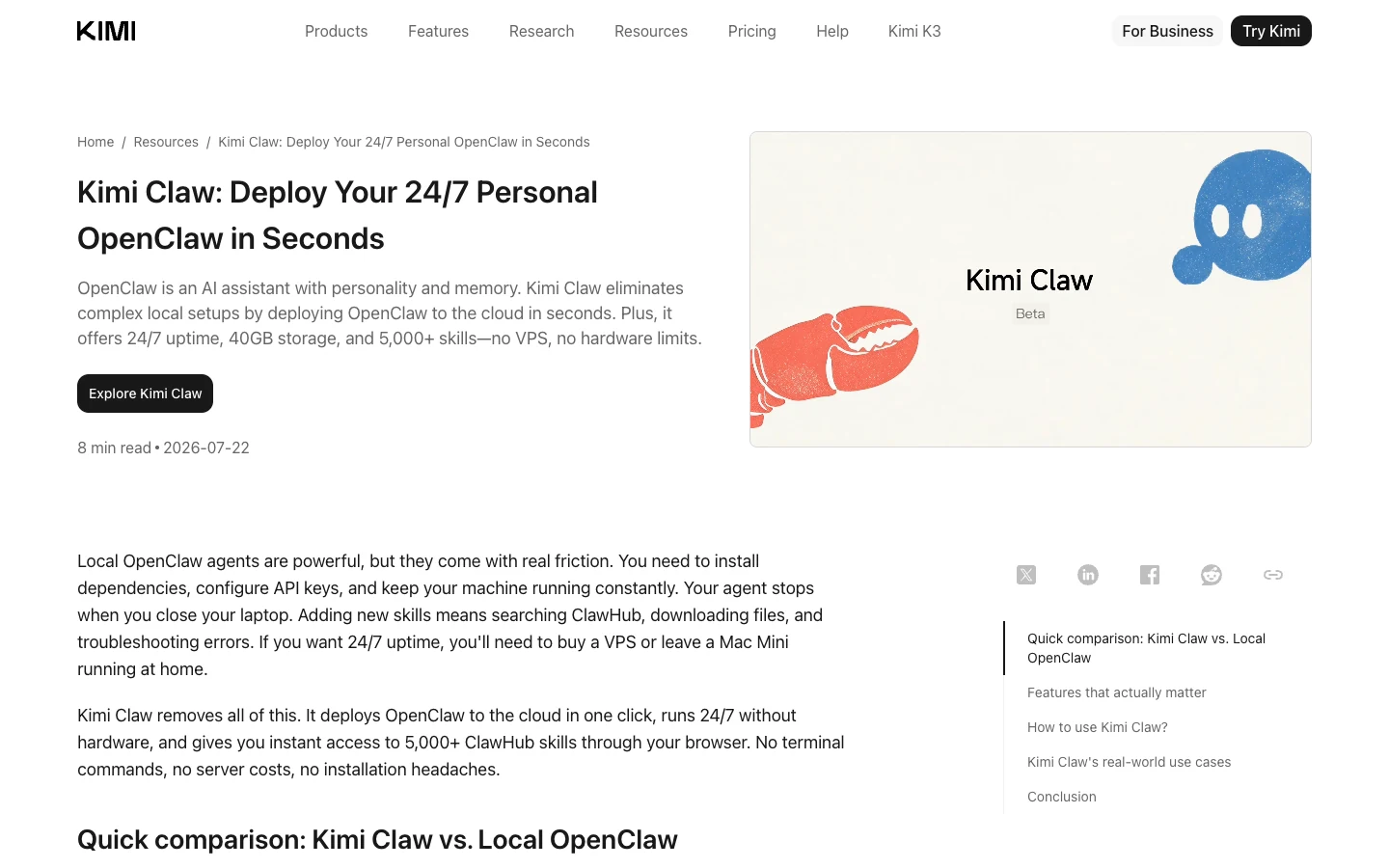
What Kimi Claw is
Kimi Claw is a hosted way to run an OpenClaw-based agent through Kimi. The official introduction positions it as an alternative to installing dependencies, configuring a server, and keeping personal hardware online. Kimi manages the hosted environment, while the user configures agent behavior and tasks.
The service should not be confused with the open-source OpenClaw project itself. A local OpenClaw deployment gives the operator direct responsibility for hardware, updates, secrets, storage, and network access. Kimi Claw is a managed product with its own eligibility, platform controls, and commercial terms.
This page owns the “what is Kimi Claw / cloud OpenClaw” intent. It does not own generic OpenClaw installation, Mac setup, self-hosting, exact Kimi plan pricing, or comparisons among every SaaS provider.
Core capabilities described by Kimi
First-party resources describe persistent memory and a customizable personality, scheduled tasks, an extensible skills ecosystem, browser-based access, web search, and cloud file storage. Together, those features support an agent that can retain workflow context and run recurring work without a personal laptop staying awake.
Each capability adds a boundary. Memory means retained information must be appropriate for the service. Schedules mean a mistaken instruction can recur. Skills can call tools or process files and should be reviewed for provenance and permissions. Web results are untrusted input. Storage needs a retention and deletion plan.
Kimi’s pages also publish numerical plan and capacity claims. Those details can change, so this guide deliberately does not turn them into evergreen promises. Verify current eligibility, storage, skill availability, usage limits, and billing on the official product surface.
A cautious cloud setup flow
Begin from the official Kimi Claw entry point while signed in to the intended account. Review the current plan requirement and data terms. Create the agent with a narrow purpose, a clear output format, and explicit constraints. Test an on-demand task before enabling any schedule.
Add only the minimum files and integrations needed. Use non-sensitive sample data first. If a skill requires external credentials, check where they are stored, what actions it can take, and how to revoke access. Avoid granting production administrator permissions to a general-purpose agent.
For a scheduled task, define timezone, cadence, inputs, expected output, and failure behavior. Run it manually, inspect the result, then activate the schedule. Add a periodic review date so abandoned automations do not continue indefinitely.
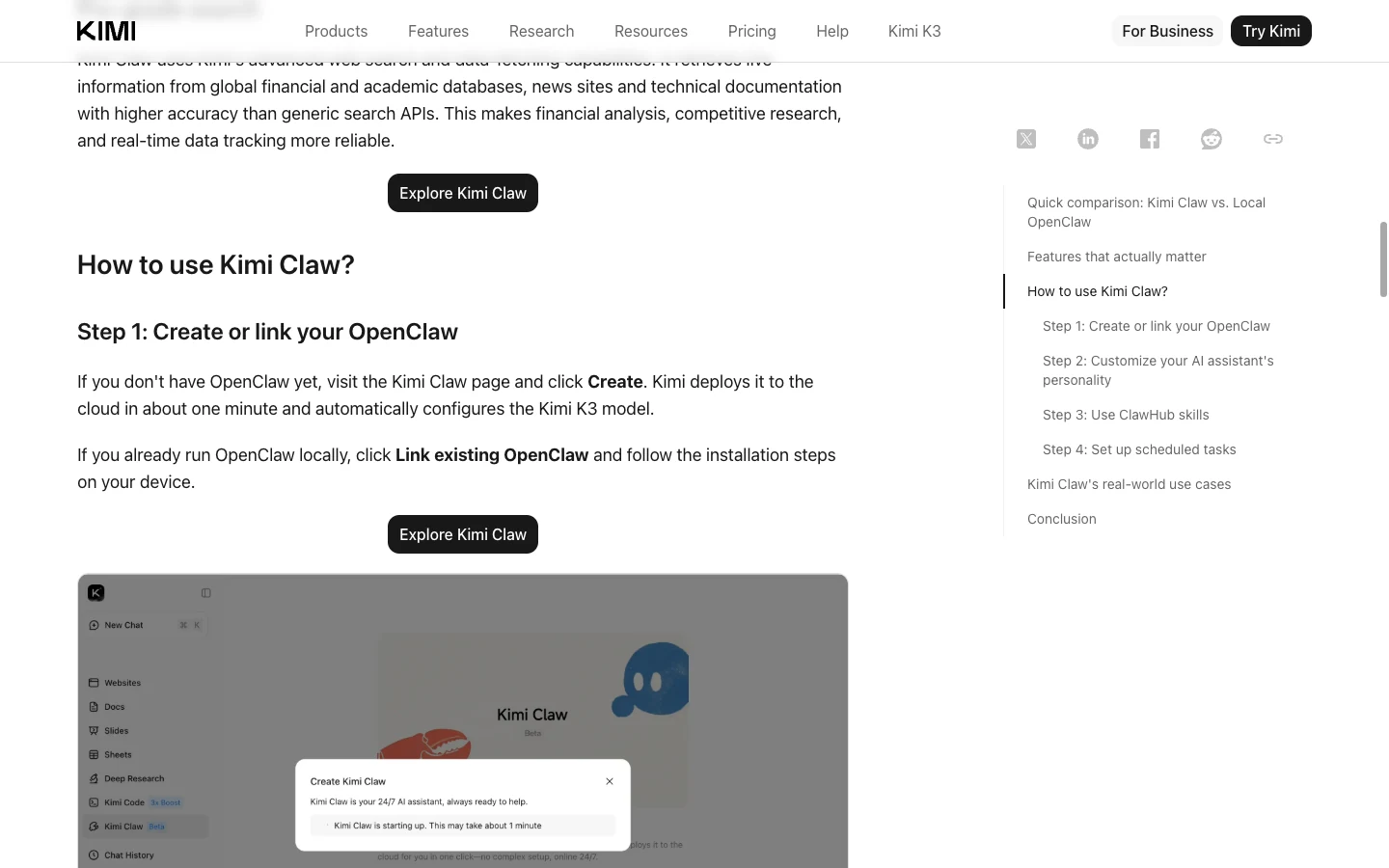
Use cases that benefit from hosted persistence
Good candidates are recurring research summaries, reminders, document organization, drafts from approved source folders, and monitoring tasks whose actions remain read-only. The cloud form is useful when the result should be available across devices or when a local computer cannot remain online.
More sensitive workflows—sending external messages, changing financial records, administering accounts, publishing content, or acting on private customer data—need explicit human approval and least privilege. A polished conversational interface does not remove the consequences of a tool call.
Define success in observable terms: a report arrives at the right time, cites its sources, respects a date range, and stays within an approved folder. “Be proactive” is not a sufficient production specification.
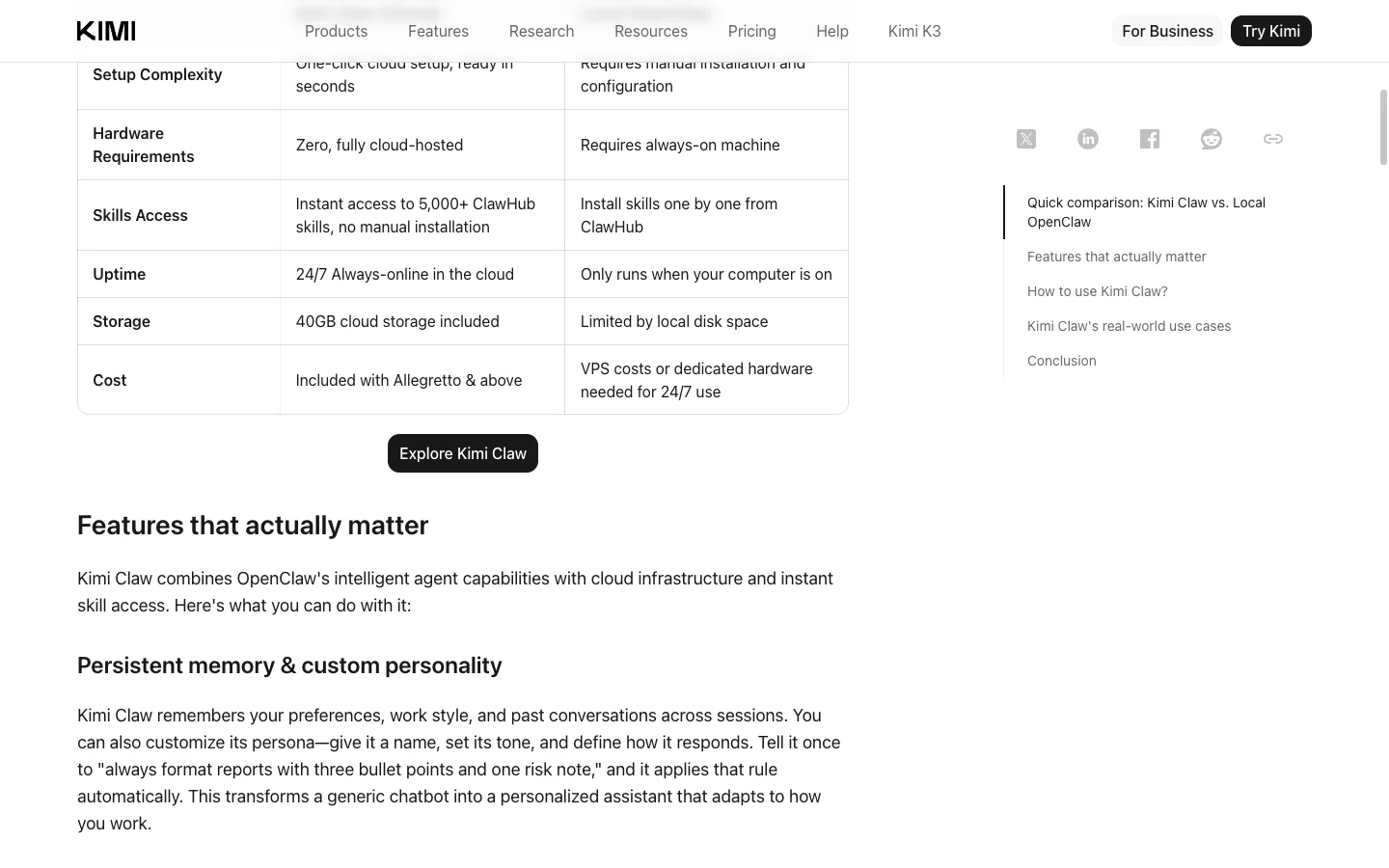
Kimi Claw versus local OpenClaw
Managed Kimi Claw
Hosted persistence can reduce local setup and maintenance, while account eligibility and service terms remain provider-controlled.
Local OpenClaw
Self-hosting keeps runtime and integration control with the operator, together with patching, uptime, and security responsibilities.
A managed service reduces infrastructure work: the vendor operates hosting, updates, and browser access. Local deployment provides more direct control over hardware, files, network routes, and upgrade timing, but requires the operator to maintain those components.
The right choice depends on data sensitivity, integration needs, required uptime, administrative capability, and budget. Do not assume cloud is automatically less secure or local is automatically private. Security depends on configuration, credentials, software updates, exposure, backups, and operational practice.
Run a short evaluation using the same harmless workflow in each option. Compare setup effort, permission clarity, output quality, recovery, logs, exportability, and ongoing maintenance. Include an exit plan for retrieving needed data and revoking integrations.
Data, skills, and automation guardrails
Classify information before uploading it. Exclude secrets, regulated records, unreleased source code, and contractual data unless organizational policy and service terms explicitly permit them. Use redacted or synthetic documents for early tests.
Treat community skills like software dependencies. Review identity, requested permissions, external destinations, update behavior, and available source information. A skill count is not a quality guarantee. Disable unused skills and rotate any credential exposed during testing.
Keep consequential actions behind approval. For scheduled research, prefer producing a draft or alert rather than automatically publishing or purchasing. Review task history and stored files periodically, and know how to pause schedules and delete data from the official interface.
Kimi Claw and SEELE AI workflows
Kimi Claw is a general managed agent environment. SEELE AI provides interactive creation workflows. A user might ask a cloud agent to collect an approved research brief, then manually use that brief while prototyping an experience in SEELE AI.
This guide does not claim a built-in integration between the products. Moving data between them is a user-controlled workflow subject to each service’s terms. Keep private material out of prompts unless its use is approved.
Frequently asked questions
Is Kimi Claw the same as OpenClaw?
No. Kimi Claw is Kimi’s managed hosted product built around an OpenClaw agent experience; local OpenClaw is operated by the user.
Do I need a server?
The official Kimi resources position Kimi Claw as cloud-hosted, so users do not maintain the underlying local server. Check current eligibility.
Can Kimi Claw run scheduled tasks?
Official resources describe scheduled tasks. Test manually first and keep consequential actions behind approval.
Does Kimi Claw include every community skill?
Do not assume universal or permanent availability. Verify the current skill catalog and review each skill’s permissions and provenance.
Is cloud or local OpenClaw better?
Neither is universally better. Compare data policy, control, maintenance, uptime, integration, export, and cost for your workflow.
Is this an official Kimi setup page?
No. This is an independent SEELE AI guide. Use the linked Kimi pages for current access, plans, and support.
Official sources and evidence date
Product details were checked against these first-party pages on 2026-07-22. Features, eligibility, models, and commercial terms can change; re-check before acting.
Editorial review: SEELE AI Editorial Review re-checked the linked first-party sources, query boundary, visible media, and disclosure language on 2026-07-23. Media receipts bind each local verification image to its command, output, timestamp, and SHA-256; they do not expand the proof beyond the stated limits.
- Kimi Claw introduction — accessed 2026-07-22
- OpenClaw as a Service guide — accessed 2026-07-22
