Kimi Code: Features, Supported Models, and Coding Workflows
Kimi Code is Moonshot AI’s programming service for terminal and editor workflows. Official documentation describes a TypeScript CLI that can inspect and edit files, run commands, search, and plan multi-step work. This independent overview covers the product and safe workflows; installation and commercial terms remain separate owners.
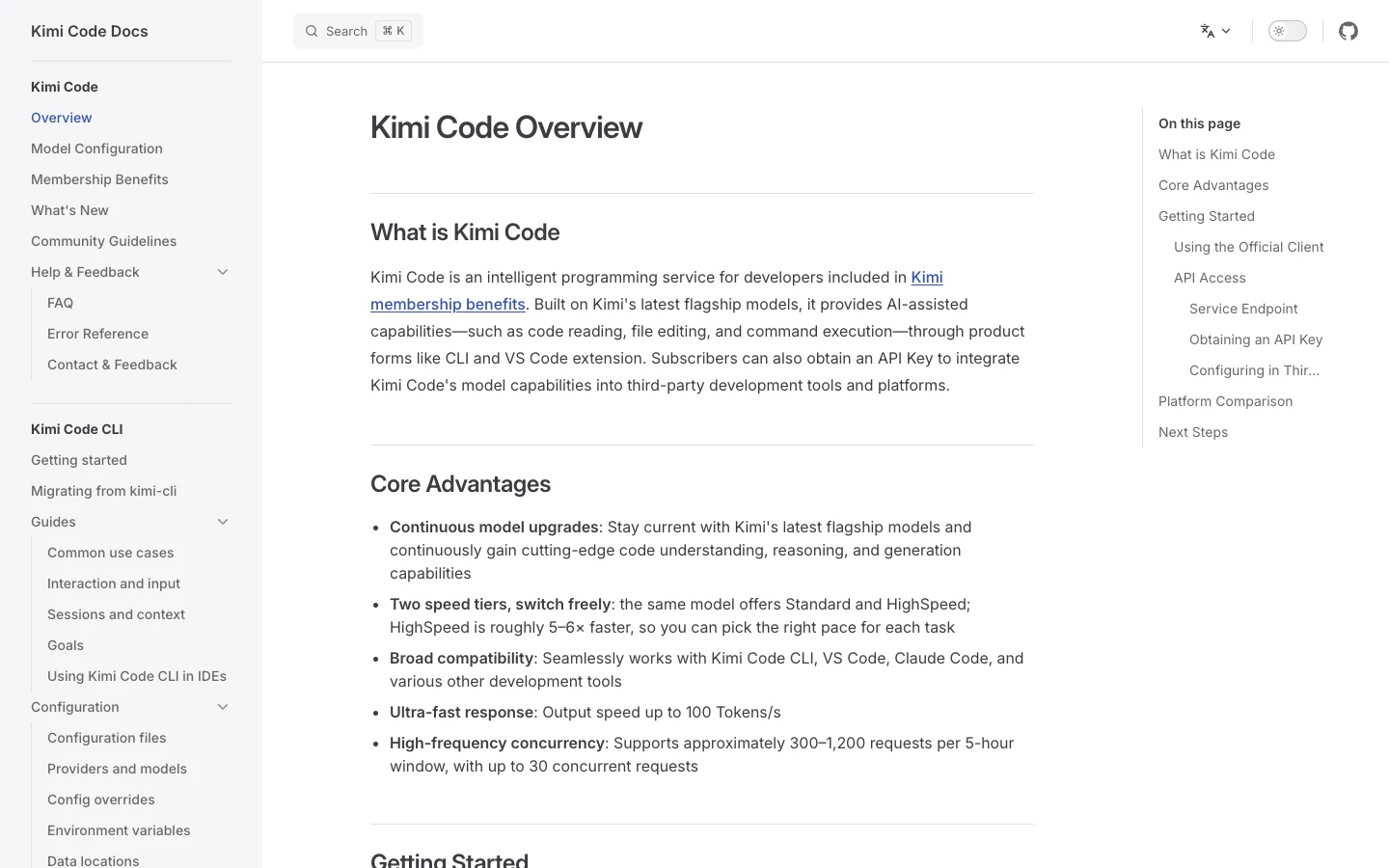
What Kimi Code is
Kimi Code is an AI-assisted development service built around Kimi models. The official overview lists a command-line interface and editor-related workflows, while the CLI documentation describes reading and modifying code, running shell commands, searching files, fetching web pages, and adjusting a plan from feedback.
That makes it an agentic tool rather than a completion box. File changes and commands can alter a repository, so developers remain responsible for scope, credentials, generated code, licenses, tests, and release decisions. A safe workflow combines version control, a narrow working directory, explicit approvals, and deterministic gates.
This page owns the broad entity and workflow. It does not own install commands, exact membership prices, IDE troubleshooting, repository discovery, or rankings. Use the dedicated installation guide for a reproducible setup path.
CLI, editor, and compatible-tool paths
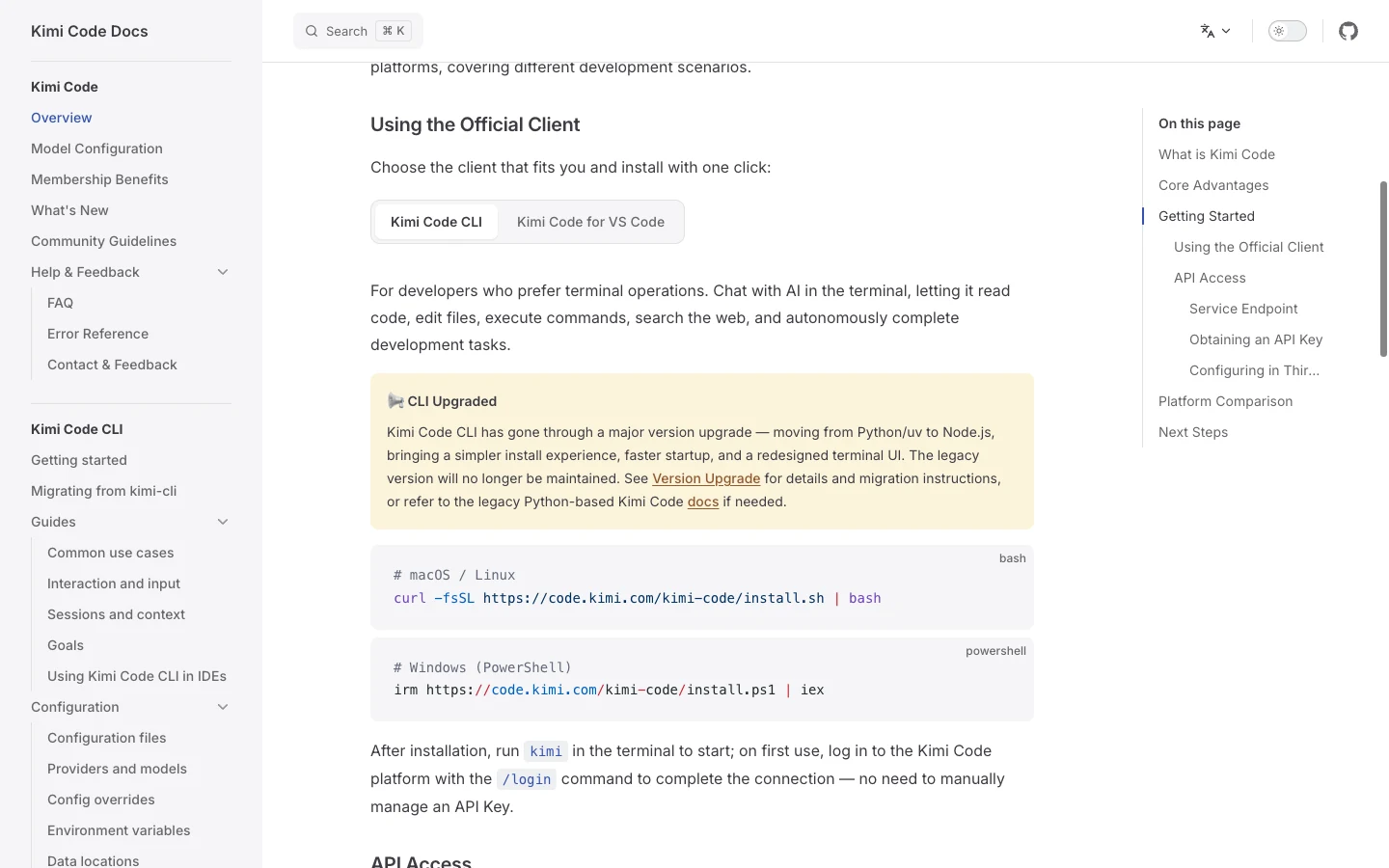
The CLI runs as an interactive terminal application. Official docs show both an interactive session and a one-shot prompt, plus session continuation. This form fits projects whose repository, builds, and tests already live in a shell environment, and it makes command logs practical to review.
The documentation also covers Kimi Code for VS Code and use in third-party coding tools. Compatibility is version-dependent. A notice observed in the July 22 documentation distinguishes legacy and newer installation paths for the VS Code extension. Check the current quick-start page instead of assuming an old extension workflow still applies.
Choose one execution surface for a first evaluation. Mixing an editor agent, terminal agent, and another tool in the same worktree makes attribution and rollback harder. Use separate branches or worktrees if comparing them.
Supported models and access boundaries
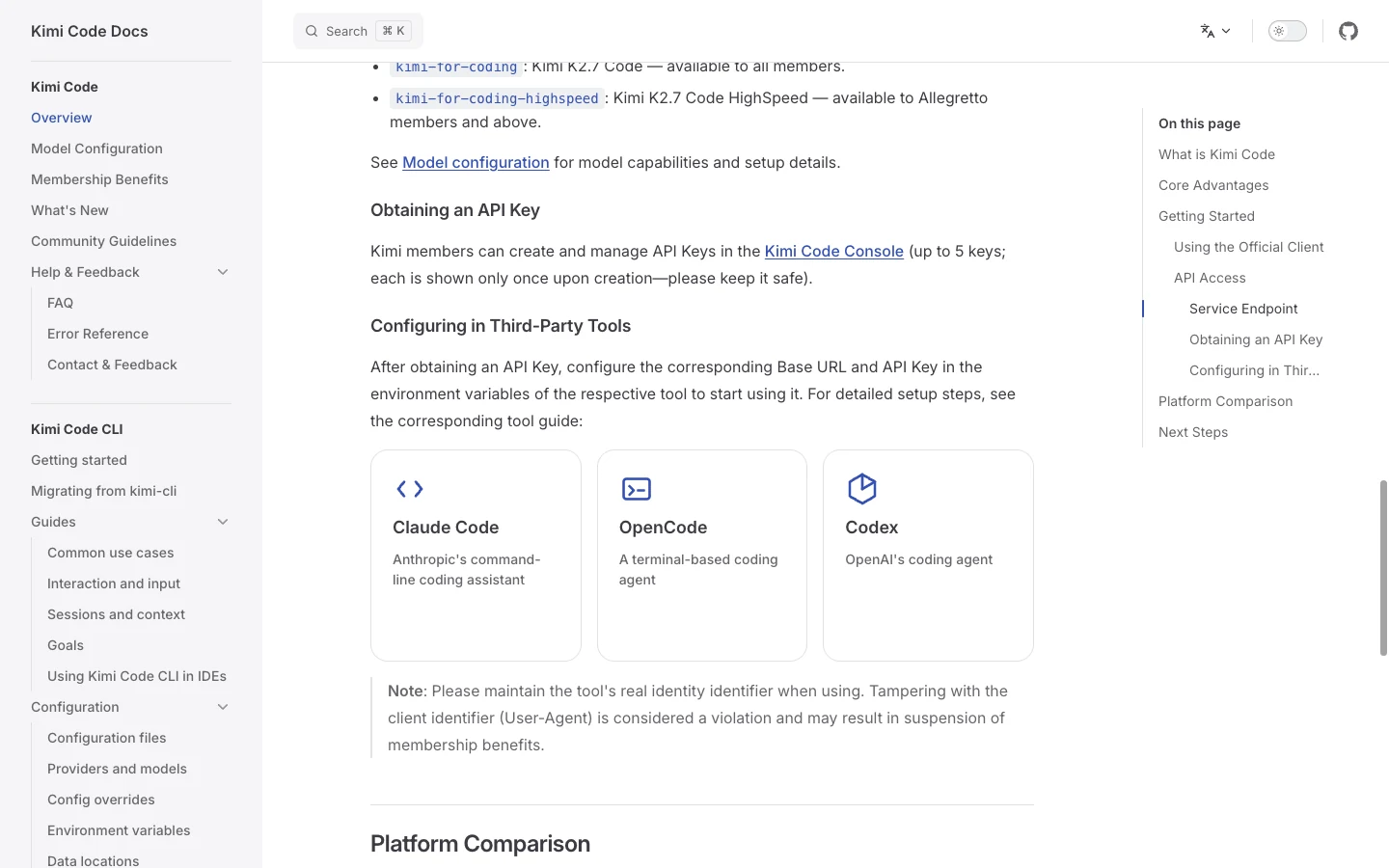
The official Kimi Code overview observed on July 22, 2026 lists three model IDs for its compatible coding endpoints: k3 for Kimi K3, kimi-for-coding for Kimi K2.7 Code, and kimi-for-coding-highspeed for Kimi K2.7 Code HighSpeed. Availability and benefits are membership-dependent, so this dated list is not a promise that every account exposes all three.
The general Kimi API model list is not proof that a Kimi Code subscription exposes an identical endpoint or quota. Kimi API keys and Kimi Code OAuth are distinct login paths documented by the CLI. On first launch, /login offers Kimi Code OAuth or a Kimi Platform API key. If configuring another provider directly, follow its documentation and protect credentials.
Do not repeat performance multipliers as timeless benchmarks. Vendor claims may be useful context, but a team should measure its own repository tasks: correct patches, test pass rate, review time, and rollback frequency.
A reviewable coding workflow
Begin with orientation: ask for a concise directory map, build commands, and likely test entry points. Confirm those findings yourself. Then define one bounded change with allowed directories, non-goals, acceptance tests, and a stop condition. Large open-ended prompts increase the chance of unrelated edits.
Before modification, create or select the correct branch or isolated worktree and record a clean status. Ask the agent to explain the intended file changes. After edits, inspect git diff, run the smallest relevant tests, then broaden to typecheck or build when justified. Never accept “done” without direct evidence.
For risky commands, require confirmation. Protect deployment credentials, package registries, production databases, and signing keys. If the tool needs network access, distinguish read-only documentation retrieval from package installation or authenticated writes.
Tasks that fit—and tasks that need tighter control
Good evaluation tasks include explaining an unfamiliar module, adding a small tested function, fixing a reproducible bug, updating localized documentation, or performing a mechanical refactor with a stable test suite. They provide visible inputs and measurable outputs.
Broad architecture rewrites, dependency upgrades across many services, security-sensitive authentication, generated database migrations, and production incident changes need tighter human oversight. The model can help investigate and draft, but ownership remains with qualified maintainers.
Web retrieval can help with current documentation, but fetched content is untrusted input. Do not let instructions embedded in web pages override repository policy. Cite the URL and retrieval date when a current fact affects implementation.
Evaluate the tool on your repository
Create five to ten representative tasks and score outcome correctness, test evidence, scope discipline, time to review, and recovery after a failed approach. Keep prompts and repository commits fixed across comparisons. Separate model quality from environment problems such as missing dependencies.
Record how often the agent asks for necessary clarification, whether it identifies destructive steps, and whether diffs include unrelated formatting. A fast patch with hidden scope expansion is not a good result. The useful metric is accepted change with defensible evidence.
Commercial eligibility, quotas, and service behavior can change. Check the official product and documentation pages on the evaluation date and avoid publishing a ranking that implies a permanent winner.
Using SEELE AI beside a coding agent
Kimi Code can help implement or refactor software; SEELE AI focuses on browser-based creation experiences. A practical handoff is to define an interactive game concept in SEELE AI, export or document the intended behavior, and use a coding workflow only when custom engineering is required.
This is not a claim of built-in Kimi Code integration. Keep assets, code ownership, deployment, and credentials under the rules of the platform actually being used. The linked AI game maker is the relevant SEELE AI entry point for ideation.
Frequently asked questions
Is Kimi Code the same as Kimi API?
No. They are related Moonshot AI offerings, but product login, subscription benefits, endpoint access, and quotas should not be assumed identical.
Does Kimi Code edit files and run commands?
Official CLI documentation describes both capabilities. Use version control, narrow scope, confirmations, and tests.
Which model does Kimi Code use?
Available models can vary by product, login route, and current plan. Check the official Kimi Code interface and documentation at evaluation time.
Can it be used in VS Code?
Official documentation includes a VS Code path, but installation eligibility and workflow notices can change. Follow the current quick start.
Is Kimi Code safe for production repositories?
It can assist, but the maintainer remains responsible. Use isolation, least privilege, diff review, tests, and human release approval.
Where are installation commands?
Use the separate Kimi Code CLI installation and setup guide linked on this page.
Official sources and evidence date
Product details were checked against these first-party pages on 2026-07-22. Features, eligibility, models, and commercial terms can change; re-check before acting.
Editorial review: SEELE AI Editorial Review re-checked the linked first-party sources, query boundary, visible media, and disclosure language on 2026-07-23. Media receipts bind each local verification image to its command, output, timestamp, and SHA-256; they do not expand the proof beyond the stated limits.
- Kimi Code product page — accessed 2026-07-22
- Kimi Code documentation — accessed 2026-07-22
