
SEELE AI / Resources
Ideas for building playable worlds.
Practical notes on AI games, creative workflows, and the tools that help ideas become something you can play.
How to Extend AI Video Clips Without Visible Continuity Breaks | SEELE AI
How to Extend AI Video Clips Without Visible Continuity Breaks. An evidence-led workflow for defining, testing, reviewing, and documenting controlled AI video decisions withou

Build an AI Video Continuity Bible for Characters, Wardrobe, and Props | SEELE AI
Build an AI Video Continuity Bible for Characters, Wardrobe, and Props. An evidence-led workflow for defining, testing, reviewing, and documenting controlled AI video decision
How to Use First and Last Frames to Control AI Video Transitions | SEELE AI
How to Use First and Last Frames to Control AI Video Transitions. An evidence-led workflow for defining, testing, reviewing, and documenting controlled AI video decisions with

AI Video Lip Sync and Localization Workflow for Dialogue Variants | SEELE AI
AI Video Lip Sync and Localization Workflow for Dialogue Variants. An evidence-led workflow for defining, testing, reviewing, and documenting controlled AI video decisions wit

AI Video Compositing Workflow for Live-Action Plates and Generated Shots | SEELE AI
AI Video Compositing Workflow for Live-Action Plates and Generated Shots. An evidence-led workflow for defining, testing, reviewing, and documenting controlled AI video decisi

Best Kling Alternatives for Image-to-Video Generation and Control | SEELE AI
Best Kling Alternatives for Image-to-Video Generation and Control. An evidence-led workflow for defining, testing, reviewing, and documenting controlled AI video decisions wit

Best Runway Alternatives for Multi-Shot AI Video Production | SEELE AI
Best Runway Alternatives for Multi-Shot AI Video Production. An evidence-led workflow for defining, testing, reviewing, and documenting controlled AI video decisions without i

Kling 3.0 vs Seedance 2.0 for Storyboards and Multi-Scene Direction | SEELE AI
Kling 3.0 vs Seedance 2.0 for Storyboards and Multi-Scene Direction. An evidence-led workflow for defining, testing, reviewing, and documenting controlled AI video decisions w

Pika vs Hailuo for Short-Form Creator Videos: Effects or Keyframe Control? | SEELE AI
Pika vs Hailuo for Short-Form Creator Videos: Effects or Keyframe Control?. An evidence-led workflow for defining, testing, reviewing, and documenting controlled AI video deci
Reproducible AI Video Generation: Prompts, References, Seeds, and Model Versions | SEELE AI
Reproducible AI Video Generation: Prompts, References, Seeds, and Model Versions. An evidence-led workflow for defining, testing, reviewing, and documenting controlled AI vide
Runway Gen-4 vs Kling 3.0 for Multi-Scene Character Consistency | SEELE AI
Runway Gen-4 vs Kling 3.0 for Multi-Scene Character Consistency. An evidence-led workflow for defining, testing, reviewing, and documenting controlled AI video decisions witho
Targeted AI Video Repair Workflow for Faces, Hands, and Background Objects | SEELE AI
Targeted AI Video Repair Workflow for Faces, Hands, and Background Objects. An evidence-led workflow for defining, testing, reviewing, and documenting controlled AI video deci
No-Code Game Monetization Guide: SEELE IAP & Koin | SEELE AI
Learn how to monetize an AI-generated game with SEELE IAP: add optional items or content, set Koin prices, protect player choice, and earn as a creator.

Best 3D Animation Software for Beginners
Compare the best 3D animation programs, including free, easy, and online options. Choose by rigging, motion, effects, workflow, and export needs.
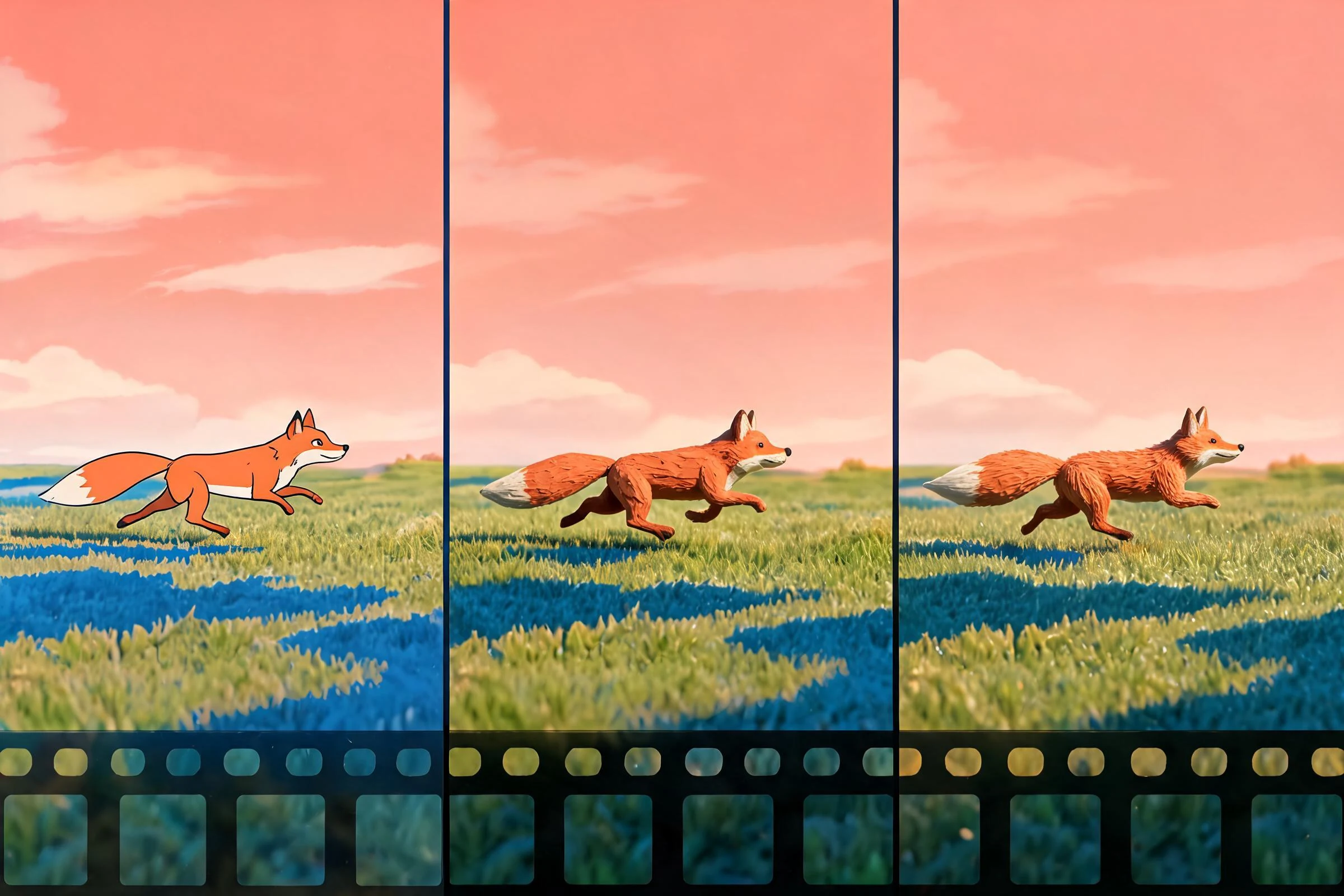
2D vs 3D Animation: Differences, Cost & Workflow
Compare 2D and 3D animation by workflow, revision cost, asset reuse, camera freedom, team skills, and project fit—without blanket cost claims.

3D-Scanning mit dem Smartphone: Objekte richtig erfassen
3D-Scanning mit dem Smartphone: Objekte richtig erfassen: praxisnah erklärt mit konkreten Schritten, offiziellen Quellen, Fehlerdiagnose, Grenzen und FAQ.

Blender für den 3D-Druck verwenden | Praxisleitfaden
Blender für den 3D-Druck verwenden: praxisnah erklärt mit konkreten Schritten, offiziellen Quellen, Fehlerdiagnose, Grenzen und FAQ.

Animationen in Blender backen | Praxisleitfaden
Animationen in Blender backen: ausgewertete Bewegung in Keyframes schreiben, Visual Keying bewusst wählen und die neue Action vor dem Entfernen von Constraints

In Blender animieren: Schritt-für-Schritt-Anleitung
In Blender animieren: Keyframes setzen, Timing im Dope Sheet ordnen, Kurven im Graph Editor glätten und eine kurze Bewegung sauber rendern.

Animationen in Blender rendern, exportieren und speichern
Animationen in Blender rendern, exportieren und speichern: praxisnah erklärt mit konkreten Schritten, offiziellen Quellen, Fehlerdiagnose, Grenzen und FAQ.

Ist Blender kostenlos? Kosten und Lizenz erklärt | SEELE
Blender ist kostenlos und Open Source. Dieser Leitfaden erklärt GPL-Lizenz, kommerzielle Nutzung sowie reale Kosten für Hardware, Add-ons, Schulung und Support.

Texture Painting in Blender: Anleitung | SEELE AI
Für Texture Painting brauchst du ein UV-unwrapped Mesh, ein konkretes Bild und ein Material, dessen Image Texture mit dem gewünschten Shader-Kanal verbunde

Texturen in Blender hinzufügen, erstellen und anwenden
Texturen in Blender richtig hinzufügen: Material anlegen, Image Texture verbinden, UVs prüfen, Farbräume beachten und Dateien sicher mitgeben.

Die beste CAD-Software für den 3D-Druck auswählen | SEELE
Welches CAD-Programm passt zum 3D-Druck? Vergleiche parametrische, direkte und skriptbasierte Modellierung nach Bauteil, Budget und Workflow.