Direct answer: choose the VR engine from the device, experience, and team
For Unity vs Unreal for VR, neither engine is the universal winner. Unity is often a practical fit when a team already works in C#, depends on the XR Interaction Toolkit or a Unity-centered asset/plugin stack, and targets a broad range of standalone or mobile-class headsets. Unreal is often a strong fit when the project benefits from Blueprint plus C++, high-end real-time rendering, Unreal’s OpenXR and XR framework, or an existing Unreal content pipeline. Those are starting hypotheses, not purchase recommendations.
Make the decision with a matched prototype on the actual headset. Use the same room, interaction set, content budget, comfort route, build configuration, and acceptance checks. Measure frame timing, CPU/GPU headroom, memory, thermal behavior, loading, tracking, input, package size, and recovery from focus or device loss. A beautiful desktop editor preview does not prove a comfortable standalone-headset build.
This guide keeps Unreal game development primary while comparing the two engine paths honestly. Engine packages, vendor plugins, headset support, rendering features, and license terms change, so verify every production decision against the current Unity, Epic Games, Khronos, and device-vendor documentation.
Start with the headset and delivery target
“VR” covers very different products. A tethered PC headset can draw from a desktop GPU and may tolerate larger assets, richer materials, and more dynamic lighting. A standalone headset operates within mobile-class compute, memory, power, and thermal limits. Enterprise installations may use a controlled PC image, while consumer releases must survive storefront review, permissions, updates, and a wide range of room setups.
Write a target matrix before comparing features:
- headset and runtime, including the exact supported device generation;
- tethered PC, standalone, console, or streaming delivery;
- display refresh rate and corresponding frame-time budget;
- tracked controllers, hands, eye tracking, body tracking, or mixed-reality passthrough;
- seated, standing, room-scale, or arena-scale use;
- single-player, local multi-user, or networked experience;
- storefront, kiosk, classroom, simulation lab, or private enterprise deployment;
- accessibility, privacy, analytics, and offline requirements.
The matrix prevents a common mistake: choosing an engine from a cinematic demo while the real product is a thermally constrained standalone application. It also reveals vendor-specific features that may require a package beyond OpenXR. Confirm those packages, versions, licenses, and maintenance ownership before treating them as available.
If the target is still unknown, build the smallest content budget around the least powerful credible device. You can add higher tiers later; it is much harder to redesign core interactions after content, lighting, and shader choices assume desktop hardware.
Build a device-first decision matrix
Compare project needs rather than marketing categories. The following matrix is a briefing aid; every cell must be verified in the chosen release and on the chosen device.
| Decision area | Unity starting point | Unreal starting point | Proof required | |---|---|---|---| | Team language | C# and Unity editor workflows | Blueprint, C++, Unreal editor workflows | one feature built and reviewed by the actual team | | OpenXR | Unity OpenXR Plugin with XR subsystems | Unreal OpenXR plugin and XR framework | target runtime, controller, hand, and extension tests | | Interaction | XR Interaction Toolkit or custom stack | VR Template, Enhanced Input, OpenXR, custom framework | grab, UI, locomotion, haptics, invalid input | | Rendering | URP or project-specific pipeline is common for standalone | forward/mobile or desktop renderer chosen per target | GPU timing on headset, not a screenshot | | Content pipeline | Unity import, prefabs, Addressables as applicable | Unreal import, actors/components, asset management as applicable | reimport, streaming/loading, build size | | Visual scripting | Unity Visual Scripting if adopted | Blueprint is deeply integrated in Unreal workflows | maintainability and runtime behavior review | | Native code | C# plus native plugins when needed | C++ plus platform plugins when needed | build automation and debugging on target | | Ecosystem | existing Unity packages and vendor SDKs | existing Unreal plugins, samples, and studio assets | license, version, source access, update plan |
Do not score this table with abstract points. Weight it against the product. For a six-person C# team shipping a stylized standalone training app, workflow familiarity and vendor package support may outweigh high-end rendering. For an Unreal studio building a PC VR experience from an existing native project, content reuse and Blueprint/C++ ownership may dominate.
Add a disqualifier column. Examples include an unsupported headset feature, a required middleware integration without a maintained target package, an unacceptable license term, a package size limit, or a performance feature that does not run on the target renderer. A single disqualifier can matter more than ten convenience features.
Compare OpenXR and vendor-specific extensions
OpenXR provides a cross-platform API standard for many XR devices and runtimes. Both Unity and Unreal expose OpenXR paths, but “supports OpenXR” is not proof that every feature behaves identically. Core pose and controller input may work while hand tracking, eye gaze, foveation, passthrough, scene understanding, anchors, or platform overlays depend on extensions and vendor packages.
For Unity, review the current Unity OpenXR Plugin documentation together with the XR Plug-in Management and XR Interaction Toolkit versions selected by the project. For Unreal, start with Epic’s OpenXR development documentation and the version-specific VR Template and platform guidance. Use the Khronos OpenXR specification and ecosystem when you need to distinguish a standard capability from an engine or vendor extension.
Create a feature ledger with four states: core OpenXR, extension, vendor package, or custom implementation. For each required feature, record the engine package, version, target runtime, permissions, fallback, and evidence. This ledger is especially important when the product must run on more than one headset family.
Test lifecycle events, not only tracking. Put the headset to sleep, remove and restore focus, recenter, disconnect a controller, switch controllers to hands when supported, deny a permission, and resume after a system overlay. Confirm that input, audio, rendering, networking, and saved state return to a known condition. An engine comparison that ignores lifecycle recovery can select a prototype that fails in real use.
Avoid building critical gameplay directly on a vendor-only API unless the product accepts that dependency. If a vendor feature is essential, isolate it behind a project-owned interface and keep an explicit unsupported path for other runtimes.
Compare interaction architecture, locomotion, and UI
VR interaction is a system, not a grab component. It includes pose sources, input actions, hover/select states, attachment rules, collision, two-handed behavior, haptics, physics ownership, UI focus, locomotion, boundaries, accessibility, and failure recovery. Evaluate how clearly the team can own and test those responsibilities in each engine.
Build the same minimum interaction set in both prototypes:
- grab and release one rigid object;
- attach a two-handed tool with stable ownership;
- point at and activate a world-space UI control;
- teleport to valid and invalid surfaces;
- use smooth movement and snap turn if the product requires them;
- trigger haptics and audio feedback;
- pause, recenter, lose focus, and resume.
In Unity, the XR Interaction Toolkit may provide interactors, interactables, locomotion, input integration, and UI building blocks. In Unreal, the VR Template, OpenXR input, Enhanced Input, Blueprint/C++, collision, and project-specific components can form the stack. Neither default stack removes the need to define authority and lifetime. Who owns an object while two hands or two users touch it? What happens when tracking is lost? Does an object return, drop, or remain attached after a level change?
Comfort settings should be data, not hardcoded preferences. Turning angle, movement speed, vignette strength, handedness, height calibration, seated mode, and subtitles may need user control. Record defaults and persistent settings. Test people with different reach, height, dominant hand, experience, and motion sensitivity; one developer’s comfort is not a universal result.
World-space UI requires its own validation. Check text size at expected distance, controller and hand ray stability, focus feedback, accidental activation, contrast, localization, and fallback input. A desktop UI port placed on a floating panel is rarely ready for VR.
For an Unreal-centered implementation path, continue with the Unreal VR/XR development guide and the Unreal XR interaction, performance, and comfort guide.
Compare rendering and performance without relying on reputation
VR must render two eye views, respond to head movement with low latency, and maintain the target runtime’s timing contract. Missed frames can harm comfort even when the average frame rate looks acceptable. Compare CPU and GPU frame timing, compositor behavior, memory, loading, thermal stability, and worst-case interactions.
Unity projects may choose URP or another supported rendering configuration according to target hardware. Unreal games may use forward or deferred paths and different feature combinations by platform. High-end features shown in a desktop Unreal scene are not automatically suitable for standalone VR; likewise, a lightweight Unity sample does not prove that a production project will remain within budget.
Create a content contract shared by both prototypes:
- the same visible triangle and material-slot budget;
- equivalent texture resolution and compression intent;
- the same number and type of lights and shadows;
- equivalent transparency and particle load;
- the same animated characters and physics objects;
- identical interaction timing and camera route;
- the same target resolution policy and refresh rate.
Then profile on the headset. Capture CPU and GPU frame timing separately, main-thread or game-thread cost, render-thread cost, draw calls, triangles, overdraw, shader/material complexity, memory, texture residency, loading, and thermal behavior over a sustained session. Use each engine’s profilers together with platform tools where required. Record versions and commands so the result can be repeated.
Dynamic resolution, fixed foveated rendering, eye-tracked foveation, instancing, occlusion, baked lighting, LODs, simplified shaders, and reduced transparency can help, but availability and interaction differ by device, renderer, and engine version. Verify them as tested configurations, not checklist claims.
Optimize the largest measured bottleneck. Do not delete visual features because an internet article says VR must always avoid them. Conversely, do not keep a feature because a desktop GPU handled it once. The production decision belongs to the target device and representative scene.
Compare team workflow, code, tooling, and maintenance
Engine choice changes how people collaborate every day. Consider language familiarity, visual scripting, source control, asset serialization, merge strategy, build automation, debugging, CI machines, package licensing, upgrade cadence, and the availability of developers who can maintain the chosen stack.
Unity’s C# workflow can be productive for teams with .NET experience, while Unreal’s Blueprint/C++ combination can let designers and programmers share engine-native gameplay responsibilities. Either engine can become difficult when prototypes grow without boundaries. Visual graphs need ownership, naming, tests, and review. Native plugins require platform builds and upgrade plans. Editor convenience is not a substitute for reproducible command-line builds.
Run one real team task in both prototypes. Have a designer change the interaction, an artist reimport an asset, and a programmer add a lifecycle failure case. Review the diff, merge a concurrent change, build on a clean machine, and reproduce the headset result. Measure the time lost to import, shader compilation, domain or editor reload, packaging, device deployment, and debugging. The result will be more relevant than generic claims about which editor is faster.
Audit the ecosystem with a replacement plan. For every package or plugin, record source availability, license, supported engine versions, target devices, open issues, maintainer activity, and the cost of owning a fork. A demo built around an abandoned plugin is not cheaper than a more explicit in-house implementation.
Upgrades deserve a small rehearsal. Move a copy of the prototype to the next intended engine patch, rebuild, run the same headset route, and compare warnings, package compatibility, input, rendering, and performance. Keep the accepted project revision available for rollback.
Run a fair matched prototype benchmark
The benchmark should answer the product decision in one or two weeks, not become two competing vertical productions. Define a narrow slice: one room, one controller and optional hand path, grab, UI, locomotion, one animated object, spatial audio, a save setting, and a cold packaged launch. Use source-owned content and the same headset.
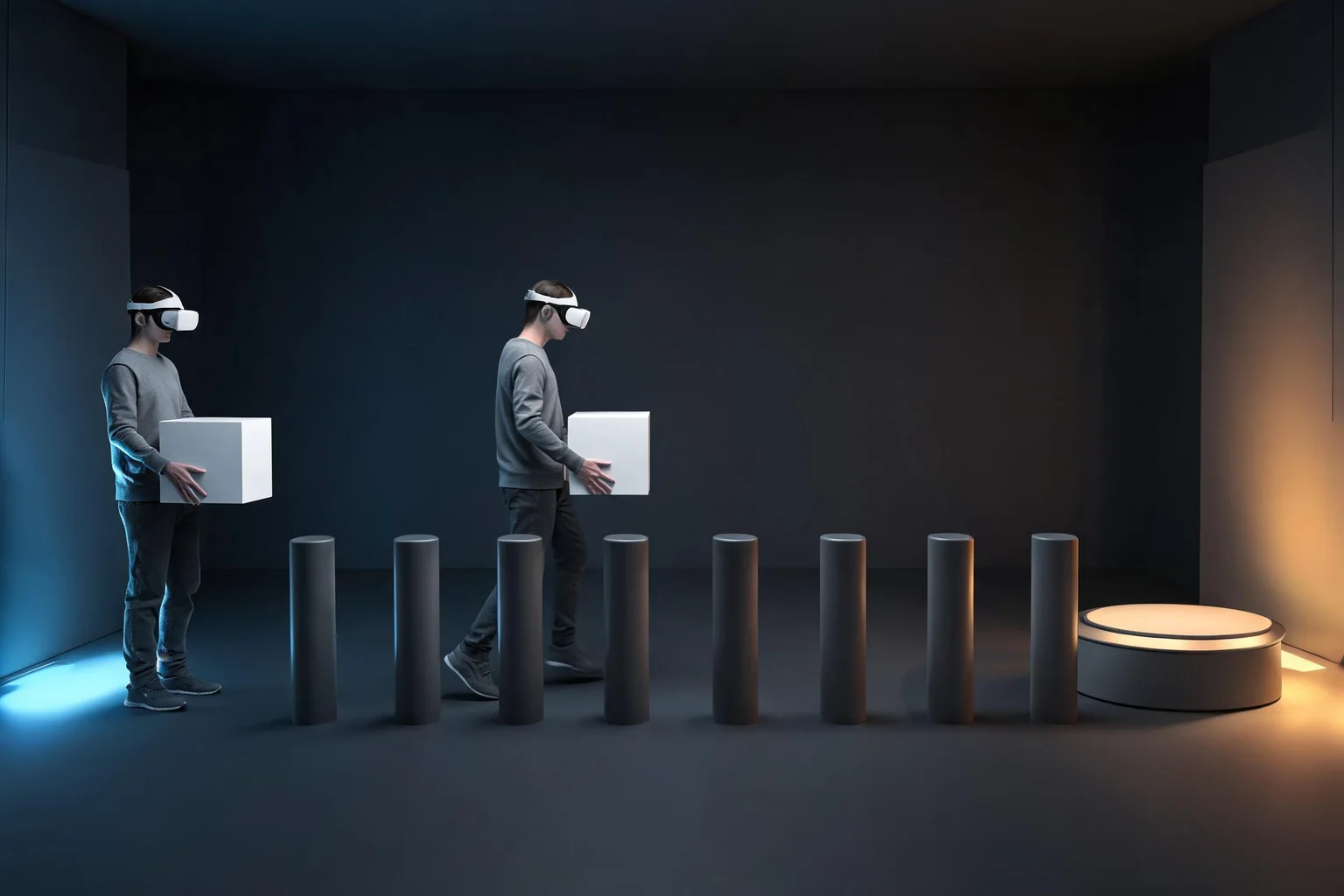
Freeze these variables before implementation:
- engine and package versions;
- headset firmware and runtime;
- target refresh rate and resolution policy;
- source assets and import settings;
- test scene layout and lighting contract;
- interaction sequence and comfort settings;
- build configuration and profiling tools;
- pass/fail thresholds and disqualifiers.
Run the same route after a cold launch and after a sustained session. Include normal use, invalid teleport, controller loss, focus loss, recenter, scene reload, and settings persistence. Save traces rather than only screenshots.
Score findings in four groups:
- Required capability: does every must-have feature work on the target runtime?
- Performance headroom: does the representative worst case stay within the frame, memory, thermal, and loading budget?
- Team delivery: can the team modify, review, merge, package, and debug the project reliably?
- Maintenance risk: are packages, licenses, upgrades, platforms, and vendor dependencies acceptable?
Do not add the scores into a false universal number. A missing must-have feature is a blocker, while a slower but acceptable editor operation is a tradeoff. Write the decision with evidence and a condition that would reopen it—for example, a new headset target or a vendor package losing support.
Decision patterns for common VR projects
These patterns are not rules; they show how constraints change the answer.
Stylized standalone training app: A C# team with an established Unity device stack may prefer Unity, especially when the visual target is modest and the required vendor packages are maintained. An Unreal team can still ship the same class of product if it proves its mobile renderer, content budget, interaction stack, and build pipeline on the headset.
High-fidelity PC VR visualization: An existing Unreal content and virtual-production pipeline may make Unreal efficient, particularly when the target PC budget supports the scene. Unity remains viable when the team’s rendering pipeline and tools already meet the requirement. Compare the actual content, not engine showcase footage.
Cross-headset consumer game: OpenXR can reduce some platform divergence, but store services, entitlements, achievements, social systems, passthrough, hands, and performance tiers still require device-specific work. Choose the engine whose tested packages and team ownership cover the required matrix with the least unsupported surface.
Location-based or museum experience: Reliability, offline operation, startup, operator controls, and recovery can matter more than maximum rendering features. Test unattended restart, tracking loss, device replacement, and content update procedures.
Research prototype: The best engine may be the one that exposes the required sensors or experiment controls and lets the team record deterministic data quickly. Do not carry that choice into production without rechecking performance, privacy, deployment, and long-term maintenance.
For the wider non-VR engine tradeoff, see Unreal Engine vs Unity for game development.
SEELE AI handoff and Unreal product boundary
If the decision is to explore a new Unreal VR game concept, the Unreal game creator can begin from a concrete brief: target headset class, seated or room-scale mode, one interaction loop, comfort settings, art direction, frame budget, and packaging acceptance. SEELE AI can generate a new native Unreal 5 game, provide browser preview, support optimization and packaging, and provide downloadable game or packaged output.
This does not mean SEELE AI opens and converts an existing Unity project, installs headset vendor SDKs, certifies device support, completes store submission, or proves comfort on hardware. Those steps remain with the project team and must be validated on the target device.
Unreal Engine is a trademark of Epic Games. Unity is referenced for comparison. SEELE AI is independent and this guide does not imply endorsement or partnership with Epic Games, Unity Technologies, Khronos, or a headset vendor.
Official sources
- Epic Games: Developing for head-mounted experiences with OpenXR
- Unity: OpenXR Plugin documentation
- Unity: XR Interaction Toolkit documentation
- Khronos Group: OpenXR
Use the documentation version that matches the engine, package, runtime, and headset under test.
FAQ
Is Unity or Unreal better for VR beginners?
The better beginner engine is usually the one that matches the target headset, current tutorials and packages, and the learner’s programming background. Build the same small grab, UI, and locomotion prototype in each if uncertain. Finish a device build before choosing from editor impressions.
Is Unreal too demanding for standalone VR?
Do not decide from reputation alone. Unreal standalone VR requires a deliberate mobile-class renderer, content budget, materials, lighting, resolution, and device profile. Prototype on the exact headset and measure sustained CPU/GPU timing, memory, thermals, loading, and package behavior before accepting or rejecting it.
Does OpenXR make Unity and Unreal VR development the same?
No. OpenXR standardizes many runtime interfaces, but engine architecture, interaction frameworks, renderers, tooling, asset pipelines, package versions, and vendor extensions remain different. Hand tracking, passthrough, foveation, anchors, storefront services, and lifecycle behavior still require version- and device-specific verification.
Which engine is better for high-fidelity PC VR?
Either can be suitable. Unreal may align well with an existing Unreal rendering and content pipeline; Unity may align with a team’s established render pipeline and C# tools. Compare the real scene on the target PC and headset with identical content, interaction, resolution, and frame-time criteria.
Should I choose Unity because my team knows C#?
Team familiarity is a strong factor, but it is not sufficient. Confirm headset features, packages, rendering, performance, deployment, licensing, and maintenance. Likewise, an Unreal team should not ignore a target-platform gap simply because it already knows Blueprint and C++.
Can SEELE AI convert my Unity VR project into Unreal?
No such conversion is claimed. SEELE AI’s supported Unreal path is generating a new native Unreal 5 game with browser preview, optimization and packaging support, and downloadable output. Existing Unity migration, vendor SDK integration, store certification, and hardware comfort testing remain project-owned work.