

Desktop-focused design
Ask for keyboard and mouse controls, legible menus, and a contained slice of your intended indie game.

Explore a desktop game idea with SEELE AI before preparing a Steam release. Define the playable loop, test the build, and keep Steamworks publishing as a separate workflow.
Partners and teams

















How it works
Start with a river to cross and give players the blocks and tools to build their own bridge.
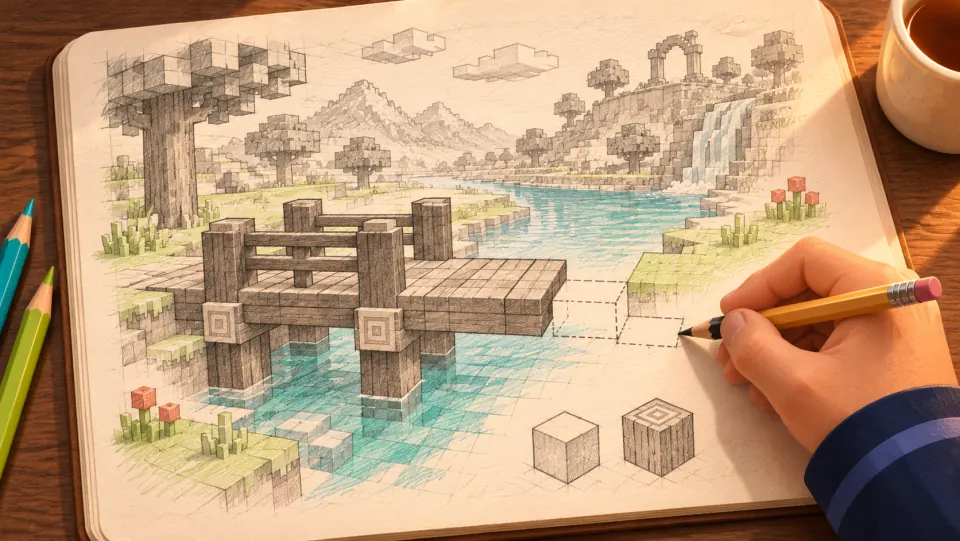
Picture a blocky world where the player reaches a river and builds a wooden bridge to get to the other side.
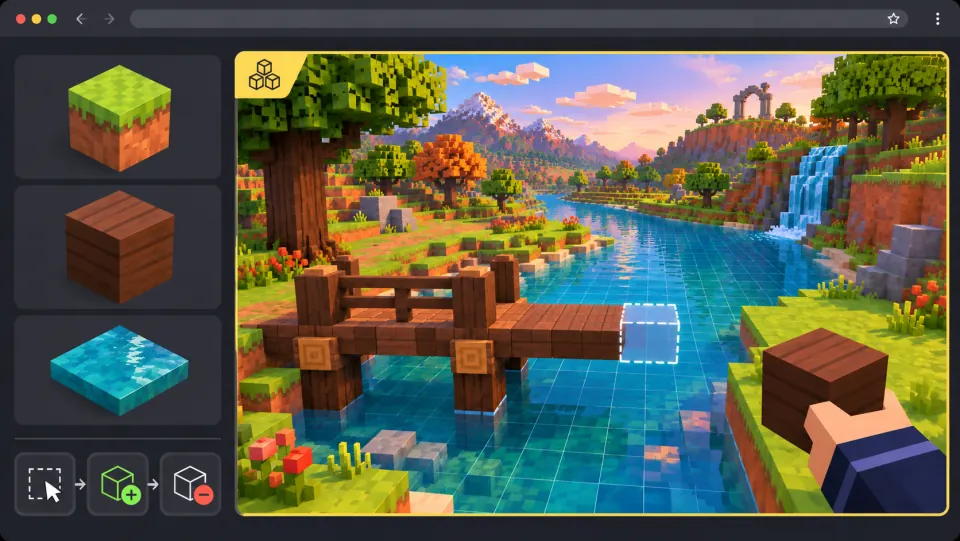
Ask seeleAgent to shape the riverbanks and add wood blocks. Let players preview where each block will go, place it, or remove it.
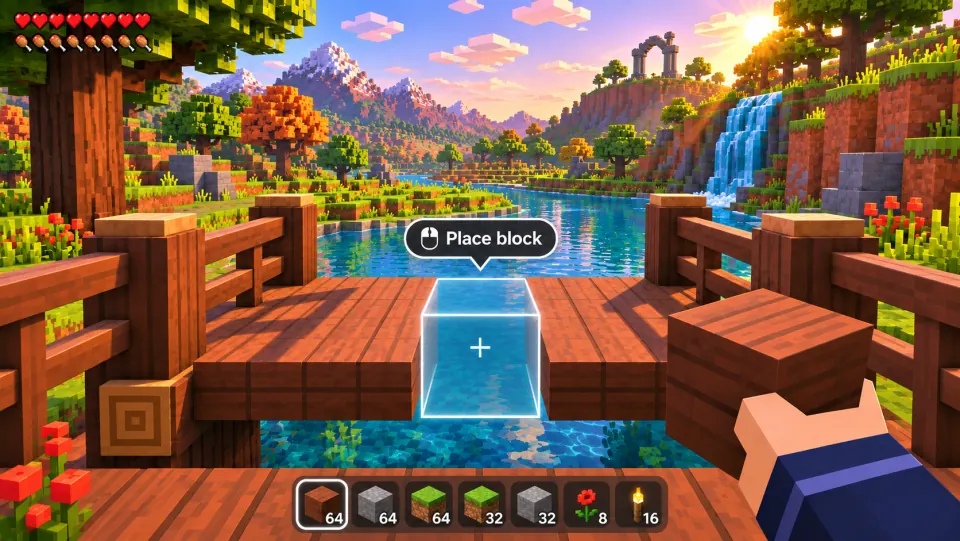
Select a wood block, line up the preview, and click to place it. Finish the bridge and walk across.
Make a game for freePick a starting point
Keyboard-controlled isometric courier adventure through a volcanic village.
Build Ashlight Courier, a desktop game prototype featuring keyboard-controlled isometric courier adventure through a volcanic village. Focus on desktop keyboard and mouse controls, a bounded playable slice, and explicit build validation. Define movement and interaction controls, readable feedback, a clear success condition, an understandable failure state, and a restart button. Begin with one complete playable scene and avoid unnecessary menus or paid purchases. Include a short controls explanation and a pause option. Use original characters, environments, and audio placeholders; do not copy protected brands. Test the core loop, collisions, scoring where relevant, and the ending before expanding the scope. Use WASD to move and E to interact with village residents; collect three parcels and deliver each to the right house while avoiding periodic lava vents. Treat this as a desktop prototype for a possible future Steam release, not a Steam-uploaded or certified build. Do not invent Steamworks integration or claim platform export is already verified.
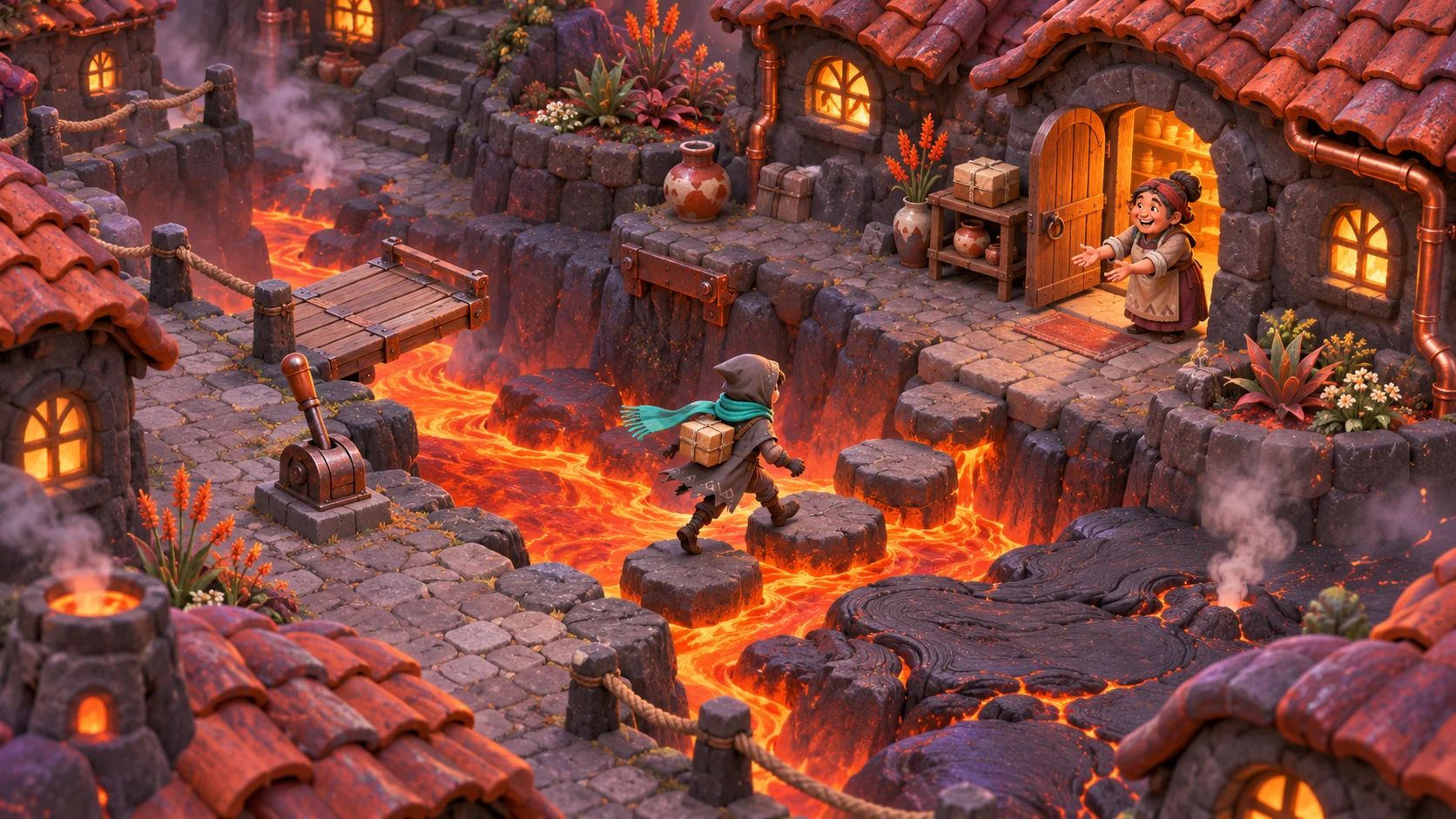 Ashlight Courier ↗
Why SEELE
Ask for keyboard and mouse controls, legible menus, and a contained slice of your intended indie game.
Specify the beginning, core decisions, failure recovery, and ending before expanding content.
Record unresolved build, licensing, accessibility, and store-page tasks instead of treating a prototype as release-ready.
Made with SEELE
These games are playable. Pick one and give it a try.
 AdventureAdventure GamePlay the example ↗
 ShooterWarcom: Neon BreachPlay the example ↗
 ActionOld Gods RunPlay the example ↗
 CasualCaution! Egg on the Car RoofPlay the example ↗
 RunnerNeon Night Rush: Barrier DashPlay the example ↗
 PuzzleMuseum ExhibitionPlay the example ↗
 SimulationMilky Way Idle 3DPlay the example ↗
 CasualSnowfall & Starry GiftsPlay the example ↗
 RPGCrownfall-The-Three-Realms-CoverPlay the example ↗
 SimulationFLYING CARPlay the example ↗
Who it’s for
Explore a small desktop game prototype idea with explicit controls, constraints, and a reviewable finish state.
Try this idea ↗
Explore a small desktop game prototype idea with explicit controls, constraints, and a reviewable finish state.
Try this idea ↗
Explore a small desktop game prototype idea with explicit controls, constraints, and a reviewable finish state.
Try this idea ↗Compare
SEELE AI is not a one-click Steam publisher. A Steam release requires your own Steamworks onboarding, a supported desktop build, store assets, required disclosures, and Valve review.
| Feature | Prototype with AI | Release preparation |
|---|---|---|
| Goal | Explore one complete core loop. | Verify a compatible, tested distribution build. |
| Evidence | Inspect and playtest actual generated behavior. | Check performance, rights, platform policies, and submission details. |
| Scope | Desktop keyboard and mouse controls, a bounded playable slice, and explicit build validation. | SEELE AI is not a one-click Steam publisher. A Steam release requires your own Steamworks onboarding, a supported desktop build, store assets, required disclosures, and Valve review. |
Reviews
FAQ
No direct Steam publishing is promised here. Use SEELE AI to explore and iterate on a game prototype; Steamworks setup, a compatible desktop build, store submissions, and review remain separate responsibilities.
No. Verify the actual project, desktop build path, performance, input, asset rights, and required Steam disclosures. A concept image or browser prototype is not proof that a Windows, macOS, or Linux build is ready.
Consult Valve’s official Steamworks documentation for onboarding, Steam Direct fees, supported builds, store pages, AI-content disclosures where applicable, and review. Requirements and timings can change.
Explore a desktop game idea with SEELE AI before preparing a Steam release. Define the playable loop, test the build, and keep Steamworks publishing as a separate workflow.
Start creating →



