Give the code enough context
Name the engine or language, the relevant component, and the behavior that should remain unchanged.

Describe the change, its code context, and how you will check it. Use a focused task—such as adjusting a Unity controller or adding an interaction to a Three.js game—to explore a code change. Include the expected behavior and an edge case, then inspect and test the result in its project context.
Partners and teams

















How it works
Create a fantasy card game with AI. Design your deck, build turn-based combat, and test your strategy in a playable 3D battle.
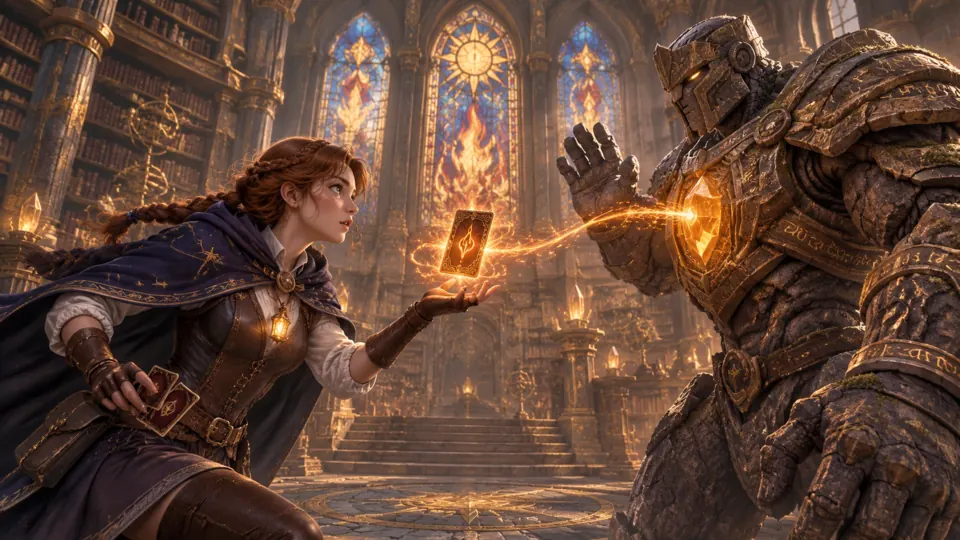
Create a battle between a young mage and a stone guardian, with magic cards that decide the fight.
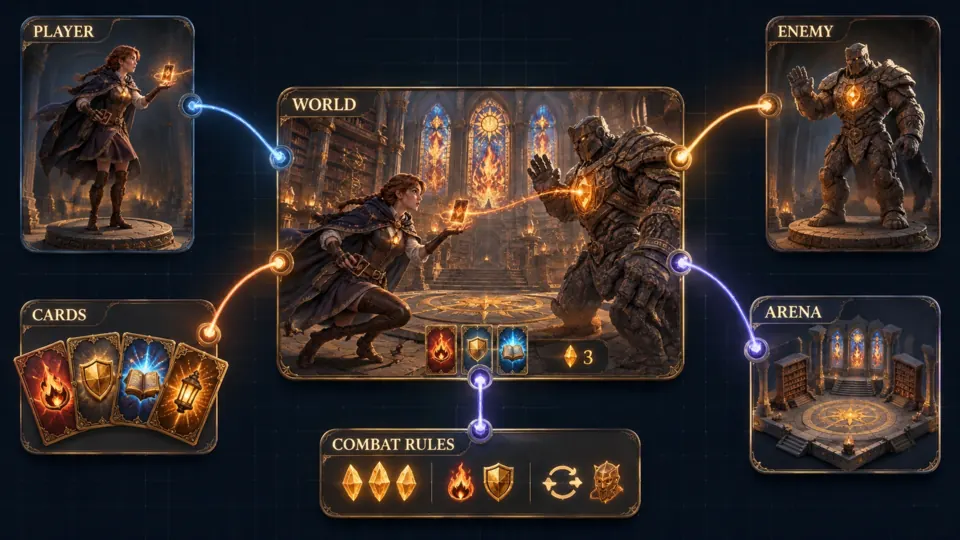
Bring your characters, card deck, battle arena, and turn-based rules together.
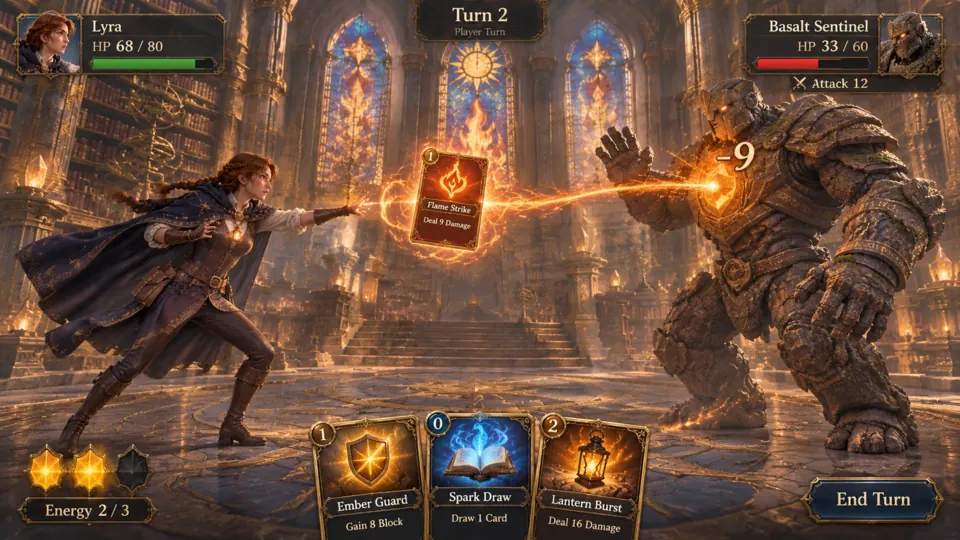
Play Flame Strike, deal damage, and choose your next card before the turn ends.
Make a game for freePick a starting point
Start with a controller, a Three.js interaction, a reproducible bug, or a small game interface.
Describe the input, movement response, and the condition you want to test.
For a Unity third-person controller, add a short sprint while the player holds Left Shift. Keep the existing walk speed and jump behavior. Explain where the change belongs, avoid changing camera controls, and include a check for releasing the key while airborne.
 Make movement behavior explicit ↗
Why SEELE
Name the engine or language, the relevant component, and the behavior that should remain unchanged.

Write what the player does and what the game should show or change in response.

Call out a boundary condition—such as repeated input, missing data, or a restart—and check it separately.

Inspect how the code fits its surrounding state, events, and project conventions before using it.

Run the change with the intended controls and scene. Check both the normal path and the edge case from the brief.

Change one behavior at a time and record what passed or still needs attention.
Made with SEELE
These games are playable. Pick one and give it a try.
 AdventureAdventure GamePlay the example ↗
 ShooterWarcom: Neon BreachPlay the example ↗
 ActionOld Gods RunPlay the example ↗
 CasualCaution! Egg on the Car RoofPlay the example ↗
 RunnerNeon Night Rush: Barrier DashPlay the example ↗
 PuzzleMuseum ExhibitionPlay the example ↗
 SimulationMilky Way Idle 3DPlay the example ↗
 CasualSnowfall & Starry GiftsPlay the example ↗
 RPGCrownfall-The-Three-Realms-CoverPlay the example ↗
 SimulationFLYING CARPlay the example ↗
Who it’s for
Use a small code task to explore a behavior, learn how game state changes, or refine a browser game.
Describe one code task and its surrounding project rules before trying a small change. Review the result in context and test the player-facing behavior.
AI 3D Game Maker with Code ↗
Use a focused brief for scene interactions, UI state, or controls, then verify the result in the browser and across relevant inputs.
Three.js Editor ↗
Compare a small code change with its expected behavior. Use one test case to understand how input, state, and feedback connect.
Browser 3D Game Maker ↗Compare
Both workflows require project context and testing. Choose how to begin based on your current code and task.
| Feature | AI-assisted code task | Manual code edit |
|---|---|---|
| Describe the change | State the component, expected behavior, and one constraint. | Write down the same requirements before editing the project. |
| Provide context | Include the relevant engine, language, and existing behavior. | Locate the surrounding code and project conventions. |
| Consider an edge case | Name one boundary condition to include in review. | Add an edge case to the implementation checklist. |
| Inspect the result | Check the proposed change against nearby code and project state. | Review the changed files and surrounding logic. |
| Verify behavior | Run the task in its intended project and test the stated case. | Run the project and test the same case before merging. |
Reviews
Explore related editors, game makers, guides, and tools for common game development tasks.
FAQ
An AI-powered code editor uses a written request and code context to assist with programming tasks. Review suggested changes in the surrounding project and test them before relying on them.
It can help you explore a focused game coding task, such as a controller change, a scene interaction, or a UI state. Include the expected behavior and verify the result in the intended project.
Name the engine or language, the relevant component, the desired behavior, and one constraint. Add an edge case or short test that would show whether the change worked.
The examples include a Unity player controller task. Check the current editor and project workflow for supported inputs, then test any proposed code in the Unity project that will use it.
The examples include a Three.js browser game interaction. State the relevant scene object and expected browser behavior, then verify the code with the project’s current Three.js setup.
Do not assume every issue can be detected or fixed automatically. Share a reproducible error, the relevant code, and the expected result; inspect any suggestion and test it yourself.
List the steps that reproduce it, what happened, and what should have happened. Include the smallest relevant code sample or error message and note whether the bug appears every time.
Run it in the intended project, test the main interaction, and check the edge case named in the request. Confirm that nearby behavior still works.
A code suggestion is not a substitute for a complete game plan or project review. Break the idea into testable tasks and integrate changes against the project’s actual requirements.
Available export and engine options can change by workflow. Check the current editor for supported formats and verify that any output opens and behaves as expected in the target project.
Plan access, model choices, and generation costs can vary. Check the current balance and displayed cost in the editor before starting a task.
The examples include a pause menu with Resume, Restart, and Sound controls. Describe the screen state and the result of each action, then test the controls after starting and restarting the game.
Check whether the change matches the request, follows project conventions, handles the named edge case, and behaves correctly in the target runtime. Review security and licensing requirements where relevant.
Ask for a small change, compare the code with the expected behavior, and trace how input changes game state. Test one case, then explain what each changed part does.
Include the project context and a behavior you can test. Review the result before using it in a larger feature.
Start a code task →