Solo creator plan
Keep the first version to one offer. A small scope makes it possible to finish the game loop, purchase choice, delivery, and recovery without maintaining a large shop.
Solo Creator guide · Fashion · Direct Koin item
Build the fashion game first, then add one optional cosmetic collection that supports the existing play loop. This guide keeps the item understandable from its first preview through delivery and reload.
Create this game flow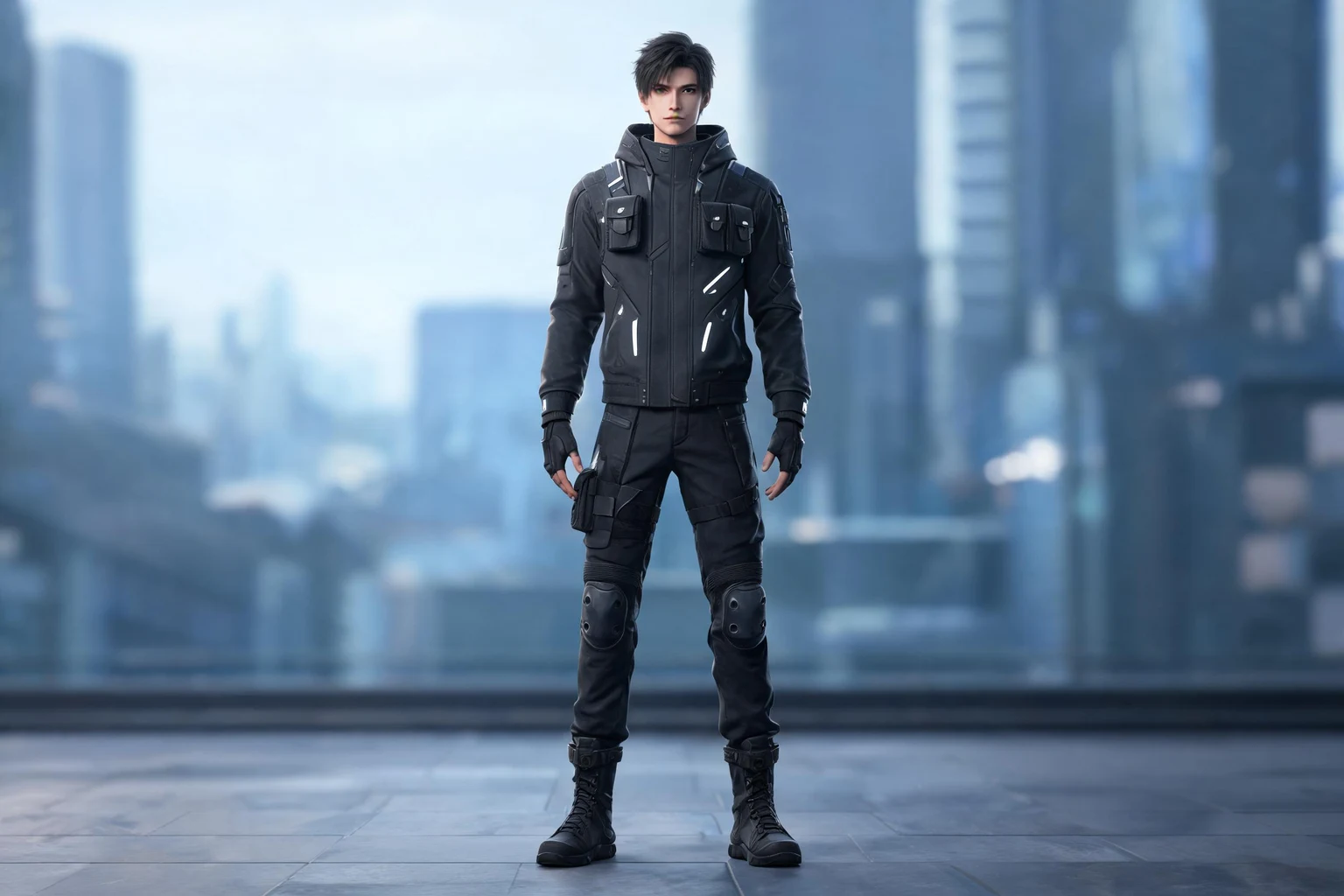
Keep the first version to one offer. A small scope makes it possible to finish the game loop, purchase choice, delivery, and recovery without maintaining a large shop.
A fashion browser prototype centered on avatar expression, wardrobe discovery, and clear ownership.
A cosmetic collection preview with a concrete description and direct Koin price.
Place the cosmetic collection after this loop advances: a fashion browser prototype centered on avatar expression, wardrobe discovery, and clear ownership. Wait for a safe pause. Player progress must not depend on the offer.
Offer-card rules: Preview the complete look; Preview it during play. Show the item, benefit, ownership or duration, balance, and clearly stated Koin cost. Keep confirm and cancel separate.
Test preview, confirm, insufficient balance, success, equip the owned cosmetic and keep it visible in inventory, and reload. Show that change inside normal play instead of relying only on a success message.
Test a free session around a fashion browser prototype centered on avatar expression, wardrobe discovery, and clear ownership. If play becomes incomplete, fix the game before changing the offer.
Place the choice in outfit creation, a boutique, or a collection milestone where the avatar is fully visible. Avoid interrupting judging, social play, or timed styling challenges.
Show front and back views, color, layering, fit, and any animation on the current avatar. State whether pieces are separate, bundled, permanent, or limited to a particular character.
When the action completes, switch outfits, reload, and return to the collection. The purchased piece should be owned and selectable without repurchase, while cancellation preserves the look being edited.
This fashion game uses a fashion browser prototype centered on avatar expression, wardrobe discovery, and clear ownership. Review the genre through use the wardrobe naturally and preview the complete look. For a solo creator, the cosmetic collection should support that loop without becoming mandatory. Review the item through preview it during play and make ownership obvious. A solo creator should revise one prompt instruction at a time and compare both playable versions. The example offer is: A cosmetic collection preview with a concrete description and direct Koin price. This offer emphasizes expression without changing competitive power before expanding the catalog. Create an outfit with recorded pieces, colors, layers, avatar, challenge rules, and collection ownership. Open the choice in the wardrobe, preview front and back views at useful scale, then cancel and confirm the edited look is intact. Try insufficient Koin without removing a layer or leaving the challenge. Complete a valid piece or bundle only after explaining separation, permanence, character limits, and animation. Apply it, enter a judging or social scene, return to the wardrobe, and reopen the game. Confirm one owned record, stable outfit composition, clear visual-only status, and no repurchase prompt for the same permanent piece.
Treat the purchase flow as one small feature inside the game, not a separate storefront project. Finish one offer, one confirmation, one delivery path, and the recovery states before considering another item or catalog category.
Write the benefit, Koin amount, duration, ownership rule, and delivery location once. Copy that definition into the offer, confirmation, inventory, and test notes so solo edits do not create contradictory promises.
Generate the game, complete the core activity, decline the offer, trigger insufficient Koin, buy successfully, and reopen the game. Record the first confusing moment instead of changing several screens at once.
Give the link to someone who has not seen the prompt. Ask them to find the price, explain the item, cancel, complete the choice, and locate what was delivered without hints from you.
Choose the single player action that is still confusing and save the current build before editing. Rewrite only the relevant prompt sentence, generate again, and replay the same success and recovery routes in both versions. Keep a short note containing what changed, which version behaved more clearly, and what remains outside your implementation ability. Prefer a finished item with honest boundaries over a broad shop containing unfinished states. When asking someone else to test, give them the link and one goal but no walkthrough; their first hesitation is more useful than another hour spent polishing copy you already understand.
Place the visual on the actual character, vehicle, card, room, trail, or game object and compare it with the thumbnail at normal play scale. Check front, back, motion, color contrast, overlapping equipment, and any platform-specific crop. State that it is visual only when no statistic, rule, or outcome changes. Confirm the exact piece or bundle, then replace buy with owned or equip and file it under an obvious collection category. Switch to another cosmetic, reopen the game, and select it again without another deduction. Also inspect multiplayer, streaming, and accessibility contexts so the design does not hide hazards, impersonate earned rarity, expose private information, or suggest competitive power that the item never provides.
Show the cosmetic on the character, vehicle, card, or game space where players will actually see it. A thumbnail alone can hide scale, color, or animation differences.
Once the item is bought, change the action from buy to owned or equip. Keep the cosmetic in the relevant collection after reload so players know where to use it.
Describe the item as visual only when it changes no stats or outcomes. Avoid rarity language that suggests an advantage the cosmetic does not provide.
Make the main activity playable before adding the cosmetic collection. Players need context to judge whether the item is useful.
Result: A working fashion foundation
A cosmetic collection preview with a concrete description and direct Koin price. Keep the same wording in the preview, confirmation, and delivered state.
Result: A consistent player promise
Show the exact Koin amount, Koin balance now, confirm, cancel, and what ownership means. Reuse the same item definition across the preview, confirmation, and owned state. That keeps the copy and behavior consistent while you work alone.
Result: An understandable decision
Test preview, confirm, insufficient balance, success, equip the owned cosmetic and keep it visible in inventory, and reload. Then test too little Koin, a player cancellation, repeated input, interruption, and reload.
Result: A visible, stable result
Run the success path first, followed by cancel, an insufficient balance, repeated clicks, and reload. Ask one other person to try it without an explanation.
Result: Solo creator plan
Create a browser-playable fashion game prototype for a solo creator. Build the core loop around avatar expression, wardrobe discovery, and clear ownership. Add one optional cosmetic collection offer containing a three-item style set with preview, Koin price, confirmation, and equip state. Price it directly in Koin, require an explicit confirmation, show the balance effect, and equip the owned cosmetic and keep it visible in inventory. Do not add subscriptions, external payment checkout, revenue reporting, or guaranteed earnings. Include insufficient-Koin, cancel, success, and reload states.
Keep the item optional. Show its specific Koin amount, current Koin balance, confirm, cancel, low-balance, success, visible delivery, and reload states.
A cosmetic collection preview with a concrete description and direct Koin price. Start with one item and one price.
No. The player spends Koin directly on one named item or unlock.
Return to the same game state without spending Koin or delivering the item.
Explain the shortage, preserve progress, and do not deliver the item.
No. It covers the player-facing purchase experience, not financial reporting.
No. The browser prototype still needs native billing, persistence, security, refunds, and platform approval.
Open the complete prompt in SEELE, adjust the item and Koin price, then generate a playable version you can test.
Open this prompt in Workspace