Video concept → playable system → native Unreal project

Turn a MiniMax H3 Game Concept into an Unreal Project

Convert a MiniMax H3 game concept into a scoped mechanic, generate a native Unreal 5 project in SEELE, and validate the playable loop.

Direct answer

An H3 clip can sell the fantasy of a game, but development starts when that fantasy becomes controllable state. Extract one player verb, one objective, camera rules, input, feedback, success, failure, and restart from the clip. Submit that bounded brief to SEELE AI to generate a native Unreal 5 project, play the browser preview, then review the project and package path. Keep the H3 clip labeled as concept reference until the native build reproduces the intended behavior.

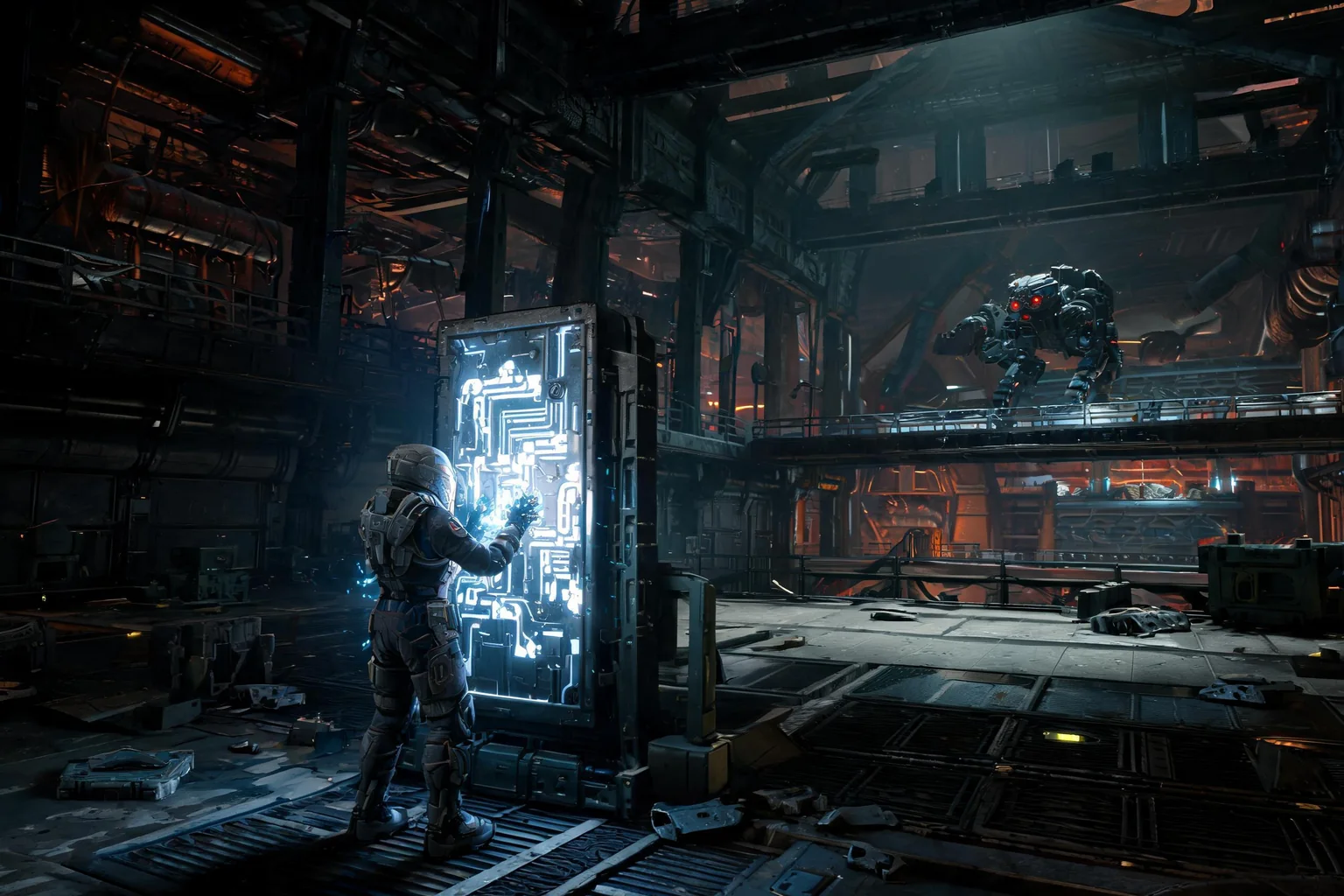
Editorial concept of a third-person science-fiction salvage game with a power-relay objective in a readable Unreal-style environment
Original SEELE editorial concept generated with Seedream. It is not MiniMax or Epic media, not an Unreal Editor screenshot, not gameplay, and not proof of an official H3 integration.

Move from H3 interest to a playable Unreal result

Choose the prompt closest to the user job, review the prefilled scope, and generate the native project. Each prompt converts a video-model intent into input, state, objective, failure, restart, and an inspectable SEELE handoff.

Build the playable promise

Create a native Unreal 5 third-person sci-fi salvage game based on an original concept. The player enters one derelict reactor hall, restores two power relays, avoids one roaming hazard, extracts a data core, reaches the exit, can fail, and can restart immediately. Include readable controls, feedback, browser preview, and downloadable project output.

Use this Unreal prompt

Test one traversal mechanic

Generate a compact Unreal 5 platforming slice with one movement ability, three readable traversal challenges, one checkpoint, one completion gate, fall recovery, immediate restart, stable camera behavior, browser preview, and native project download. Keep all art original and scope under five minutes.

Use this Unreal prompt

Make the encounter controllable

Create a native Unreal 5 arena encounter with one player attack, one dodge, one enemy behavior, telegraphed damage, health feedback, victory, defeat, clean restart, and a compact original environment. Validate every branch in browser preview before packaging.

Use this Unreal prompt

Convert mood into mechanics

Build an Unreal 5 atmospheric exploration slice using an approved visual mood as direction only. Include one controllable route, two inspectable clues, one environment-state change, a final discovery, clear interaction feedback, failure recovery, restart, browser preview, and local project handoff.

Use this Unreal prompt

What the SEELE handoff gives you

Native Unreal 5 project

An inspectable Unreal project rather than a rendered clip, prompt answer, or unsupported provider-integration claim.

Browser-previewable game

A fast playable check for camera, controls, objective clarity, feedback, success, failure, and restart before local continuation.

Optimization and packaging path

A workflow for performance review and package preparation before external distribution or platform submission.

Downloadable project or package

A local handoff for source, Blueprints, assets, plugins, rights, build settings, target-device checks, and continued production.

What is verified—and what it means for this Unreal job

H3’s useful role

Use H3 to explore the player fantasy, environment, movement cadence, shot rhythm, and audiovisual mood before committing to a larger production. Its multimodal reference inputs can keep a short concept aligned across image, motion, and sound.

The missing layer

A clip has no authoritative input mapping, gameplay state, collision, navigation, AI, save data, replication, performance budget, accessibility state, or restart logic. Those must be specified and tested in Unreal.

The conversion target

The first target is not “make the whole game.” It is one complete playable loop that a new player can start, understand, finish or fail, restart, and replay without hidden manual intervention.

The SEELE handoff

SEELE can generate the native Unreal 5 project, expose a browser-previewable result, support optimization and packaging, and provide a downloadable project or packaged output for continued review.

A five-stage convert a generated game concept into a playable vertical slice workflow

Name the promise in one sentence

Write what the player does, what changes because of that action, how the player knows they are progressing, and what ends the session. If the sentence describes only camera movement or visual spectacle, it is not yet a game loop.

Cut the concept into controllable beats

Separate passive shots from player-controlled moments. For each controllable beat, define input, precondition, state change, feedback, failure, completion, and reset. Keep only the beats required for a three-to-five-minute slice.

Create the SEELE production brief

Specify engine family, perspective, environment boundary, controls, mechanic, objective chain, UI feedback, audio triggers, success, failure, restart, and acceptance checks. Attach visual references as direction, not as proof or ready-to-import assets.

Generate and play every branch

Use SEELE to generate the native project and open the browser preview. Test the happy path, failure path, repeated restart, unusual input order, camera recovery, interaction range, objective clarity, and the player’s ability to regain control after transitions.

Continue with native review

Download the project or packaged output and review Blueprints, source, assets, plugins, dependencies, frame time, memory, saves, cook, package, and target hardware. Promote the concept only after the real build earns the claim.

Where this workflow fits—and where review remains mandatory

Best for

  • Solo creators with a striking H3 game clip but no playable prototype.
  • Game-jam and pitch teams that need to test the core interaction before expanding art scope.
  • Producers who need an observable acceptance checklist between video ideation and Unreal delivery.

Still needs human review

  • Whether the chosen mechanic is understandable, feasible, and worth expanding beyond the vertical slice.
  • Asset provenance, plugin and SDK ownership, Blueprint/C++ quality, performance, accessibility, saves, and target-platform behavior.
  • Whether marketing language and captures match the tested build rather than the original generated concept.

Failure modes to block

Risk 1

A coherent-looking clip can hide an impossible or uninteresting control loop.

Risk 2

Generated continuity can imply mechanics, inventory, destruction, or AI that were never implemented.

Risk 3

Expanding the environment before proving input, feedback, failure, and restart turns art cost into rework.

Risk 4

Using the concept clip as gameplay footage creates a trust and advertising risk.

Decision scorecard

DimensionWhat good looks likeEvidence to keep
Player agencyThe player causes the important state changesInput map and playable-path capture
Loop clarityA new player understands goal, progress, failure, and completionFirst-play observation and acceptance notes
System stabilityRepeated success, failure, and restart do not corrupt stateRegression runs and project logs
Expansion readinessThe loop is fun enough to justify more contentPlaytest decision and next-slice brief

Unreal implementation notes

Design from verbs

Translate “a hero escapes a collapsing temple” into move, aim, interact, trigger, avoid, recover, complete, fail, and restart. Each verb needs input and state ownership.

Protect scope

One environment, one main mechanic, one objective chain, and one failure state reveal more than a beautiful but shallow open world. Defer inventory, progression, multiplayer, and monetization.

Match captures to builds

When the playable slice exists, recapture marketing material from the tested project or label external concept media unmistakably. Do not blend the two sources in one proof claim.

Define the next gate

After the slice passes, choose one measured expansion: another enemy behavior, a second traversal verb, a save checkpoint, or a performance target—not a general request to make it bigger.

Official evidence and capability boundary

Snapshot date: August 4, 2026. MiniMax’s July 31, 2026 release and current API documentation identify the API model as MiniMax-H3 and support H3’s video modes, duration, resolution, frame rate, multimodal references, audio, and dated pricing. They do not establish an Epic-supported Unreal integration or native game output. Epic documentation and the tested project remain authoritative for engine behavior.

MiniMax release

First-party release positioning, H3 technologies, multimodal context, video and audio claims, editing, motion transfer, and target industries.

Open official announcement

API guide and model table

Model name, supported generation modes, 4–15 second duration, resolution, frame rate, aspect ratios, and reference inputs.

Video guide · Model table · API overview

Pricing and Unreal authority

Re-check current output and reference-material pricing before spending. Use Epic documentation and the actual project for engine, asset, animation, UI, cinematic, build, and package decisions.

MiniMax pricing · Epic documentation

Continue through the MiniMax H3 × Unreal cluster

MiniMax H3 Game Trailers for Unreal Projects

Plan a MiniMax H3 game trailer, separate concept footage from gameplay, and build the promised Unreal vertical slice in SEELE AI.

Open this workflow

MiniMax H3 Motion Reference for Unreal Characters

Use MiniMax H3 V2V motion transfer as character reference, then validate rigs, animation graphs, root motion, collision, and gameplay in Unreal.

Open this workflow

MiniMax H3 Pricing for Unreal Game Work

Budget MiniMax H3 video experiments for an Unreal game, account for references and retries, and spend only after a playable slice proves the idea.

Open this workflow

Frequently asked questions

How do I turn a MiniMax H3 video into an Unreal game?

Extract the smallest controllable loop from the video, define input and state transitions, and write observable success, failure, and restart conditions. Use that brief in SEELE to generate a native Unreal 5 project, then play and inspect the real output instead of treating the video as implementation. Confirm the current provider documentation before you lock a production decision.

Should I ask SEELE to reproduce every shot in the H3 clip?

Usually no. Keep only shots that support orientation, feedback, or a controlled transition. A playable game needs readable cameras and uninterrupted agency. Reproduce the visual rules and important beats, then let the real-time camera, input, and performance requirements drive the final scene. Treat the tested Unreal build, not the reference clip, as acceptance evidence.

What is the minimum useful vertical slice?

Use one perspective, one primary mechanic, one compact environment, one objective chain, clear UI or world feedback, one success, one failure, and immediate restart. The slice should be short enough to test repeatedly and complete enough that a new player can understand it without narration. Keep prompts, outputs, project versions, and review notes in the same decision log.

Can the H3 clip be imported as the game environment?

No. A rendered video is not a navigable level, material set, collision mesh, rig, animation graph, or gameplay system. It may guide art direction or appear as a licensed media asset, but the interactive environment and systems still need production assets and native Unreal implementation. Recheck rights, runtime behavior, performance, and packaging before any external release.

When is the concept ready for marketing?

Market the idea as concept media while it remains concept media. Call it gameplay only after the native build reproduces the visible behavior and the captured sequence comes from that tested build. Keep source, revision, settings, and any edits with the capture. Use the browser preview to reject weak interaction before deeper production work.

Why send the brief to SEELE instead of stopping at the video?

The audience searching for game development usually wants something they can control, test, and continue building. SEELE turns the approved mechanic into a native Unreal 5 project with browser preview and a project or package handoff, closing the gap between visual intent and playable evidence. Record the source clip separately from the native project and package evidence.

Turn the approved idea into a native Unreal 5 game

Use H3 to answer the video question. Use SEELE to generate the playable system: native Unreal project, browser preview, optimization and packaging path, and a downloadable handoff. Keep concept media and native evidence clearly separated.