UI/UX intent · motion reference to functional UMG states

MiniMax H3 Game UI Motion for Unreal Engine

Explore game UI motion with MiniMax H3, then rebuild approved states in Unreal UMG with functional input, accessibility, localization, and tests.

Direct answer

MiniMax positions H3 for UI/UX and improved text rendering, making it useful for visualizing an original menu transition, HUD feedback, loading sequence, or diegetic display. The generated pixels are not a UMG Widget Blueprint, CommonUI flow, localization resource, focus graph, data binding, or input system. Convert the approved sequence into a state map with triggers, data, timing, focus, cancellation, accessibility, and fallback behavior; then implement and test those states in the native Unreal project.

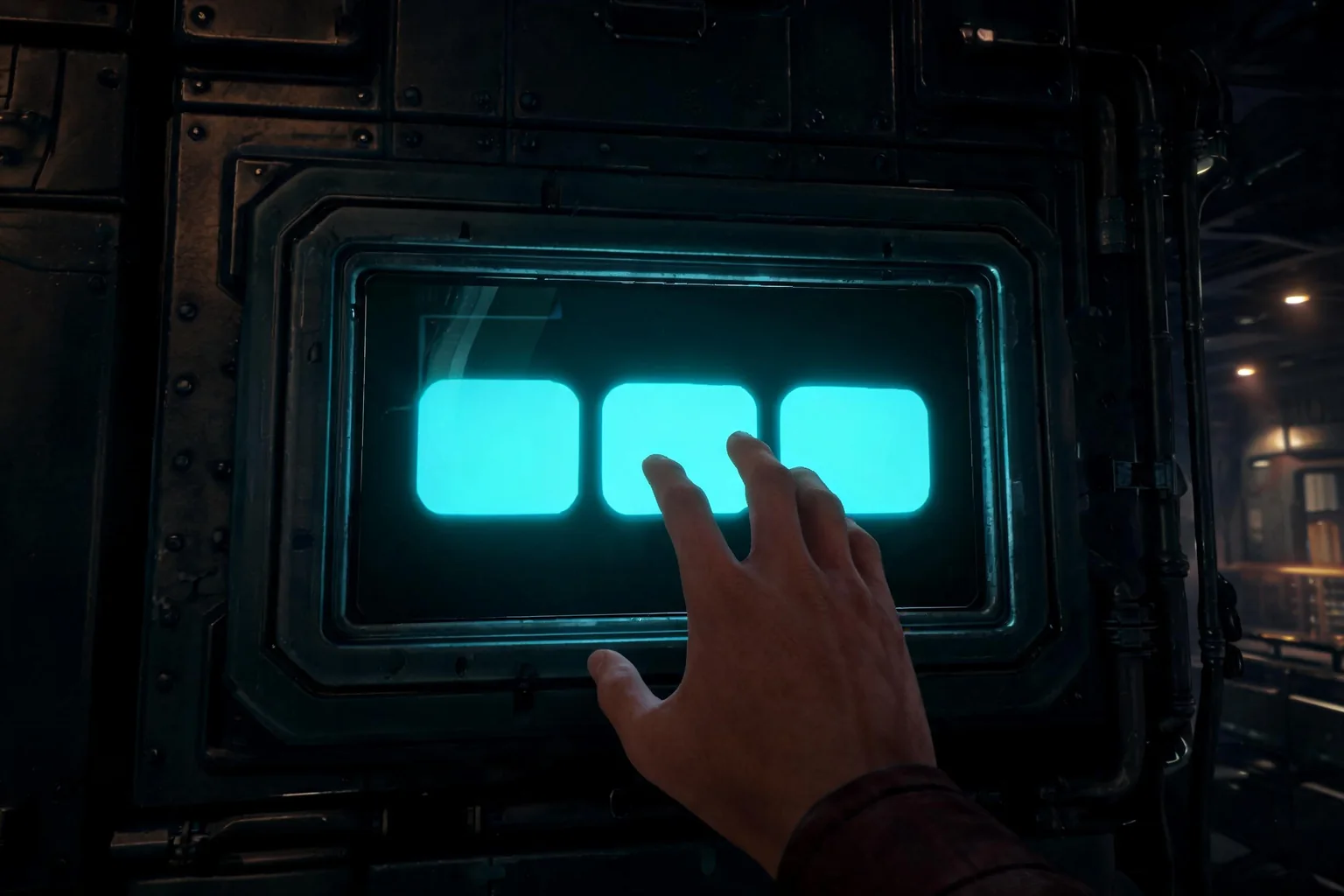
Editorial concept of a diegetic science-fiction terminal UI that can be rebuilt as functional Unreal UMG states
Original SEELE editorial concept generated with Seedream. It is not MiniMax or Epic media, not an Unreal Editor screenshot, not gameplay, and not proof of an official H3 integration.

Move from H3 interest to a playable Unreal result

Choose the prompt closest to the user job, review the prefilled scope, and generate the native project. Each prompt converts a video-model intent into input, state, objective, failure, restart, and an inspectable SEELE handoff.

Build the gameplay behind a mission HUD

Create a native Unreal 5 third-person rescue slice with one objective tracker, two rescue targets, health feedback, interaction prompts, completion, failure, pause, and immediate restart. Use functional UMG states, keyboard and controller navigation, browser preview, and downloadable project output.

Use this Unreal prompt

Prototype a diegetic terminal

Generate an Unreal 5 exploration scene with one in-world terminal, focus entry and exit, three readable choices, one locked option, success and error feedback, controller and keyboard input, objective update, completion, restart, browser preview, and native project download.

Use this Unreal prompt

Test an inventory decision

Build a compact Unreal 5 survival slice with three collectible items, a functional inventory panel, one equip action, one unavailable state, controller and keyboard focus, clear feedback, failure, completion, restart, browser preview, and local project output.

Use this Unreal prompt

Create an accessible result flow

Create an Unreal 5 time-trial slice with start countdown, progress feedback, finish result, timeout failure, retry, keyboard and controller navigation, reduced-motion-friendly transitions, localization-safe labels, browser preview, and downloadable native project.

Use this Unreal prompt

What the SEELE handoff gives you

Native Unreal 5 project

An inspectable Unreal project rather than a rendered clip, prompt answer, or unsupported provider-integration claim.

Browser-previewable game

A fast playable check for camera, controls, objective clarity, feedback, success, failure, and restart before local continuation.

Optimization and packaging path

A workflow for performance review and package preparation before external distribution or platform submission.

Downloadable project or package

A local handoff for source, Blueprints, assets, plugins, rights, build settings, target-device checks, and continued production.

What is verified—and what it means for this Unreal job

What H3 can preview

Use a short clip to explore hierarchy, transition rhythm, color and light response, spatial UI behavior, feedback escalation, and the relationship between interface and world.

Text still needs deterministic ownership

Accurate-looking text is not enough for a shipping interface. Labels, prices, controls, legal copy, player names, counters, and localized strings must come from trusted runtime data and approved fonts.

The Unreal implementation target

UMG or CommonUI must own widget structure, layout, focus, input actions, navigation, state bindings, animations, localization, safe areas, scaling, and accessibility semantics.

The SEELE conversion

Use SEELE to generate the small playable scenario that produces the UI states. This keeps the interface tied to real objectives, damage, inventory, interaction, success, failure, and restart instead of a disconnected motion mock.

A five-stage turn generated interface motion into a functional Unreal UI workflow

Choose one interface job

Select one user task such as start a run, understand an objective, survive damage, choose an item, inspect a clue, pause, fail, or restart. Define the information and action required at each state.

Generate a motion reference

Use original visual language and placeholder-free hierarchy. Constrain copy, transition duration, camera or world relation, audio cue, and final state. Review every frame for drift, illegible text, false affordances, and unsafe flashing.

Write the state and data contract

List widget states, entry trigger, required data, focus target, input actions, navigation edges, animation duration, cancel path, loading fallback, error state, persistence, localization, and accessibility requirements.

Create the gameplay context

Generate the native Unreal slice in SEELE with the mechanic and state changes that drive the UI. Test objective, damage, item, pause, completion, failure, and restart behavior in the browser preview.

Rebuild and regress in UMG

Implement deterministic widgets and animations, bind real data, test keyboard, controller, mouse, touch where relevant, focus recovery, scaling, safe areas, localization expansion, reduced motion, screen readers where supported, and target performance.

Where this workflow fits—and where review remains mandatory

Best for

  • UI designers exploring motion and hierarchy before final Widget Blueprint work.
  • Gameplay teams that need interface states tied to a real vertical slice.
  • Localization and accessibility reviewers who need deterministic UI ownership after visual ideation.

Still needs human review

  • Copy, typography, font licensing, localization, number and date formatting, prices, platform marks, and legal text.
  • UMG/CommonUI layout, data binding, focus, input, navigation, error states, safe areas, scaling, reduced motion, and performance.
  • Whether the interface represents real gameplay state and remains usable across devices and accessibility needs.

Failure modes to block

Risk 1

Generated UI can invent controls, counters, rewards, prices, or system states that do not exist.

Risk 2

Text may look stable at a glance while letters, numbers, alignment, or meaning drift across frames.

Risk 3

A video transition has no keyboard, controller, touch, focus, cancellation, loading, or error behavior.

Risk 4

Copying flashy motion can create motion sickness, unreadable feedback, input delay, or performance cost.

Decision scorecard

DimensionWhat good looks likeEvidence to keep
Task clarityThe user knows what changed and what action is availableState map and first-use test
Data truthEvery label and value comes from a named runtime ownerBinding and localization review
Input coverageFocus and navigation work across supported devices and edge statesAutomated and manual UI tests
Motion safetyTiming supports comprehension and has an accessible fallbackReduced-motion and performance checks

Unreal implementation notes

Design states before transitions

A transition is useful only when start, intermediate, completion, cancellation, and error states are defined. Capture each state separately before tuning animation.

Bind trusted data

Health, inventory, progress, prices, player identity, objective text, and online status should come from explicit runtime owners, never baked into generated imagery.

Test localization expansion

Longer translated strings, plural forms, right-to-left layouts where supported, glyph coverage, font fallback, and number formatting can break a composition that worked in a short English clip.

Offer reduced motion

Keep information available without rapid zoom, parallax, shake, or flashing. The accessible state change should preserve meaning even when decorative animation is minimized.

Official evidence and capability boundary

Snapshot date: August 4, 2026. MiniMax’s July 31, 2026 release and current API documentation identify the API model as MiniMax-H3 and support H3’s video modes, duration, resolution, frame rate, multimodal references, audio, and dated pricing. They do not establish an Epic-supported Unreal integration or native game output. Epic documentation and the tested project remain authoritative for engine behavior.

MiniMax release

First-party release positioning, H3 technologies, multimodal context, video and audio claims, editing, motion transfer, and target industries.

Open official announcement

API guide and model table

Model name, supported generation modes, 4–15 second duration, resolution, frame rate, aspect ratios, and reference inputs.

Video guide · Model table · API overview

Pricing and Unreal authority

Re-check current output and reference-material pricing before spending. Use Epic documentation and the actual project for engine, asset, animation, UI, cinematic, build, and package decisions.

MiniMax pricing · Epic documentation

Continue through the MiniMax H3 × Unreal cluster

MiniMax H3 Pricing for Unreal Game Work

Budget MiniMax H3 video experiments for an Unreal game, account for references and retries, and spend only after a playable slice proves the idea.

Open this workflow

MiniMax H3 for Unreal Engine

Use MiniMax H3 for game-video reference, then turn the approved mechanic and visual brief into a native Unreal 5 project with SEELE AI.

Open this workflow

MiniMax H3 Game Trailers for Unreal Projects

Plan a MiniMax H3 game trailer, separate concept footage from gameplay, and build the promised Unreal vertical slice in SEELE AI.

Open this workflow

Frequently asked questions

Can MiniMax H3 generate Unreal UMG widgets?

The official H3 sources describe multimodal video generation, not Widget Blueprints, CommonUI assets, Slate code, data bindings, focus graphs, localization resources, or input mappings. Use the clip as motion and hierarchy reference, then rebuild the approved states in the native Unreal UI system. Confirm the current provider documentation before you lock a production decision.

Is H3 text rendering safe for final game UI?

No generated frame should be the source of truth for controls, prices, counters, player data, dates, legal copy, or localized strings. Use deterministic runtime text, approved fonts, real data bindings, and localization resources. Review any generated reference for drift before extracting visual direction. Treat the tested Unreal build, not the reference clip, as acceptance evidence.

What should I include in a UI state map?

For each state, record entry trigger, visible information, data owner, available actions, focus target, navigation edges, animation duration, completion, cancellation, loading, empty, error, persistence, audio, localization, accessibility, and the gameplay state that should result from the user’s action. Keep prompts, outputs, project versions, and review notes in the same decision log.

How does SEELE help with a game UI concept?

SEELE generates the native Unreal gameplay slice that produces real UI states. Instead of animating an abstract HUD, build the objective, damage, inventory, interaction, success, failure, and restart loop, then implement and test UI against those states in browser preview and the project. Recheck rights, runtime behavior, performance, and packaging before any external release.

How do I test controller and keyboard navigation?

Start from a known focus target, traverse every action in both directions, test disabled and hidden widgets, modal entry and exit, device switching, pause and resume, disconnect, error recovery, repeated restart, and returning from gameplay. No essential action should depend only on pointer hover. Use the browser preview to reject weak interaction before deeper production work.

What converts a UI-motion visitor to SEELE?

Offer a prompt that creates the playable system behind the interface—an inventory choice, objective update, damage event, puzzle terminal, or result screen. The visitor can then generate the native Unreal project and test whether the UI concept actually helps someone complete the game task. Record the source clip separately from the native project and package evidence.

Turn the approved idea into a native Unreal 5 game

Use H3 to answer the video question. Use SEELE to generate the playable system: native Unreal project, browser preview, optimization and packaging path, and a downloadable handoff. Keep concept media and native evidence clearly separated.